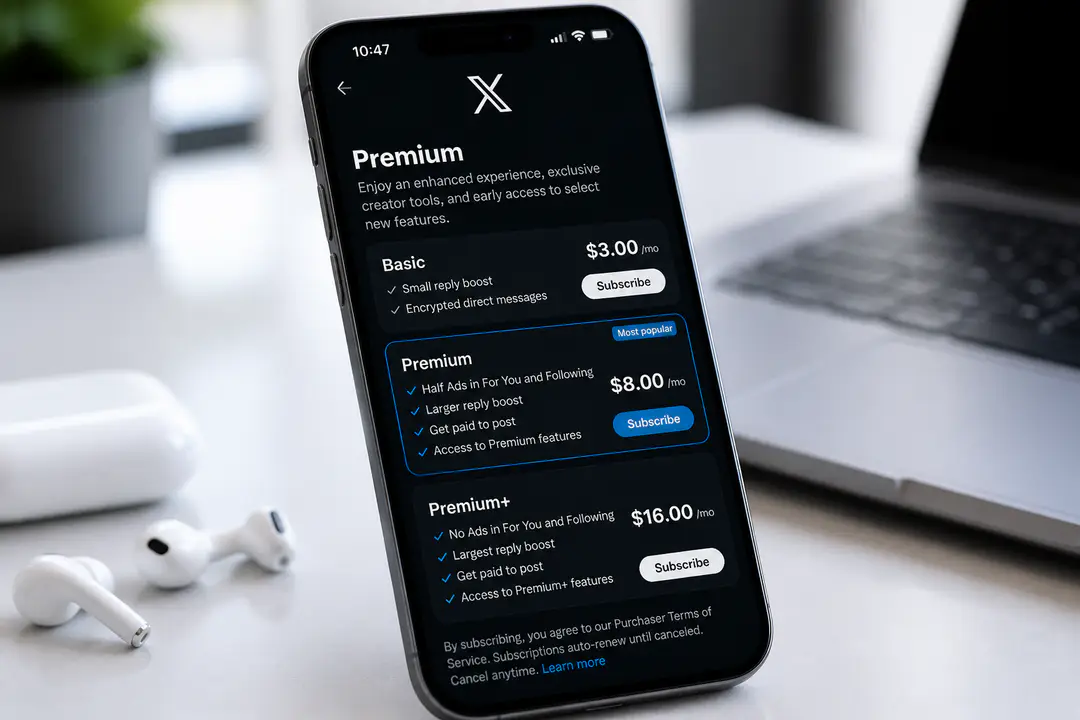
X Premium Subscription: Features, Pricing & Value
X changes quickly, which makes paid-plan decisions harder for people trying to match features, pricing, and billing rules to the way they actually use the platform. Differences between tiers, web and mobile checkout pricing, and recurring subscription terms can all affect the value you get. For buyers weighing cost against real-world use, the details matter more than the marketing. This review breaks down those details to help frame the choice.
Key Takeaways
- X Premium is an opt-in paid subscription with three tiers: Basic, Premium, and Premium+.
- Premium starts at $8/month or $84/year, while Premium+ starts at $40/month or $395/year on the web.
- Key features include ad-free browsing, post edits, content monetization, Grok AI access, video downloads, and X Pro, though not every feature is available in every tier.
- Cancel at least 24 hours before auto-renewal to avoid charges, and your features stay active until the current billing cycle ends.
- The x premium subscription is X’s paid upgrade for users who want more than the standard free account.
- It is built for people who post often, want more control over how their content appears, or care about extras such as post edits, creator monetization, and AI access.
- Casual readers can subscribe too, but they get the strongest value only if they care about fewer ads, longer posts, or download options.
This is not a must-have subscription for every X user. Its value depends almost entirely on how much time you spend on the platform and whether the advanced features replace tools you already pay for elsewhere. That matters even more now that AI features are part of the pitch, a pattern you can also see across AI in smart devices and other consumer apps.
X Premium Subscription Features & Pricing
Subscription Tiers Overview
X splits its paid offering into three levels. Basic is the entry plan for users who want a few upgrades without paying much, but it is the most limited and easiest to outgrow. Premium is the mainstream option and the tier most people should compare first, because it adds the core quality-of-life features and creator tools that justify paying at all.
Premium+ is the expensive top tier. It is aimed at heavy users, creators, professionals, and people who want the fullest version of Grok access plus X Pro and the strongest ad reduction experience. For most buyers, the question is not whether X has enough features overall, but whether Premium is enough or Premium+ crosses into overpaying.
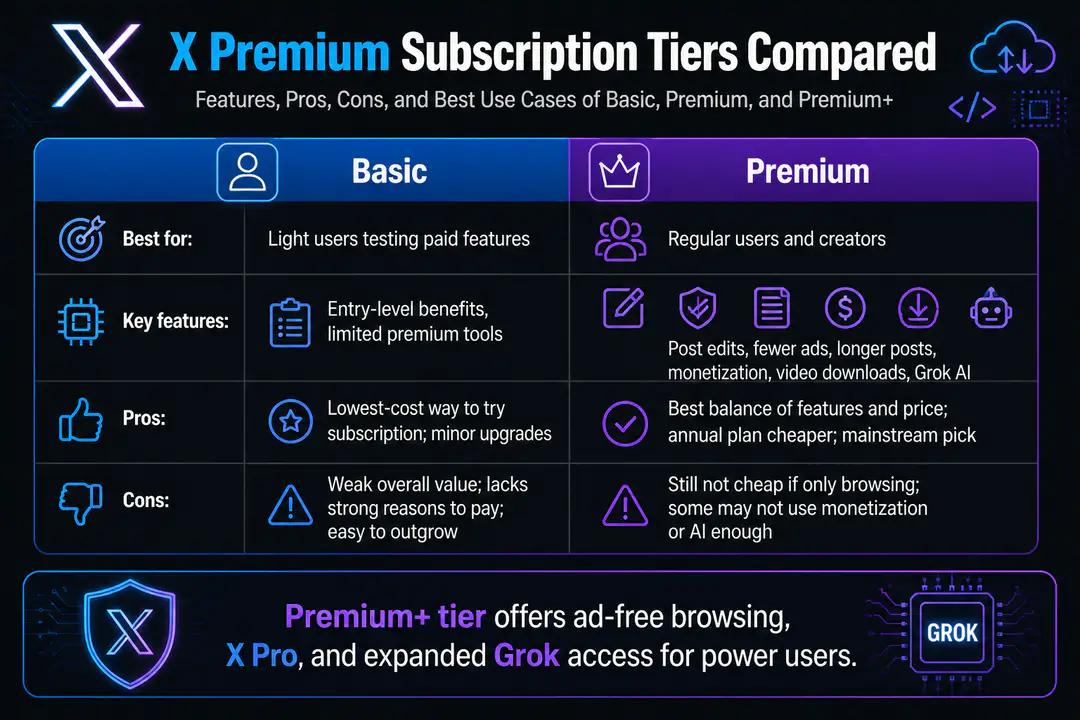
Feature Comparison Table
| Tier | Best for | Key features | Pros | Cons |
|---|---|---|---|---|
| Basic | Light users testing paid features | Entry-level subscription benefits, limited premium tools | Lowest-cost way to try a subscription plan; useful if you only want minor upgrades | Weak overall value; lacks the strongest reasons to pay; easy to outgrow |
| Premium | Regular users and creators | Post edits, fewer ads, longer posts, content monetization access, video downloads, Grok access | Best balance of features and price; annual web plan is notably cheaper; strongest mainstream pick | Still not cheap if you only browse; some users will not use monetization or AI enough to justify it |
| Premium+ | Power users, creators, professionals | Ad-free browsing, expanded Grok access, X Pro, highest-tier subscription benefits | Most complete experience; best fit for heavy daily use; stronger productivity value with X Pro | Very expensive; hard to justify for casual users; annual savings help but do not change the high entry price |
| Tier | Web monthly | Web annual | Value verdict |
|---|---|---|---|
| Basic | Varies by market | Varies by market | Only worth considering if price is your main filter |
| Premium | $8/month | $84/year | Best overall value |
| Premium+ | $40/month | $395/year | Worth it only for very heavy use |
Pricing Details
Web pricing is the cleanest benchmark because mobile phone purchases can cost more depending on app store fees. Premium starts at $8 per month or $84 per year on the web, while Premium+ starts at $40 per month or $395 per year on the web. That annual discount makes Premium much easier to justify than the month-to-month plan.
Local pricing also matters. X can show different subscription costs by country, and applicable tax can increase the final checkout total. If you are comparing plans seriously, check the price from the same device and purchase channel you plan to use, because mobile and web totals do not always match.
Subscription Management
- Subscribe from the web or mobile app, but compare checkout prices first because web pricing is often the better deal.
- Use the same billing channel for management that you used for purchase, such as web, Apple, or Google Play.
- Turn off auto-renewal at least 24 hours before renewal to avoid the next charge.
- After you cancel subscription access, paid features remain active until the end of the current billing cycle.
- Refunds are limited, so do not assume canceling reverses a recent payment.
Value and User Suitability
Basic makes sense only for buyers who want the cheapest possible way into X’s paid ecosystem. It is not the tier to choose if your goal is meaningful feature depth. Premium is the strongest fit for most paying users because it includes the features that actually change the subscription experience: editing, downloads, monetization access, and useful AI access without the steep Premium+ jump.
Premium+ works best for people who use X as a daily work tool or creator platform. If ad-free browsing, X Pro, and top-tier Grok access matter to your workflow, the price can make sense. If you mainly read posts and occasionally publish, Premium+ is usually too expensive for what you get.
Common User Questions
Can you cancel X Premium anytime?
Yes. You can cancel anytime, but cancellation stops future renewal rather than ending the plan instantly. Your features stay active until the billing period expires.
Do you get a refund after canceling?
Usually not. A canceled subscription generally remains active through the paid term, and that is the benefit you keep instead of receiving money back.
Is web purchase better than mobile?
Usually, yes. Web pricing is the better reference point because app store billing can add extra cost, so buyers who want the lowest posted price should check the browser version first.
Which tier should most people choose?
Premium is the safest buy for most users. It adds enough real features to change the product, while Premium+ is best reserved for very active users who will actually use X Pro, ad-free browsing, and expanded Grok access.
Subscription Troubleshooting Tips
- If your subscription is active but features do not appear, sign out and sign back in with the account used for the purchase.
- On Android, clear Google Play cache and data if the app does not recognize your plan after payment.
- On iPhone or iPad, confirm the purchase completed in your Apple subscriptions panel before troubleshooting inside X.
- On web, refresh account settings and billing pages before assuming the purchase failed.
- If mobile pricing looks higher than expected, compare the same plan on web before buying.
- Users who rely on cloud-style app rollouts will recognize the same issue seen with software updates: a payment can clear before every feature switch appears on the account.
FAQs
Does Basic include all Premium features?
No. Basic is the most limited tier and does not include the full feature set that makes Premium or Premium+ attractive.
Does Premium+ remove ads completely?
Premium+ is positioned as the ad-free browsing tier, which is one of its main advantages over Premium. That is a major part of why the price is so much higher.
Is X Pro included with every plan?
No. X Pro is part of the higher-end value case and is most relevant to Premium+ buyers deciding whether the top tier can replace separate workflow tools.
Should creators pay monthly or yearly?
If you already know you will keep the plan, annual billing is the smarter purchase. The price gap is meaningful enough that monthly billing makes more sense only for short-term testing.
That monthly-versus-annual trade-off is common across subscription software, and a separate software review often shows the same pattern: short-term flexibility costs more over time.
Conclusion
X Premium can be worthwhile at each tier when the plan matches your habits and expectations. Basic works as the low-cost entry point, Premium offers the strongest balance for most paying users, and Premium+ makes the most sense for people who will regularly use its biggest extras. Before subscribing, weigh your usage needs, compare pricing against your budget, and choose the tier whose benefits you will actually use.