Unfollowers: Best Instagram Unfollowers Apps Reviewed
Keeping up with Instagram follower changes can get frustrating, especially for creators, brands, and anyone managing more than one profile. The challenge is not just finding an app, but figuring out which tools are actually useful, affordable, and safe to trust with account data. Some options focus on simple unfollower alerts, while others add cleanup tools or deeper analytics. A clear comparison helps narrow the field before you pay for anything.
Key Takeaways
- Top unfollower apps now go beyond simple loss reports and include recent unfollowers, mutual followers, people who do not follow back, and profile analytics tied to post performance.
- Most solid options support multiple account login and offer account-cleanup tools such as mass unfollow, whitelist or starred people, and quick follow back checks.
- Privacy matters more than feature count: the safer apps emphasize local storage or limited account information handling, while subscription pricing ranges from weekly plans to yearly bundles.
Quick specs: This category is best suited to tracking unfollowers plus broader Instagram insights. Typical pricing starts with a free download and in-app purchases ranging from $3.99 weekly to $29.99 yearly. These apps are mainly iPhone-first, with some iPad and Mac support. The overall category rating is 8.1/10.
Top Instagram Unfollowers Apps Reviewed
The strongest Instagram unfollowers apps are not identical. Some are simple follower trackers, some are better at account cleanup, and a few add post analytics, interaction activity, and account growth reporting. The apps below stand out because they combine practical tracking with clear pricing and usable platform support.
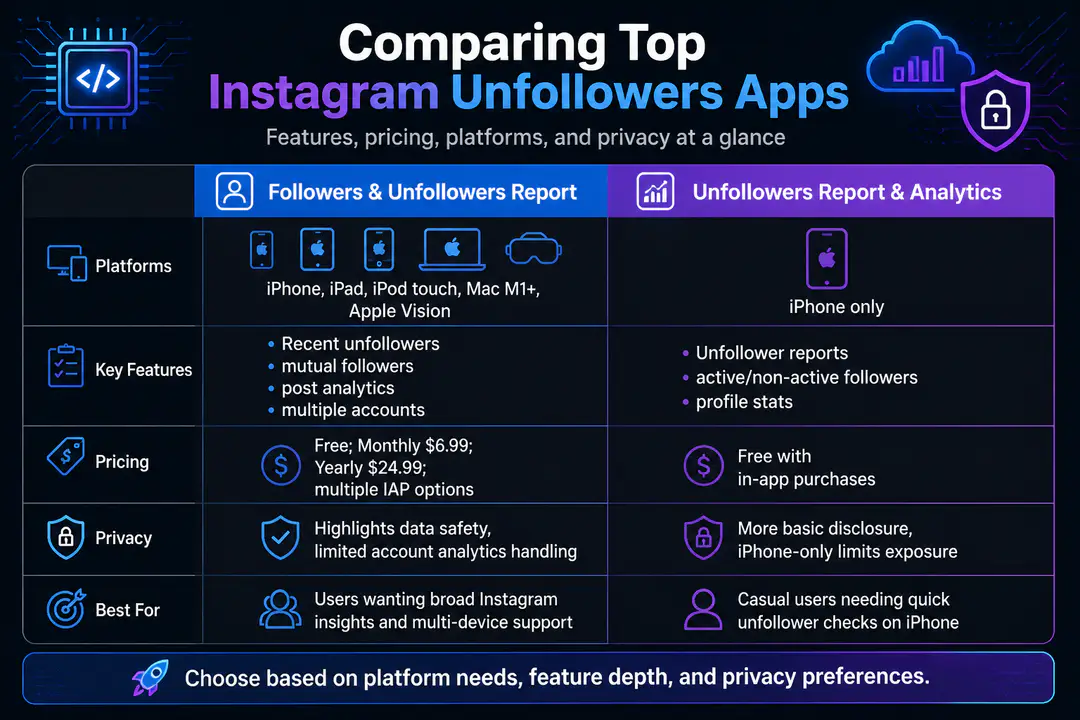
| App | Platforms | Best Features | Pricing | Privacy Notes |
|---|---|---|---|---|
| Followers & Unfollowers Report | iPhone, iPad, iPod touch, Mac with M1+, Apple Vision | Recent unfollowers, mutual followers, post analytics, multiple accounts | Free; Monthly $6.99, Yearly $24.99; other IAPs from $3.99 weekly to $29.99 yearly | Highlights data safety and limited account analytics handling |
| Unfollowers Report & Analytics | iPhone | Unfollower reports, active followers, non-active followers, profile stats | Free with in-app purchases | More basic disclosure; iPhone-only limits exposure surface |
| Mass Unfollow-style trackers | Usually iPhone and Android variants | Bulk unfollow, don’t-follow-back lists, whitelist | Often weekly or monthly subscriptions | Higher caution needed if they request deep login access |
1. Followers & Unfollowers Report
This is the most complete option in this group for buyers who want more than a raw unfollower list. It is a free download with in-app purchases and is designed for iPad, but its compatibility is much broader: iPhone with iOS 15.0 or later, iPad with iPadOS 15.0 or later, iPod touch with iOS 15.0 or later, Mac with macOS 12.0 or later and an M1 chip or later, and Apple Vision with visionOS 1.0 or later.
That platform spread matters if you check analytics from more than one device.
- You get recent unfollowers.
- The app tracks follower growth.
- It shows people who do not follow back.
- It includes mutual followers.
- It adds post-level performance signals that help connect audience changes to content.
- It also supports multiple account login, which is essential for agencies and side-project creators.
- Broader social metrics often matter more than raw losses, much like losing followers on other platforms usually reflects content shifts rather than a single event.
Pricing is also more transparent than average. Confirmed options include Monthly at $6.99 and Yearly at $24.99.
Additional in-app purchases include $4.99 weekly, $23.99 yearly pro, $9.99 monthly pro, $8.99 monthly, $29.99 yearly, $3.99 weekly, $5.99 monthly pro, $6.99 monthly pro, and $24.99 yearly pro. Language support is a nice extra, with English plus 16 additional languages. It is best for users who want unfollower tracking and broader Instagram insights in the same product.
2. Unfollowers Report & Analytics
- This app is narrower, but still useful if your only goal is follower monitoring on an iPhone.
- It is positioned as a follower tracker and profile view tool.
- It focuses on accurate reports for unfollowers.
- It includes follower statistics.
- It covers active followers.
- It reports on non-active followers.
- It also tracks nearby engagement trends.
- Because it is iPhone-only, it is less flexible than the top pick for users who prefer iPad or Mac dashboards.
Where it works well is quick reporting. If you want to open the app, check who unfollowed you, see who interacts most, and move on, this cleaner format is easier than a feature-heavy analytics suite. It also suits casual users who do not need post performance breakdowns or advanced cross-device support.
The trade-off is value. Free entry is good, but a lighter feature set only makes sense if the paid upgrade stays modest. If pricing is close to more capable trackers, this one becomes harder to recommend except for users who strongly prefer a simple iPhone interface.
3. Mass Unfollow Tracker Apps
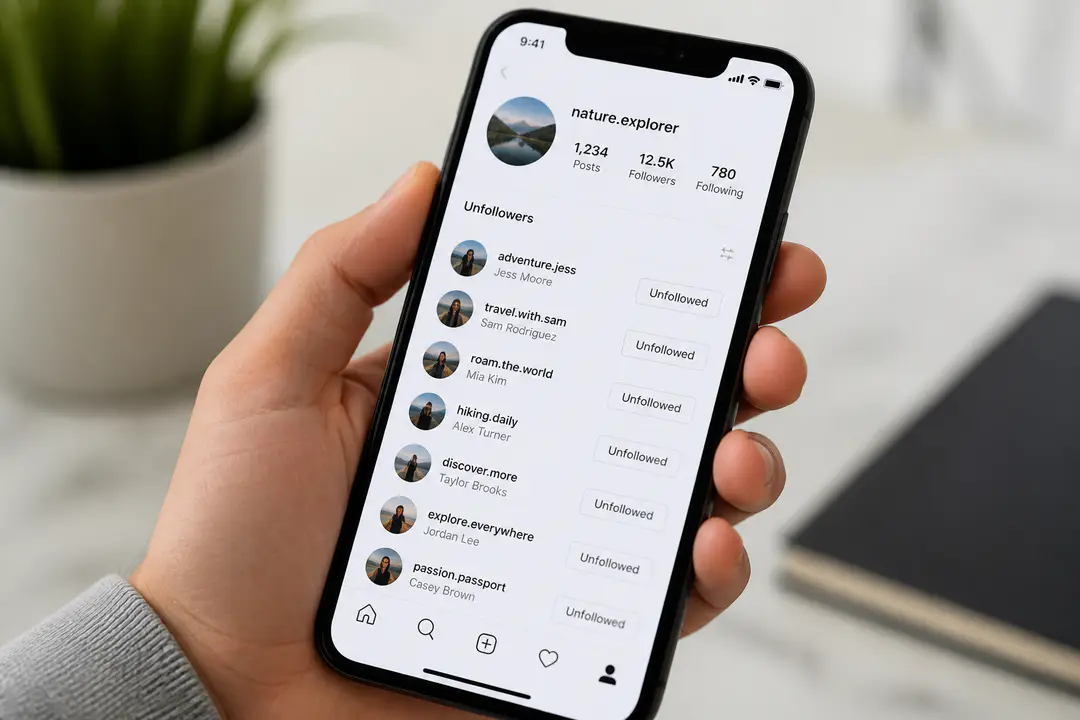
These are the utility-first apps in the category. Their appeal is straightforward: they highlight accounts that do not follow you back, let you star or whitelist people you want to keep, and offer mass unfollow actions to speed up cleanup. For users with cluttered following lists, that can be more useful than deep analytics.
They are not automatically the best choice, though. Mass actions save time, but they also create more account-risk concerns if the app pushes constant syncing or asks for too much login access. A cleaner interface does not equal better safety. If an app puts bulk actions first and explains privacy last, that is a red flag.
Best for power users with a clear cleanup goal, not for creators who want detailed Instagram insights, follower growth reporting, and post-performance analysis. If your priority is organization rather than analytics, this category can fit, but read permissions closely.
4. Analytics-First Follower Tools
Some unfollower apps are really profile analytics tools with unfollower reporting built in. Their value comes from combining follower changes with interaction activity, post performance, top fans, ghost followers, and audience patterns. That broader view helps explain not just who left, but what content likely pushed growth or drop-off.
These tools are usually better for businesses and creators than for casual users. They make more sense when you actively compare follower growth against reels, posts, and engagement trends. The same evaluation logic shows up in adjacent tools, especially where AI in smart devices turns plain dashboards into more predictive recommendations.
The downside is price creep. Analytics-heavy apps often layer a free version on top of weekly, monthly, and yearly subscriptions, then reserve the best reports for a pro tier. Buy this type only if you will actually use the profile details and not just the unfollower list.
Choosing the Right Unfollowers App
The right choice depends on whether you need tracking, cleanup, or broader reporting. A creator or small brand should prioritize recent unfollowers, mutual followers, post performance, follower growth, and multiple account support. A casual personal user can choose a simpler app if it clearly shows who unfollowed, who does not follow back, and basic interaction activity.
What to compare
- Platform support: iPhone-only apps are fine for light use, but iPad and Mac support improves convenience.
- Core tracking: Recent unfollowers, mutual followers, and don’t-follow-back lists should be standard.
- Management tools: Mass unfollow, whitelist, starred people, and multi-account switching save real time.
- Analytics depth: Look for follower growth, post performance, and profile analytics if you run a business account.
- Pricing structure: Weekly plans look cheap upfront but cost more over time than yearly plans.
One practical filter is whether the app gives useful free access before pushing a subscription. Software buyers usually make better choices after checking how an app handles updates, limits, and upgrade pressure, which is why broader software updates habits still matter here.
Privacy
This category deserves more caution than most social apps because it touches account information, profile details, and login sessions. The safest options keep their privacy messaging specific and emphasize local storage or limited retention where possible. If an app is vague about what it stores, how it syncs, or why it needs full account access, skip it.
Privacy checks before you subscribe
- Prefer apps that explain data safety in plain language.
- Look for local storage mentions instead of broad cloud retention.
- Avoid apps that promise impossible insights or guaranteed account growth.
- Be wary of tools that push aggressive mass unfollow automation without clear safeguards.
There is also an account-risk issue separate from privacy. Apps that rely too heavily on repeated sync actions, deep login permissions, or unusual scraping behavior are simply harder to trust. For most users, a slightly less flashy tracker with better data handling is the smarter buy.
FAQs
Do Instagram unfollower apps really work?
Yes, the better ones work for reporting follower changes, mutual followers, and accounts that do not follow back. The difference is how clearly they present the data and how safely they handle login and account information.
Are free unfollower apps enough?
Free versions are enough for light checking, especially if you only want recent unfollowers. Paid plans make more sense when you need multiple account login, mass unfollow tools, follower growth charts, or deeper profile analytics.
What is the best pricing model?
Yearly plans usually deliver the best value if you will use the app regularly. Weekly subscriptions are only sensible for short-term cleanup or testing because they become expensive quickly.
Should I choose analytics or cleanup tools?
Choose analytics if you manage a creator or business account and care about post performance and growth. Choose cleanup tools if your main goal is removing non-mutual accounts and organizing who you follow.
Conclusion
The best Instagram unfollower app is the one that matches your real use case, not the one with the longest feature list. Focus on the balance between features, pricing, and data safety before paying for extras like bulk actions or advanced profile analytics. If you are undecided, consider your specific needs and try a free version, trial, or demo when available before committing to a monthly or yearly plan.