Pony Town Skin Codes: Ultimate Customization Guide
Pony Town lets you express yourself with unique skins that transform how your pony looks. Many players focus on popular templates but then miss the power behind custom skin codes and their creative potential. These strings of letters and numbers can make your character truly one of a kind. Have you ever wondered how to find or build the perfect code without wasting hours on trial and error?
The answer lies in understanding the skin code structure and where to access reliable sources. By mastering these details, you can pick designs that suit your style and avoid invalid or broken codes. With this knowledge, you will create better skins, share them confidently, and prevent surprises when you apply them in-game.
Understanding Skin Codes
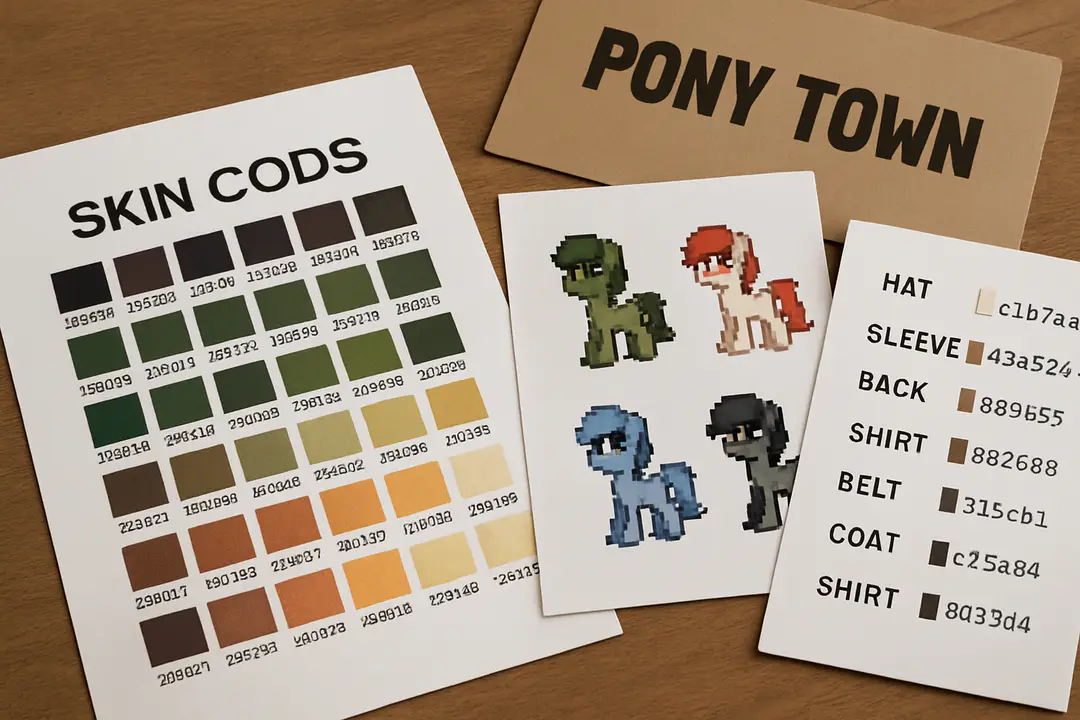
Skin codes in Pony Town are a string of letters and numbers that tell the game exactly how to color your pony. Each part of the code matches a specific hue or design element, from the fur base to the mane style. When you enter a valid code, the server reads it and displays the matching skin. That means you can share codes with friends and build off each other’s designs. It also means that a small typo can ruin the final look, so you should double check before you save or share a code.
A code often starts with a prefix like s: which means skin, then a series of hex values for color points. Next comes pattern calls, like dots or stripes. Advanced players use more complex segments to add details like eyes or marking areas. Familiarizing yourself with common tags can speed up your custom builds. Once you understand the basic layout, it becomes a lot easier to mix and match bits from different skins.
Practical tip: keep a note file on your computer with color codes you like. When you find a shade that works, save it. That way you can plug it into any design in minutes. As you experiment, you will start to see patterns in how small tweaks change the overall look. By the end of this section you should know how skin codes break down and why each piece matters.
Remember that each code only affects visuals and does not change gameplay. You won’t get any power-ups or bonuses. It’s just for style. Use it to stand out, to match friends, or to set up a group theme on a server.
Finding Reliable Codes
With so many players sharing links online, it can be hard to know which codes look as good as they sound. A quick search can lead you to random pages with outdated or invalid strings. To avoid wasting time, stick to well-known communities where users test and approve codes. Popular places include official Pony Town Discord channels, subreddit threads, and dedicated code repositories. Each community often tags top designs and highlights seasonal or event-based skins.
On Discord, for example, players share live screenshots along with code text. This gives you confidence the code works before you try it. If you do not yet have an account, you can create a Discord account in minutes. Look for channels labeled “code-share” or “skin-workshop.” You can also ask for feedback by posting your own design and inviting others to test it.
Here are three reliable sources to bookmark:
- Pony Town subreddit – often has weekly code threads and top-rated picks.
- Community wiki pages – maintained by experienced players who update daily.
- Discord code workshops – join a channel, drop your code, and watch for replies.
Don’t forget to check the date on any post. A design from three years ago might reference old tags that no longer apply. Fresh codes keep up with the latest game updates, ensuring you will see the intended look. Always save your favorite sources for quick reference when inspiration strikes.
If you find a code you love on a third-party site, test it in a private server before using it in a public event. This simple step can prevent embarrassing moments where your pony defaults back to grey. In the world of Pony Town, presentation matters as much as creativity.
Creating Custom Codes
Building your own skin code lets you stand out with truly original designs. You can start with a base template and tweak color values or patterns until you get a look that matches your vision. If you want to share your code with others, it helps to craft it carefully and document each change. A clear naming system in your notes will save you hours when you revisit the project.
Follow these simple steps:
- Pick a base template. In Pony Town, templates define body shape and major features.
- Choose your color values. Use a color picker tool to find hex codes or RGB values you like.
- Add pattern tags. Decide where stripes, dots, or gradients go on your pony.
- Assemble the segments. Combine prefix, color values, and pattern tags into a single code string.
- Test in the game. Paste the code into your skin editor and adjust any errors you see.
Once your code is stable, share it on community channels or social media. You can also share your Discord profile to get feedback from other players. Remember to label your code with a clear name so people know what to expect.
Pro tip: work in small increments. Adjust one value at a time, then test. This method ensures you know exactly which change caused a shift in the final look. Over time, you will develop a personal library of favorite color palettes and patterns to speed up new creations.
Applying Codes In Game
Once you have a code, putting it into Pony Town is quick. First, open the skin editor screen in the main menu. If you don’t see it, make sure you are on the latest game version. The editor lets you paste text directly into a field labeled Skin Code. After pasting, click Apply or hit enter, and your pony will update instantly.
If something looks off, double check for stray spaces or typos. Even one missing character can send the game back to the default grey pony. If you plan to switch skins frequently, consider keeping a list of your top five codes in a notepad or mobile notes app. This way you can copy and paste without hunting through Discord or forums.
Here are a few quick tips:
- Use keyboard shortcuts like Ctrl+C and Ctrl+V for fast copying.
- Label your favorite codes with short, memorable names, like “Sunset Glow” or “Forest Mist.”
- Save your list as a draft post in your community chat so you can access it on any device.
By mastering these small steps, you minimize mistakes and maximize creative play. Applying a new skin only takes a few seconds, but repeated errors can add frustration. Keep your codes organized, and you’ll always have a fresh look ready for any server or event.
Now that you know how to apply codes, you can treat your pony like a blank canvas. Experiment freely and switch looks between races, events, or casual hangouts to keep things exciting.
Troubleshooting Common Issues
Even veteran players run into code problems now and then. The most frequent mistakes are missing characters, outdated tags, or conflicts with new game updates. To help you diagnose and fix these quickly, here is a simple table:
| Issue | Fix |
|---|---|
| Broken code error | Check for missing prefix or typos in segments. |
| Grey default pony | Ensure you are in the skin editor and code is pasted fully. |
| Pattern not showing | Update your game to the latest version and retry. |
| Unexpected colors | Re-examine hex values and make sure they start with # if needed. |
When in doubt, test each part of your code separately. Break your string into color-only, then add pattern tags one by one. This method pinpoints the exact segment causing the problem.
If a code still fails, search for the tag name in recent patch notes or community forums. Game updates sometimes rename or drop old tags. Staying aware of these changes can save hours of troubleshooting time.
You can also look in the browser console for error messages. Open developer tools and watch for red text after you hit Apply. This log often details which part of the code the system could not parse.
Top Tips For Codes
- Save favorites: Keep a running list of codes you love for quick reuse.
- Use themes: Build sets around seasons, holidays, or personal art styles.
- Share and collaborate: Team up with friends and remix each other’s codes.
- Backup regularly: Store your notes in cloud storage or email to prevent loss.
- Stay updated: Follow patch notes to know when tags change or get dropped.
Beyond these essentials, try to learn from other players. Watch how top creators layer patterns, mix gradients, and balance contrast. If you see a skin you like, ask the designer for a tutorial or code breakdown. Most community members are happy to help.
Also, consider joining live workshops or code jam events. These are often hosted on Discord and let you watch experts build codes in real time. Seeing the step-by-step process can inspire new ideas and speed up your own workflow.
Finally, remember to have fun. Skin coding in Pony Town is as much about self-expression as it is about technique. Don’t worry about perfection—play with colors and shapes until you find something that feels right to you.
Customizing your pony with skin codes is a rewarding part of the Pony Town experience. By understanding how codes work, where to find reliable sources, and how to build or apply your own designs, you unlock nearly endless possibilities. You’ll avoid frustration when you troubleshoot common issues and follow best practices to keep your codes organized and safe.
Start by saving a small library of favorite codes, then experiment by modifying one or two values at a time. Join community channels to share your work and learn from others. The more you explore and collaborate, the more your skills will grow. Whether you want a sleek minimalist look or a bold fantasy palette, skin codes let your pony reflect your style.
Now that you have the knowledge and tools, why wait? Dive into the editor, test a new code, or craft your own masterpiece. Your next favorite look is just a few characters away. Go forth and create something amazing in Pony Town.