AI Models vs AI Harnesses: How They Work Together
When evaluating an AI product, separate what the model can do from the conditions the software creates around it. This distinction helps when choosing a system and when debugging an unexpected result: did the model produce a poor response, or did the surrounding workflow fail to provide, execute or check what was needed? The two layers work together, but they are not interchangeable.
Model and Harness Responsibilities at a Glance
AI model: Processes the input context and generates predictions, reasoning or other outputs. It supplies the system’s language, coding or other learned capabilities, but its response alone does not prove that a requested action occurred.
AI harness: Coordinates the model’s tools, memory, execution, state, permissions and operating rules. It determines how a proposed action fits into the workflow and what evidence or approval is needed before the task is treated as complete.
A model might suggest a code change, for example, while the harness determines whether it can edit the workspace and whether tests run. Neither layer guarantees success. A capable model can sit inside a poorly configured workflow, and a well-controlled harness cannot turn an unsuitable model response into a sound one. Compare both the quality of the model’s output and the reliability of the process around it.
What does an AI model do?
An AI model processes the information in a call and generates an output based on learned patterns. A language model might return text, code, a classification or a proposed next action. The model supplies the reasoning and generation capabilities; access to a particular file, database or command-line tool comes from the surrounding software.
The model can use information in its current context window, but a base model does not retain memory between calls. If an earlier decision or user preference needs to inform a later call, the surrounding software must provide that information again. A model can also produce an incorrect answer or an invalid action request, so its output does not confirm that a task is complete.
GPT-5.5 provides reasoning and generation capabilities that an agent harness can use. Claude is Anthropic’s model family for reasoning, code generation and instruction-following. Llama refers to Meta’s open-weight foundation models; an agent workflow using Llama needs software around the model to manage prompting and execution.
What does an AI harness add?
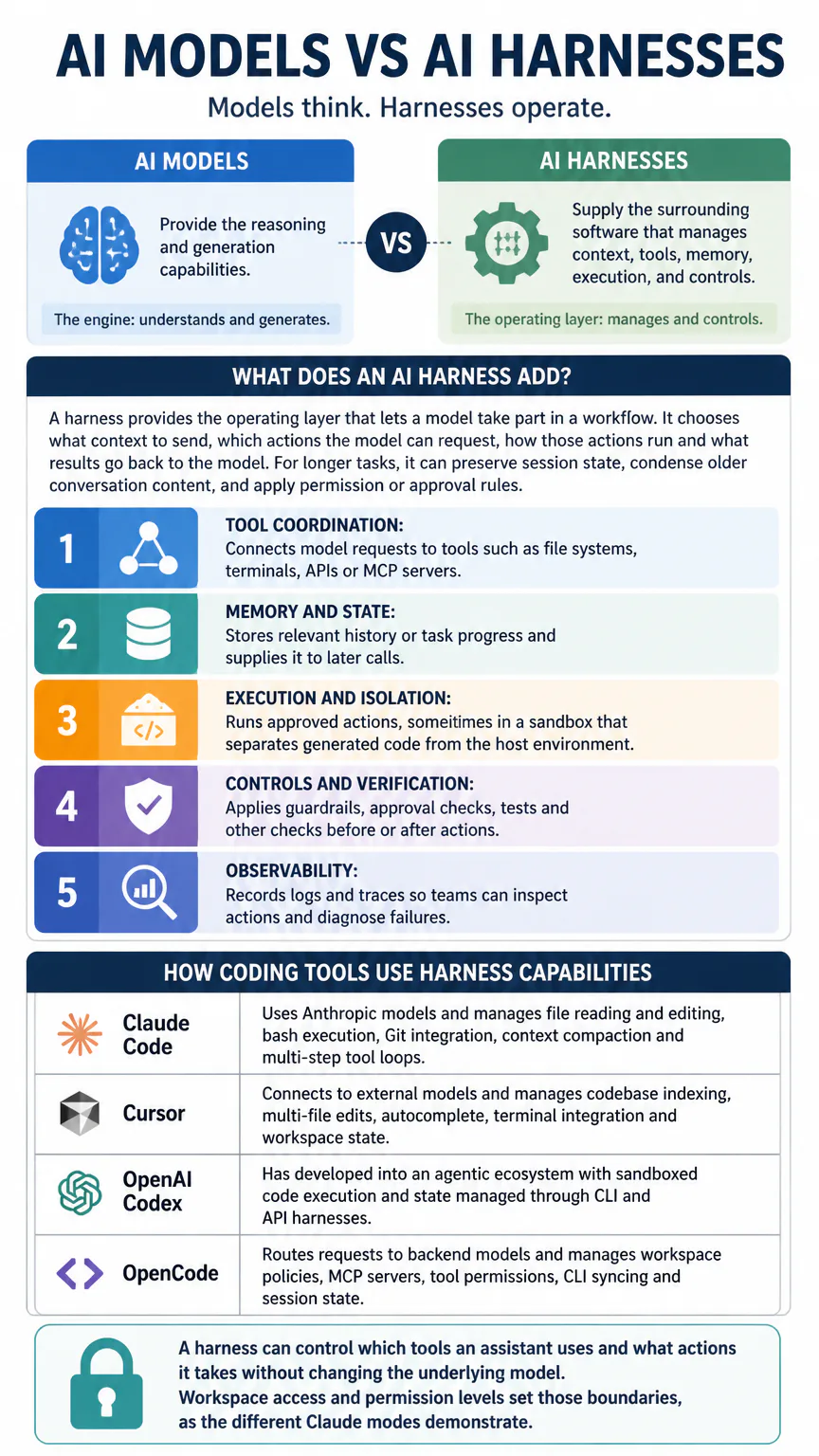
A harness provides the operating layer that lets a model take part in a workflow. It chooses what context to send, which actions the model can request, how those actions run and what results go back to the model. For longer tasks, it can preserve session state, condense older conversation content, and apply permission or approval rules.
Tool coordination: Connects model requests to tools such as file systems, terminals, APIs or MCP servers.
Memory and state: Stores relevant history or task progress and supplies it to later calls.
Execution and isolation: Runs approved actions, sometimes in a sandbox that separates generated code from the host environment.
Controls and verification: Applies guardrails, approval checks, tests and other checks before or after actions.
Observability: Records logs and traces so teams can inspect actions and diagnose failures.
Coding tools combine these responsibilities in different ways. Claude Code uses Anthropic models and manages file reading and editing, bash execution, Git integration, context compaction and multi-step tool loops. Cursor connects to external models and manages codebase indexing, multi-file edits, autocomplete, terminal integration and workspace state. OpenAI Codex has developed into an agentic ecosystem with sandboxed code execution and state managed through CLI and API harnesses. OpenCode routes requests to backend models and manages workspace policies, MCP servers, tool permissions, CLI syncing and session state.
A harness can control which tools an assistant uses and what actions it takes without changing the underlying model. Workspace access and permission levels set those boundaries, as the different Claude modes demonstrate.
How models and harnesses work together
An agent combines a model with a harness. One common design is a ReAct loop: the model proposes an action, the harness executes it and returns the result, and the model uses that observation to decide what to do next.
Provide context: The harness sends the task and relevant workspace information to the model.
Request an action: The model returns a response or a structured request, such as reading a file or running a test.
Check and execute: The harness checks permissions and runs approved actions, often inside a sandbox for code execution.
Return the result: The harness supplies the action’s output to the model as new context.
Continue or stop: The model can revise its plan, request another action or report completion. The harness can enforce limits or require approval.
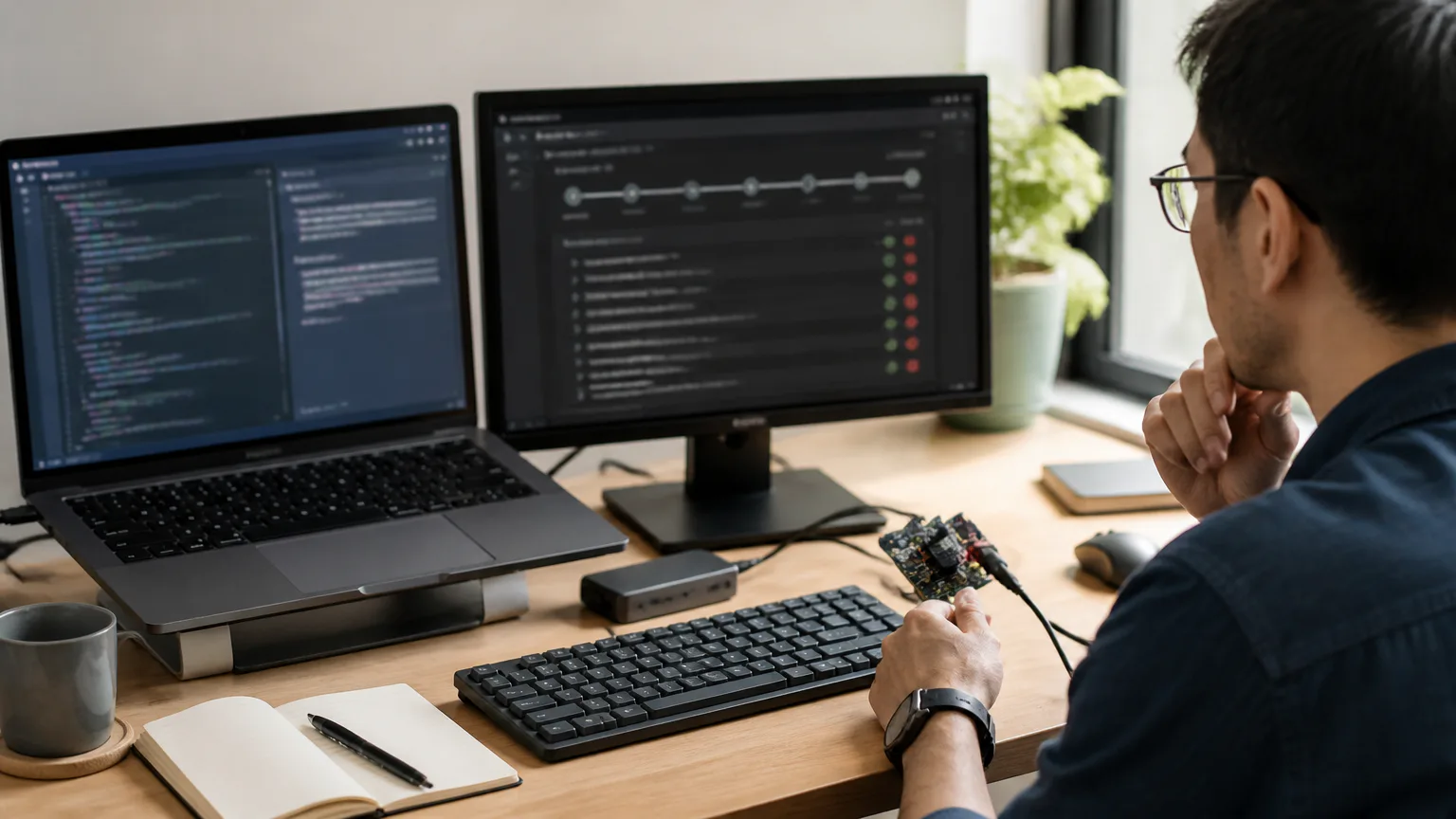
In a coding task, the model might inspect a failing test, propose a code change and use the test output to decide whether to revise it. The model generates the proposed changes and interprets the result; the harness determines which files and commands are accessible and whether the test ran. A broken handoff or missing tool permission can interrupt the task even when the proposed fix is sound.
A request depends on more than its text; the harness also passes configuration to the model. A reasoning-effort setting, for example, can trade faster replies for more deliberation, as the different Claude effort levels show.
Where each layer can fail
Model-side failures
A model can misunderstand instructions, invent details, generate faulty code or choose an unsuitable action. It can also lose track of important details that are missing from the context it receives. More tool access does not fix a mistaken interpretation by itself. The harness can surface evidence or require checks, but the model still has to respond appropriately to that information.
Harness-side failures
A harness can send incomplete context, call the wrong tool, mishandle an action result or fail to preserve task state. Poorly chosen permissions can block necessary work or allow actions that should require approval. An unconstrained loop can repeat actions without making progress, while weak logging makes it harder to tell whether the model or the execution layer caused the problem.
The two types of failure can interact. A model might propose an unsafe or incorrect command, for example, and the harness might fail to restrict it or report its effects clearly. Sandboxing, guardrails, verification and observable action traces reduce operational risk, but they do not guarantee a correct answer.
When does the harness matter more?
The harness has more influence when a task involves repeated tool use, persistent state, strict permissions or verification across many steps. Every action creates another chance for a handoff or execution problem.
Per-step success rate | Success rate across 20 consecutive steps |
|---|---|
99% | About 82% |
95% | About 36% |
Model choice still matters: the model interprets goals, generates actions and uses returned evidence. In an OfficeQA Pro comparison, an agent harness paired with GPT-5.5 scored 52.63%, while GPT-5.4 scored 36.10% in the same comparison. Those scores apply to that evaluation, not a universal ranking; results depend on the model, harness, task and evaluation setup together.
When diagnosing a system, inspect the layer responsible for the behavior. A fabricated explanation points toward model output; a missing file, failed tool call, lost session or absent approval check points toward harness behavior. Multi-step results often require examining both.
In interactive applications, the harness keeps a model’s behavior consistent with the rules and the user’s actions. Games show why that matters: how games use artificial intelligence depends on how the AI fits into the game world.
FAQs
What are four types of AI models?
There is no single universal four-part taxonomy. By learning approach, a common grouping is supervised, unsupervised, semi-supervised and reinforcement learning. These describe training approaches, not four mutually exclusive product categories.
What are the five main AI models?
There is no standard list of five, but a useful grouping by task is language, vision, speech and audio, multimodal, and image-generation models. The categories overlap: a multimodal model, for instance, can work with both language and images.
What is the difference between an AI harness and an agent?
The harness manages context, tools, execution, state and controls. An agent is the working system formed when a model uses that harness to pursue a task.
Can one harness work with different model providers?
Yes, if it supports the relevant model connections and request formats. OpenCode, for example, routes requests to backend models and manages workspace and tool settings around them.
How does an AI harness differ from MCP?
A harness coordinates the broader agent workflow, including model calls, state, execution and controls. MCP is a protocol for connecting models or AI applications to external tools and data; an MCP server can be one connection managed by a harness.

Conclusion
Assess a model by the quality of its reasoning and generated output, and assess its harness by how reliably it can act within a real workflow. For multi-step systems, test them together, including permissions, recovery from tool errors and verification of completed actions.