
How to Get Your Business Verified in Chatgpt: A Step-by-step Guide
Eligible businesses can claim and manage a Businesses in ChatGPT profile through Business Hub. An owner or authorized representative must prove control of the business and verify their identity. The process involves claiming the correct listing, completing an available proof-of-control check, and addressing any issues that arise during review.
Verify your business in ChatGPT
Open ChatGPT and select Business Hub in the sidebar using the account you’ll use to manage the business.
Find the correct business listing. Claim it only if you own the business or are authorized to represent it.
Prove control of the business using one of the verification methods available for that listing.
Submit the claim and wait for OpenAI’s decision by email. If OpenAI requests more information during the review, respond to the request.
After the claim is approved, complete the Persona identity verification. The blue verified check appears after Persona approves the identity check.
Business approval and identity verification are separate decisions. The claim confirms the representative’s authority to manage the listing. Persona verifies that representative’s identity before they can access profile-management features.
Check your business eligibility
You need a ChatGPT account to access Business Hub, and you must own the business or have authority to represent it. You don’t need a ChatGPT Ads account or a ChatGPT Enterprise agreement to claim an eligible listing. Businesses in ChatGPT is separate from the paid ChatGPT Business plan for teams.
Local stores and restaurants: You can claim an existing U.S. listing. This process can’t be used to claim a listing that doesn’t exist.
Other businesses: The listing must be available to claim in Business Hub, and you must be able to prove your connection to it.
Business Agent: This is a separate feature for eligible U.S. ecommerce and online service businesses with a website. Industry requirements apply, so claiming a profile doesn’t guarantee access.
Check that the listing represents the right business before submitting a claim. The authorized representative should be able to access the phone, email, website domain, or Shopify store used to prove control.
Choose a business verification method
Business Hub shows the proof-of-control options available for each listing. Choose one you can complete using business-controlled contact details or accounts. The exact steps depend on the method offered.
Business verification method | How to verify | Proof required |
|---|---|---|
Business phone | SMS code or automated phone call | Access to the listed business phone |
Business email | Email verification | Access to an associated email address |
Website domain DNS TXT record | Add a DNS TXT record | Ability to edit the domain’s DNS records |
Shopify store | Sign in to the connected store account | Access to the Shopify store account |
For phone verification, use a business number that can receive a text or automated call. Email verification sends a code to an address associated with the business; a personal inbox with no business connection may not work.
For domain verification, copy the exact TXT record details shown in ChatGPT into the domain’s DNS settings. For Shopify verification, sign in to the store account associated with the business. These methods prove control of the business; they don’t replace the separate Persona identity check.
Before you begin, make sure you can access your business website and an email address at its domain; some verification methods require one or both. A consistent digital marketing strategy helps keep your website and public business details aligned across platforms.
Resolve listing and verification problems
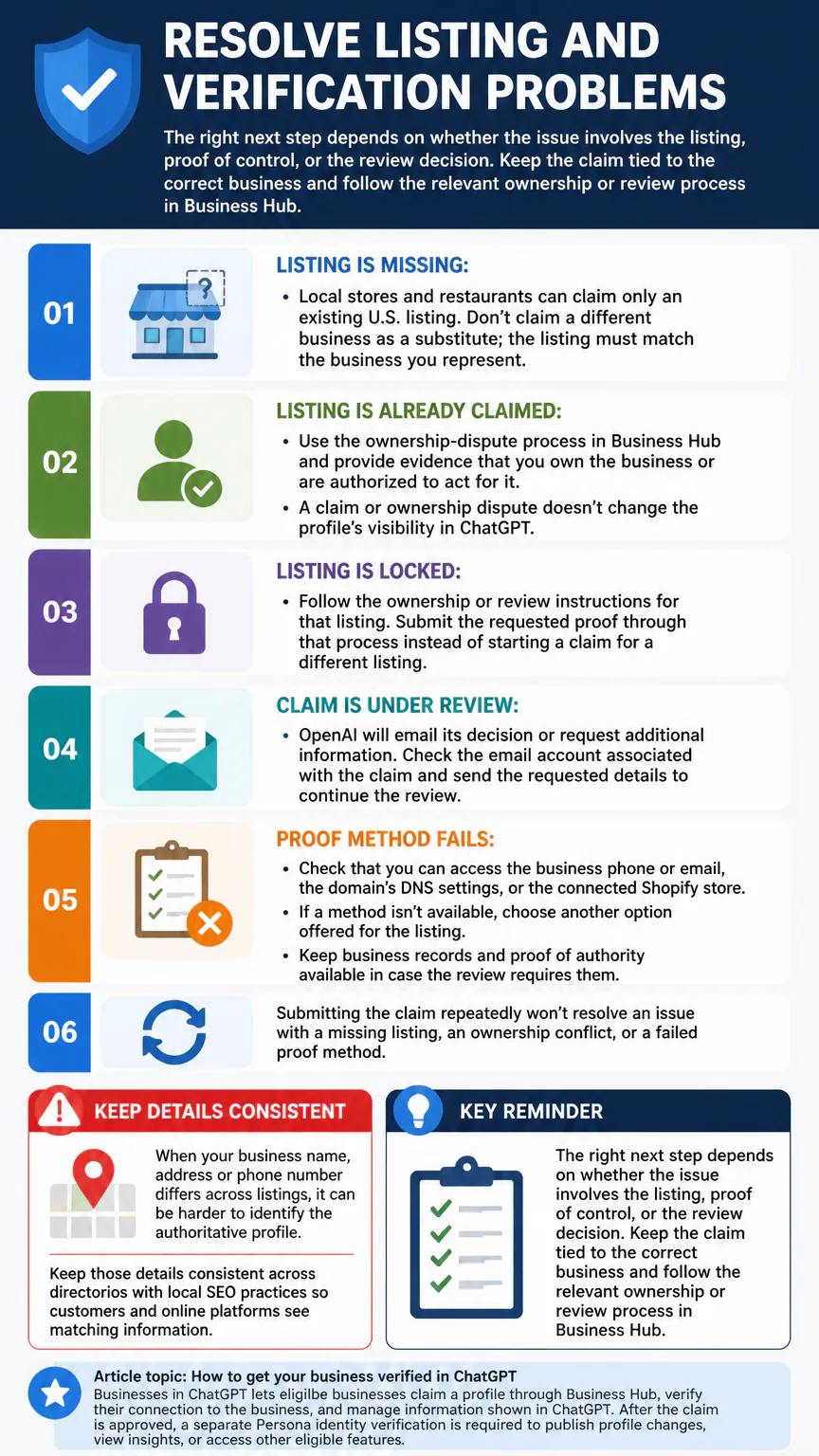
The right next step depends on whether the issue involves the listing, proof of control, or the review decision. Keep the claim tied to the correct business and follow the relevant ownership or review process in Business Hub.
Listing is missing: Local stores and restaurants can claim only an existing U.S. listing. Don’t claim a different business as a substitute; the listing must match the business you represent.
Listing is already claimed: Use the ownership-dispute process in Business Hub and provide evidence that you own the business or are authorized to act for it. A claim or ownership dispute doesn’t change the profile’s visibility in ChatGPT.
Listing is locked: Follow the ownership or review instructions for that listing. Submit the requested proof through that process instead of starting a claim for a different listing.
Claim is under review: OpenAI will email its decision or request additional information. Check the email account associated with the claim and send the requested details to continue the review.
Proof method fails: Check that you can access the business phone or email, the domain’s DNS settings, or the connected Shopify store. If a method isn’t available, choose another option offered for the listing.
Keep business records and proof of authority available in case the review requires them. Submitting the claim repeatedly won’t resolve an issue with a missing listing, an ownership conflict, or a failed proof method.
When your business name, address or phone number differs across listings, it can be harder to identify the authoritative profile. Keep those details consistent across directories with local SEO practices so customers and online platforms see matching information.
Manage your profile after approval
After the claim is approved, complete Persona verification to publish business information changes, view insights, or access other eligible features. Persona may ask for a government-issued ID, business registration information, and proof that you have authority to represent the business. The blue check appears once the identity verification is approved.
Insights report aggregate activity over the past 28 days, including how often ChatGPT mentions the business, website clicks, and discovery topics.
Eligible U.S. ecommerce and online service businesses with a website may also be able to create a Business Agent, subject to industry requirements. Business Agent is separate from maintaining the claimed profile, and Persona approval doesn’t remove its eligibility conditions.
After approval, keep your business description, services, hours and contact details up to date so AI systems have accurate information. That ongoing upkeep also matters for generative engine optimization.
Conclusion
Start with the correct listing in Business Hub and choose a proof-of-control method you can access. Once OpenAI approves the claim, complete Persona verification to manage profile information and use eligible features.