Dots AI
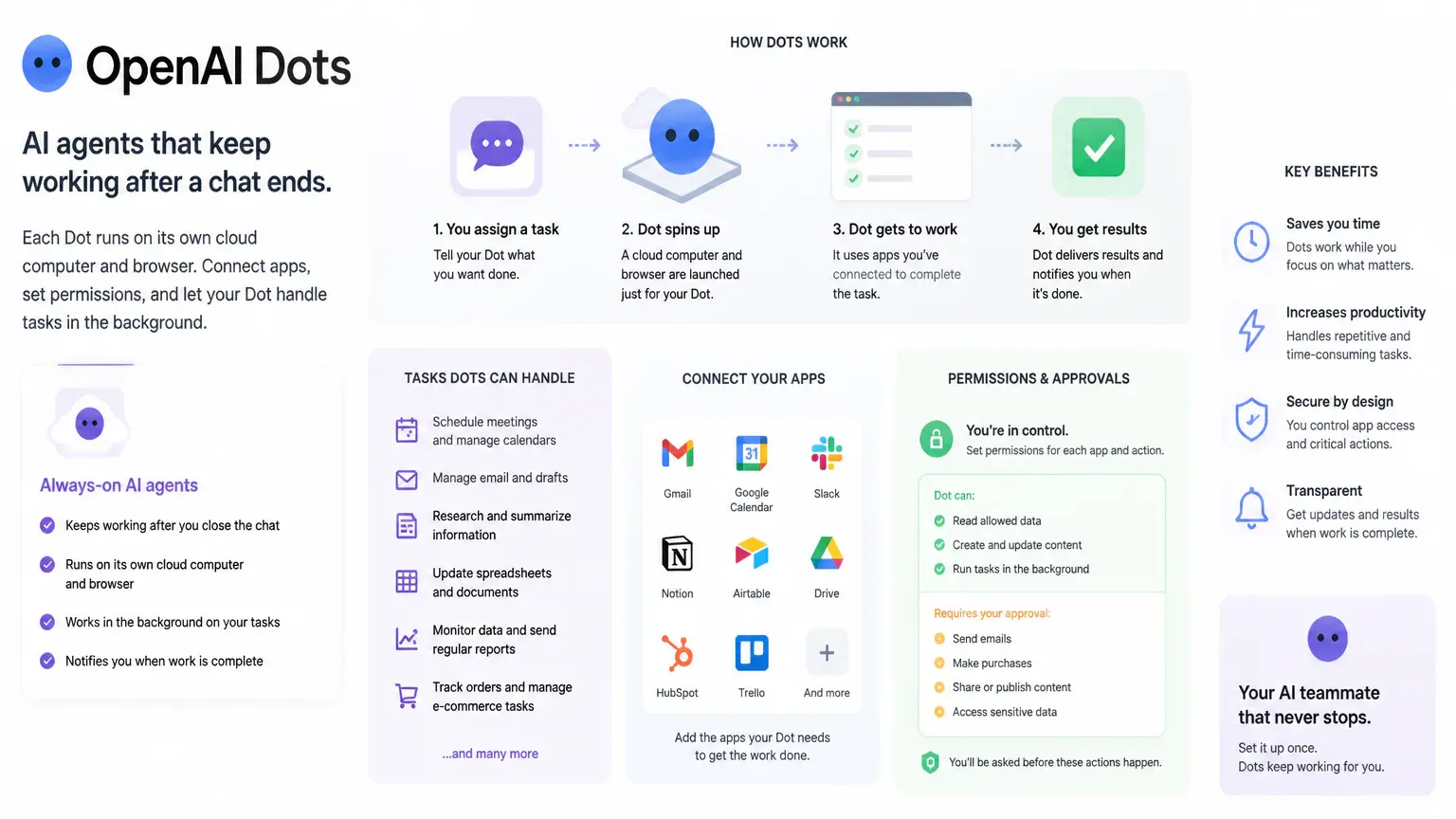
OpenAI Dots keeps AI agents working on tasks after a chat ends. Each Dot runs on its own cloud computer and browser, and users can connect apps and set permissions for the work it handles. If you’re evaluating Dots AI, consider what tasks it can run in the background, which apps it can access, and which actions still need your approval.
OpenAI Dots at a Glance
OpenAI Dots category | OpenAI Dots overview |
|---|---|
Underlying model | GPT-6 Astra |
Cloud environment | Dedicated cloud computer and browser instance per Dot |
App integrations | 4,000+ applications via OpenAI’s plugin ecosystem |
Operating schedule | 24/7 continuous background operation |
Platform access | ChatGPT web, mobile, and desktop; Slack; Microsoft Teams |
Included allotment | First primary Dot included at no extra cost on eligible plans |
Eligible launch tiers | Pro: $100, $200, or $500/month; Business Premium: $125/user/month or $100/user/month billed annually; Enterprise: custom contract |
What OpenAI Dots Can Do
Dots are persistent agents that work through multi-step goals, including when you’re away. A Dot can continue a task in its cloud environment, check connected services, and send updates as it works instead of stopping after a single response.
You can assign Dots research, content preparation, planning, or development work. Organizations can also use specialist Dots for defined responsibilities. What a Dot can accomplish depends on the task, connected apps, and permissions. Review important results before relying on them.

How Dots Work Across Apps
Each Dot uses its own cloud computer and browser. It stays separate from your local machine unless you grant it laptop access. Connected apps give the Dot access to relevant work, and you can communicate with it or assign tasks through ChatGPT and workplace channels.
ChatGPT is where you create and personalize a Dot, review its cloud computer, and manage settings.
Slack lets you assign work, get status updates, and chat with or dispatch Dots.
Microsoft Teams supports assigning work, receiving updates, and chatting with or dispatching Dots.
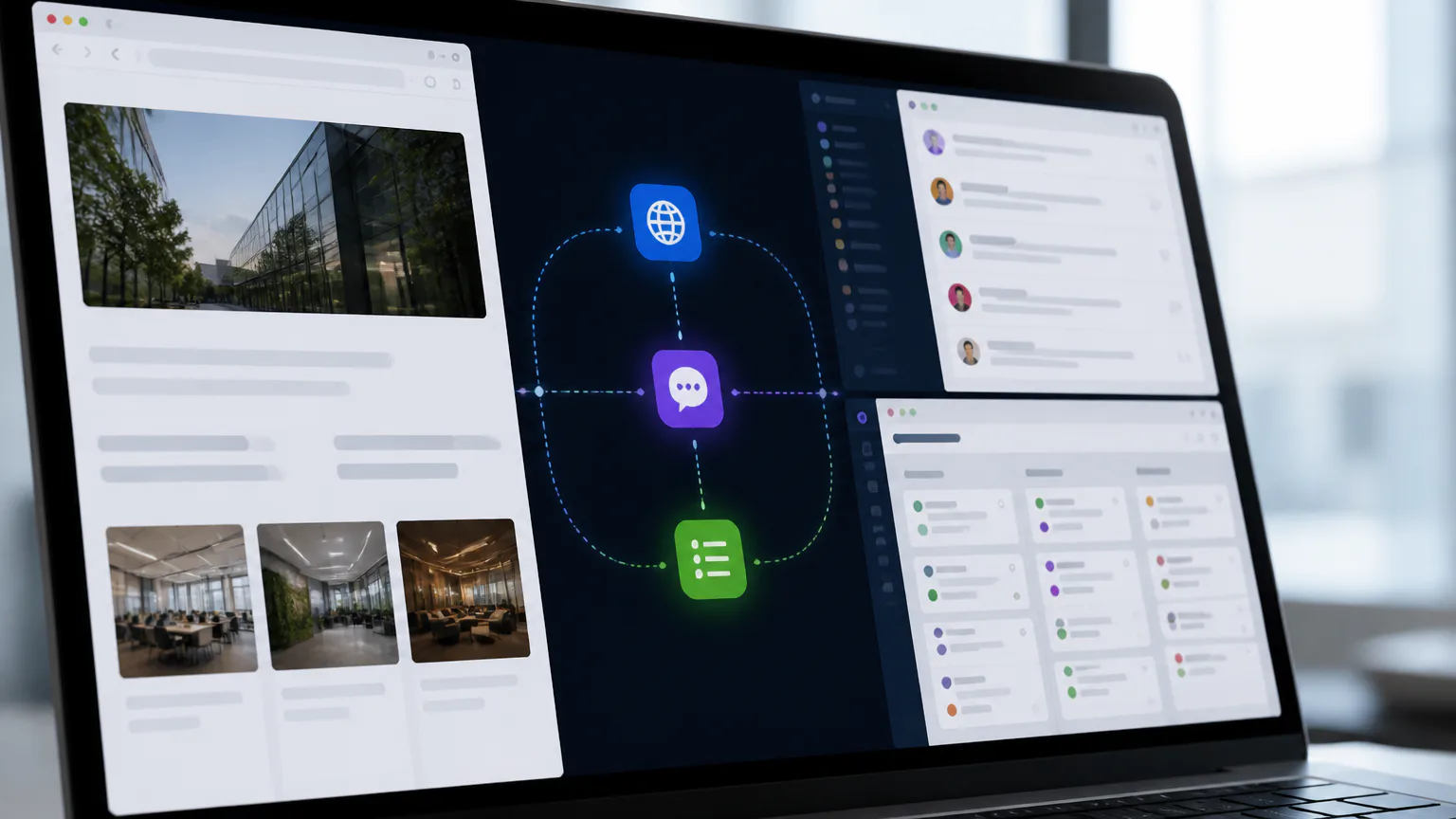
A Dot can work across connected apps, but its access is limited to the permissions you grant. Dot conversations are separate from standard ChatGPT limits. Heavy Codex or ChatGPT Work tasks are an exception and count toward standard usage.
Cross-app workflows also need to be usable by everyone who relies on them. Consider keyboard navigation, clear labels, and assistive technology compatibility alongside an AI tool’s integrations, including website accessibility standards.
Who Can Access Dots
Initial access is for users on Pro, Business Premium, and Enterprise plans in eligible markets. The rollout is happening by market, so availability can vary by location and plan. Having an eligible plan does not guarantee that Dots is active for every account in every location.
The first primary Dot is included at no extra cost on eligible plans. Pro launch tiers cost $100, $200, or $500 per month. Business Premium costs $125 per user per month, or $100 per user per month with annual billing. Enterprise access is offered under a custom contract. For an organization, the apps a Dot can access and the responsibilities it receives also affect whether it fits the team’s workflow.
How Permissions and Safety Work
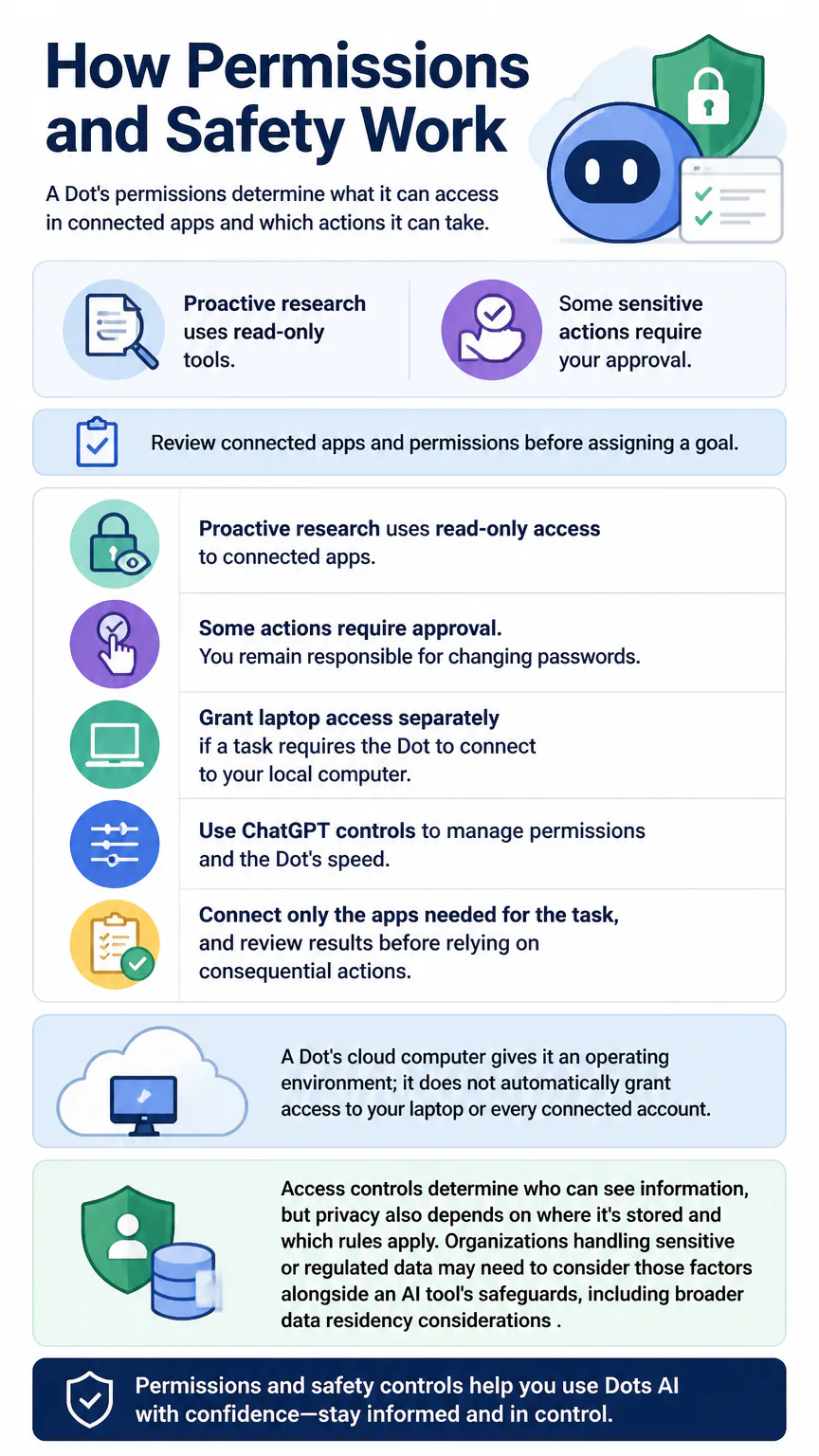
A Dot’s permissions determine what it can access in connected apps and which actions it can take. Proactive research uses read-only tools, while some sensitive actions require your approval.
Review connected apps and permissions before assigning a goal.
Proactive research uses read-only access to connected apps.
Some actions require approval. You remain responsible for changing passwords.
Grant laptop access separately if a task requires the Dot to connect to your local computer.
Use ChatGPT controls to manage permissions and the Dot’s speed.
Connect only the apps needed for the task, and review results before relying on consequential actions. A Dot’s cloud computer gives it an operating environment; it does not automatically grant access to your laptop or every connected account.
Access controls determine who can see information, but privacy also depends on where it’s stored and which rules apply. Organizations handling sensitive or regulated data may need to consider those factors alongside an AI tool’s safeguards, including broader data residency considerations.
How to Start Using a Dot
Create a primary Dot in ChatGPT and describe what you want it to accomplish. Connect only the apps it needs, then check its progress and permissions as it works.
Open ChatGPT and start creating a Dot.
Name and personalize the primary Dot.
Connect the apps relevant to its assigned work.
Give it a clear goal and describe the expected outcome.
Monitor progress and adjust its permissions or speed as needed.
You can give feedback while the Dot works, and it can learn your preferences over time. For tasks involving sensitive information or significant changes, keep approval controls in place and check its progress before treating the work as complete.
Is OpenAI Dots Right for You?
Dots may suit you if you have recurring, multi-step work across connected apps and want tasks to continue in the background. Permission controls and approval requirements matter when a workflow involves sensitive information or consequential changes.
Meta Muse is another personal AI agent. It has customizable mascot characters, its own cloud computer and browser, and support for multi-step background tasks. Muse emphasizes social ecosystem integration and consumer app-store scaling. To compare the two, consider which ecosystem includes the apps you already use. Dots’ stated access paths include ChatGPT, Slack, and Microsoft Teams.
When several people share a workspace, weigh access rules and safety controls alongside features. Comparing those trade-offs with Muse AI features and safety can help you decide what to ask before adopting a tool.
FAQs
Are Dot conversations counted against ChatGPT limits?
Dot conversations are separate from standard ChatGPT limits. Heavy Codex or ChatGPT Work tasks count toward standard usage.
Does Dots have a separate subscription price?
The first primary Dot is included at no extra cost on eligible plans. Pro launch tiers cost $100, $200, or $500 per month; Business Premium costs $125 per user per month or $100 per user per month with annual billing; and Enterprise access is offered under a custom contract. Availability depends on eligible plans and supported markets.
What is the Dots AI website?
“Dots AI” refers here to OpenAI Dots, an always-on agent product that users create and manage through ChatGPT. It is not a separate website or standalone service.
How do you make a dotted pattern in Adobe Illustrator?
Draw a line, open the Stroke panel, enable Dashed Line, set the dash value to 0, and choose a gap value. Select the round cap option to turn the dashes into dots. This design task is separate from OpenAI Dots.
Conclusion
OpenAI Dots runs ongoing tasks across connected apps in a dedicated cloud environment. It may suit your workflow if background task support outweighs the need to manage permissions, review results, and approve sensitive actions.