Is Pony Town Safe: Complete Community Guide and Tips
We all love logging into Pony Town for a quick colorful escape and playful interaction. The game’s charm lies in its open chat and customizable ponies, yet the safety measures behind these features often go unnoticed. It has become a beloved spot for art, socializing, and letting imaginations run wild. But with such open spaces, how secure is the environment for new and younger players?
By diving into how Pony Town manages moderation, community guidelines, and player tools, you can see exactly where it stands on safety. Understanding these mechanisms helps you choose the right servers, know which features to use, and spot risks before they arise. With this knowledge, players and parents alike can enjoy a worry-free experience in this charming online world.
Game Basics Safety
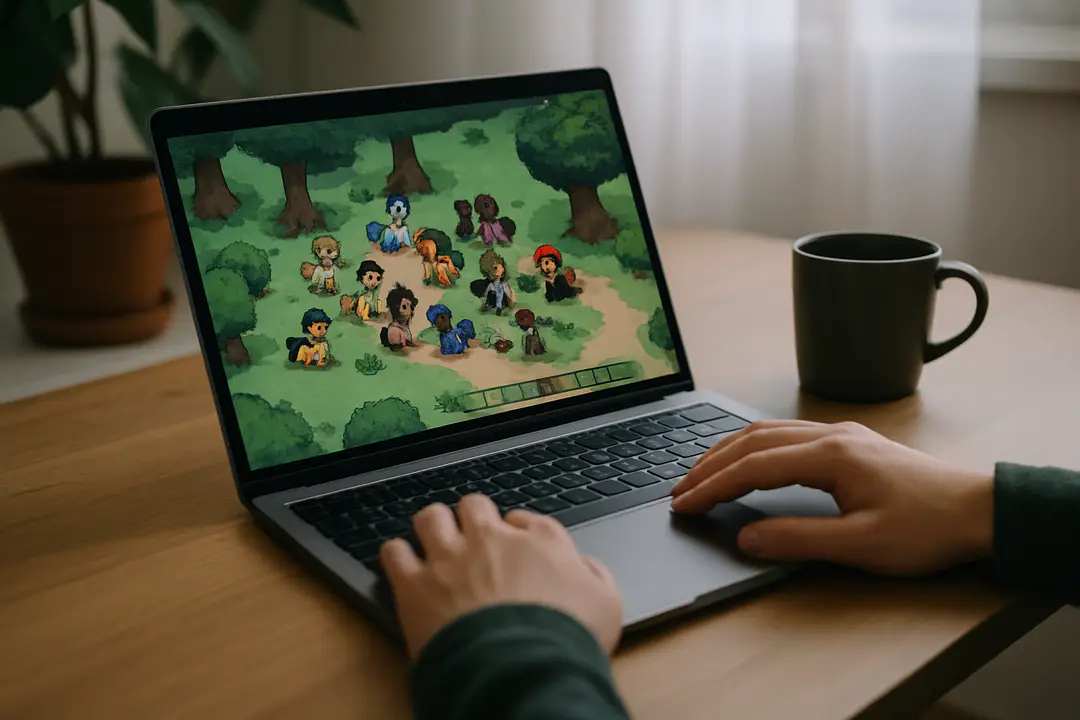
Pony Town is an online chat world where players create custom ponies and roam open maps. It feels like a virtual playground for art lovers, role-players, and casual fans of My Little Pony style art. You can log in on desktop or using its official mobile version. The simple interface makes it easy to pick colors, change tails, and express creativity in seconds. But that simplicity also raises questions about security measures behind guest accounts and how data is handled.
Unlike many games, Pony Town does not require a formal registration for basic play. Guests can jump in instantly, which keeps barriers low but also means there is no age verification. Some servers add extra checks or password gates, yet the main public world remains open. The game uses plain HTTP or HTTPS based on where it’s hosted, so your chat messages may or may not be encrypted depending on the server admin’s setup. That can affect how your data travels across the network.
Knowing these basics sets a foundation. If you plan to share artwork, exchange feedback, or role-play, realize that account security relies largely on the server host. Always check the server address and look for “https://” at the start to ensure encryption. Being aware of how the guests and saved profiles work can help you avoid unintentional data exposure.
Moderation Features
Pony Town provides built-in tools to handle inappropriate behavior. Every chat window has a mute option to silence offenders instantly. You can right-click a pony avatar to block someone, which stops them from messaging or interacting with you. There’s also a report feature that flags users to server moderators. Reports appear in a queue, so active moderators can review chat logs and take action.
Some community-hosted worlds add custom chat moderation commands. These commands let mods timeout players, clear chat history, or enforce name rules. If you play on a server run by friends, ask about mod roles and response time. A small, dedicated team often acts faster than a large, uncoordinated group.
For extra safety, turn on the “chat filter” in settings. This hides messages with banned words or excessive symbols. While filters can be overzealous, they give a quick way to reduce spam and offensive content. Regularly updating your client or clearing cache ensures you’re using the latest moderation features.
Chat and Risks
Open chat is the heart of Pony Town, but it can also be a source of risk. Players can send any text, images, or emojis, and while many users are friendly, you may encounter phishing links or inappropriate content. Always avoid clicking unfamiliar URLs shared in chat, as they might lead you away from the safe game environment. If a link seems suspicious, verify it by hovering over it or asking a moderator.
Another common issue is oversharing personal details. It’s tempting to bond over shared interests, but revealing your real name, location, or other personal info can lead to privacy breaches. Stick to pony-themed usernames and keep your backstory in-character.
Finally, be wary of direct messages if the server allows private chat. Not every host enables personal DMs, but if it’s possible, only accept messages from trusted friends. If someone asks for private info or pushes you to join an external chat app, politely decline and report the behavior. Awareness and caution can prevent most chat-related risks.
Staying Safe Tips
Protecting yourself in Pony Town takes small, consistent steps. Here are practical tips to follow:
- Use a unique, pony-themed username; avoid real names.
- Never share personal details like your address or school.
- Play on servers that start with “https://” to ensure encryption.
- Enable the built-in chat filter to block banned words.
- Mute or block users who behave inappropriately.
- Report any suspicious links or messages to moderators.
- Update your browser and clear cache before playing.
- Join servers with clear rules and active moderation.
Following these steps helps you enjoy the community without compromising safety. Regularly revisit your settings and stay informed about new features.
Role Play Servers
Many players look for specialized role-play worlds with added safety measures. Below is a comparison between common server types and their security features:
| Server Type | Access | Moderation | Privacy |
|---|---|---|---|
| Official Public | Open | Community reports | Low |
| Community RP | Open or gated | Volunteer mods | Medium |
| Safe Servers | Password or invite | Dedicated team | High |
If you want a more controlled space, look for safe servers that require invite codes or passwords. These worlds often have vetting procedures to keep out trolls. You can also explore role-play communities with clear lore rules and moderated character approvals. Choosing the right server can make a big difference in your day-to-day safety.
Parental Controls
Parents who want to oversee their child’s Pony Town activity have several options. On desktop browsers, add site restrictions or use extension-based content filters. Many routers also let you block certain URLs or limit playtime. If your child uses a shared device, set up separate user accounts to keep game files and permissions under control.
For mobile play, use the device’s built-in parental controls to restrict installations or set screen time limits. Talk with your child about why these limits exist and teach them digital safety basics. Encouraging open communication helps you spot issues early.
Finally, review the world your child joins. Ask about the server’s rules, how moderators are chosen, and what reporting options exist. A quick check of the server’s chat log or rule board goes a long way toward ensuring a safe pony adventure.
Conclusion
Pony Town offers a vibrant, creative playground for players of all ages. By understanding its basic structure, learning moderation features, and following practical safety tips, you can navigate chats and communities with confidence. Choosing the right servers—whether public, RP, or password-protected—adds another layer of security. Parents and players alike should use built-in filters, block unwanted users, and avoid sharing personal details. With these strategies in place, Pony Town remains a safe and fun space to express yourself and connect with others. Embrace the pastel world but stay informed, stay cautious, and enjoy many worry-free pony adventures ahead.