
Impact of AI on the Average User
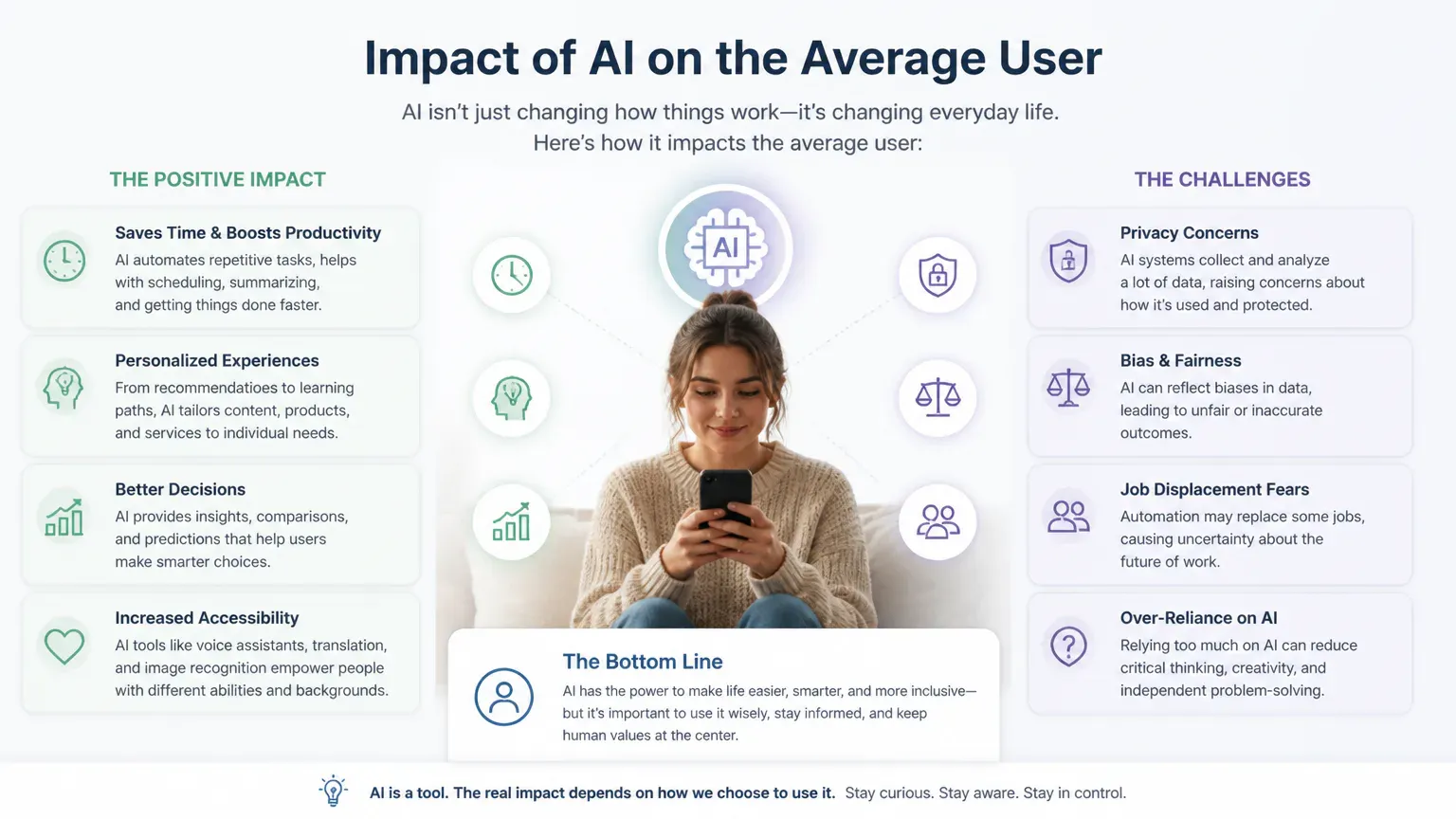
AI already affects the average user through familiar digital services, even when no chatbot is involved. It can help with everyday communication and organization, but results depend on the information it receives and the decisions people let it make. Knowing where AI appears, what it does well and when to check its work gives you more control over how you use it.
How AI Can Help Ordinary Users
Drafting: Turns rough notes or prompts into clearer emails, messages and other text.
Summarizing: Condenses long documents, conversations and pages into shorter accounts.
Translation: Converts spoken or written language to help people communicate across languages.
Accessibility support: Provides features such as captions, image descriptions and voice-based controls.
Personalization: Tailors recommendations and settings to a person’s preferences and past activity.
Routine task assistance: Helps with recurring activities such as reminders, calendar entries and reordering.
An AI assistant can turn a list of points into a first draft for an email or other text. You can then edit it for accuracy and tone. Summaries can help you find the main ideas in a long document, but they may leave out important qualifications.
Accessibility tools can describe images, create captions or provide voice control. Some systems can also create a personalized voice for someone who has lost the ability to speak. Quality varies by task and person, but these features can make digital content and communication easier to use.
Personalized recommendations can make it quicker to find media or products. Routine assistance can sort receipts or add an event from a message. Both rely on data about your activity, so personalization can come with privacy trade-offs.
Where AI Appears in Everyday Life
AI is built into many services people use without opening a dedicated AI app. It can rank search results, suggest routes, filter spam, recommend content or power voice assistants that set reminders and control connected devices. These systems often run in the background, so you may not notice them.
Generative AI tools create text, images, audio or video in response to prompts. Other systems identify faces to unlock devices or organize photo libraries. About 99% of adults use at least one AI-enabled product weekly, while only 36% recognize that the products they use contain AI.
Frequent interaction with AI does not necessarily mean deliberate use of a chatbot. A recommendation feed or spam filter can rely on AI without making that clear at the time.
AI now appears in everyday browsing, where it can summarize pages, answer questions and handle repetitive tasks. Some tools go further, letting agents act on your behalf, as with the Kimi browser extension agents. That makes permissions and oversight important.

What Users Should Be Cautious About
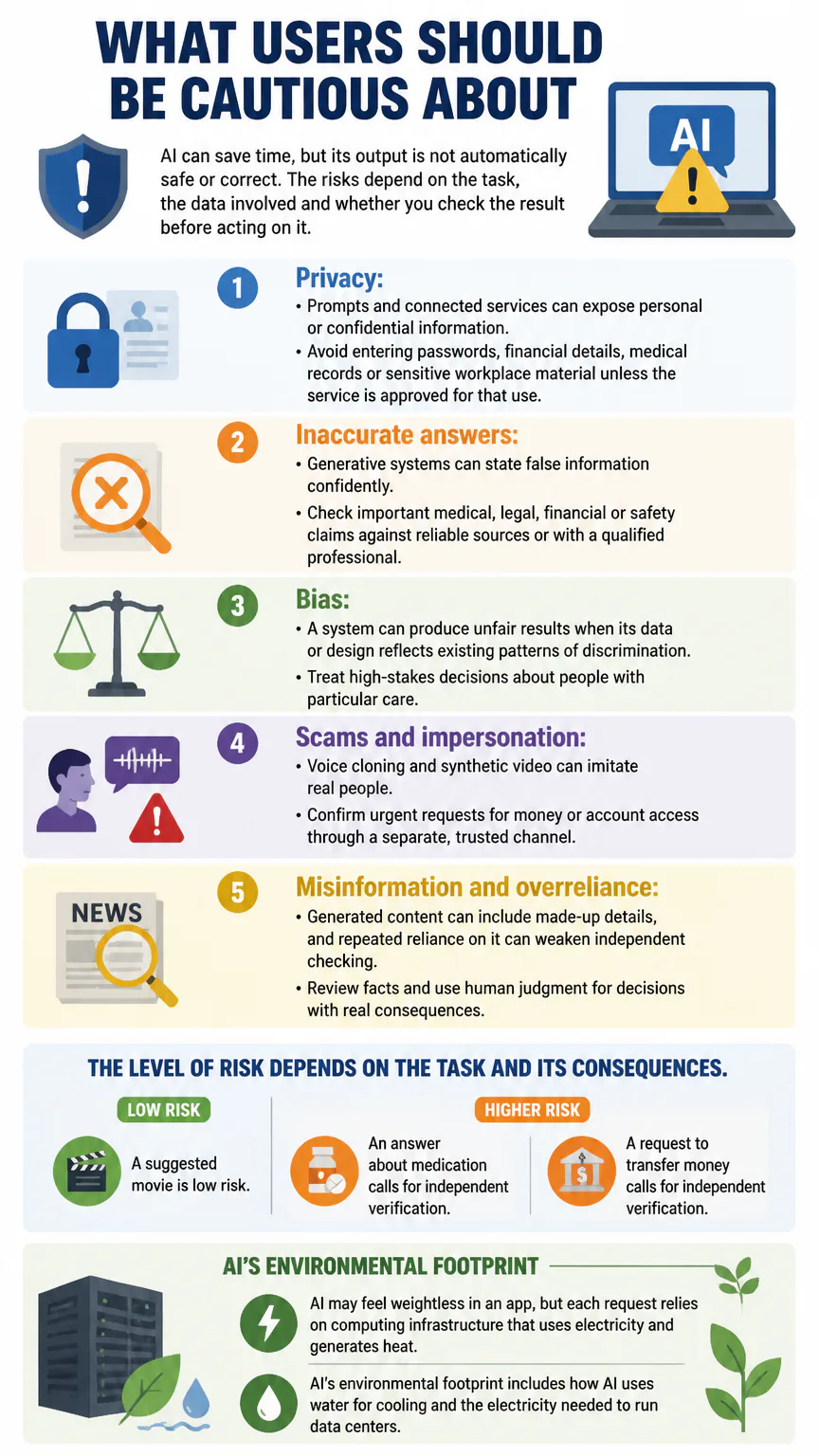
AI can save time, but its output is not automatically safe or correct. The risks depend on the task, the data involved and whether you check the result before acting on it.
Privacy: Prompts and connected services can expose personal or confidential information. Avoid entering passwords, financial details, medical records or sensitive workplace material unless the service is approved for that use.
Inaccurate answers: Generative systems can state false information confidently. Check important medical, legal, financial or safety claims against reliable sources or with a qualified professional.
Bias: A system can produce unfair results when its data or design reflects existing patterns of discrimination. Treat high-stakes decisions about people with particular care.
Scams and impersonation: Voice cloning and synthetic video can imitate real people. Confirm urgent requests for money or account access through a separate, trusted channel.
Misinformation and overreliance: Generated content can include made-up details, and repeated reliance on it can weaken independent checking. Review facts and use human judgment for decisions with real consequences.
The level of risk depends on the task and its consequences. A suggested movie is low risk; an answer about medication or a request to transfer money calls for independent verification.
AI may feel weightless in an app, but each request relies on computing infrastructure that uses electricity and generates heat. AI’s environmental footprint includes how AI uses water for cooling and the electricity needed to run data centers.
How AI Is Changing Work
AI can assist with drafting, document review, customer service and other tasks that involve handling information. About one in five people report using AI in their professional lives, and 58% of U.S. small businesses reported generative AI use in 2025. Adoption is growing, but those figures do not mean every workplace or job is changing at the same pace.
Automation can cut the time spent on routine tasks, while making it more important to review AI-generated work. Some roles may lose particular tasks or face reduced demand; other jobs may change as workers use new tools. The impact depends on the occupation, how employers deploy AI, and whether workers receive training and oversight.

Who Uses AI and How Often
Awareness of AI is widespread, but people differ in how familiar and comfortable they are with using it day to day. Ninety-five percent of U.S. adults have heard at least a little about AI, and 47% say they have heard or read a lot about it, up from 26% in 2022.
Measure | Share | Population / detail |
|---|---|---|
AI interaction frequency | 62% | U.S. adults; several times a week or more |
AI interaction frequency | One-third | Adults under 30; several times a day |
AI interaction frequency | 54% | Adults 65 and older; less than several times a week |
Generative AI use | 57% | Survey respondents; personal purposes |
Change in AI use | 40% | Survey respondents; increased use over the prior year |
The figures measure different things: frequency of interaction, personal use and changes in use. They are not interchangeable measures of chatbot use. Someone may encounter AI several times a week through search or recommendations without choosing to use a generative AI tool.
How to Set Up an AI Agent
An AI agent can take actions toward a goal, sometimes by using connected apps or services. The more access it has, the more important it is to limit what it can do and require approval for consequential actions.
Choose one narrow task. Start with a low-risk job, such as organizing a list or preparing a draft.
Set clear boundaries. Specify what the agent may do, what it must not do and when it should ask you first.
Limit connected accounts. Give it access only to the tools and information needed for the task.
Require approval for actions. Review messages, purchases, bookings or changes before the agent submits them.
Test and review its work. Check the results and remove access if the agent behaves unexpectedly.
Keep an agent away from sensitive accounts and high-stakes decisions until you understand its limits. A system that can prepare a calendar entry should not automatically be trusted to send important messages or spend money without your review.
Keep the agent’s task narrow, limit its tool access to what it needs, and make its actions reviewable. That’s a sensible way to build an AI agent for routine work without giving up unnecessary control.
How to Use AI More Thoughtfully
A few habits can make everyday AI use safer and more useful. Match the level of checking to the possible consequences of an error.
Share less personal information. Remove identifying details from prompts when they are not needed.
Check important claims. Confirm consequential facts using reliable, independent information.
Review generated work. Verify names, dates, calculations, quotations and instructions before relying on them.
Keep a person responsible. Make the final decision yourself when health, finances, legal rights, safety or someone’s job is involved.
Review permissions. Check what data an app can access and turn off features you do not use.
Pay particular attention when an AI system can take action or use personal information. A quick review may be enough for a low-stakes task; consequential decisions need more careful verification.
How AI Affects Students
AI can help students understand difficult concepts, generate practice questions, organize ideas and get feedback on drafts. As a study aid, it gives learners another way to work through material and identify what they need to review.
Students still need to check the output and do the thinking themselves. AI can give inaccurate explanations, and relying on generated answers instead of practicing can leave gaps in understanding. Submitting AI-generated work as one’s own can also violate academic-integrity rules. Students should follow their school’s policies and distinguish permitted assistance from work they must complete independently.

FAQs
What is the 30% rule in AI?
The “30% rule” is not a universal AI standard. It is sometimes used informally to suggest that a person should reserve a substantial share of a task for human review or contribution, but its meaning varies by context.
Conclusion
AI is already part of everyday digital life, both as a direct assistant and as a feature inside other services. Use it when it saves effort, limit the information and permissions you share, and review its work when mistakes could matter.