Are Bookmarks Private on X: Privacy & Visibility Explained
Many X users wonder about bookmark privacy because the platform mixes private saves with public engagement signals in the same interface. That can make it hard to tell which actions stay personal and which ones show up to others. The confusion is especially common when switching between desktop and mobile. A clear breakdown helps you avoid wrong assumptions about what other people can actually see.
Key Takeaways
- Bookmarks on X are private and only viewable by the account owner inside their own account.
- X can show a public total for bookmarks on a post, but it does not reveal who bookmarked it.
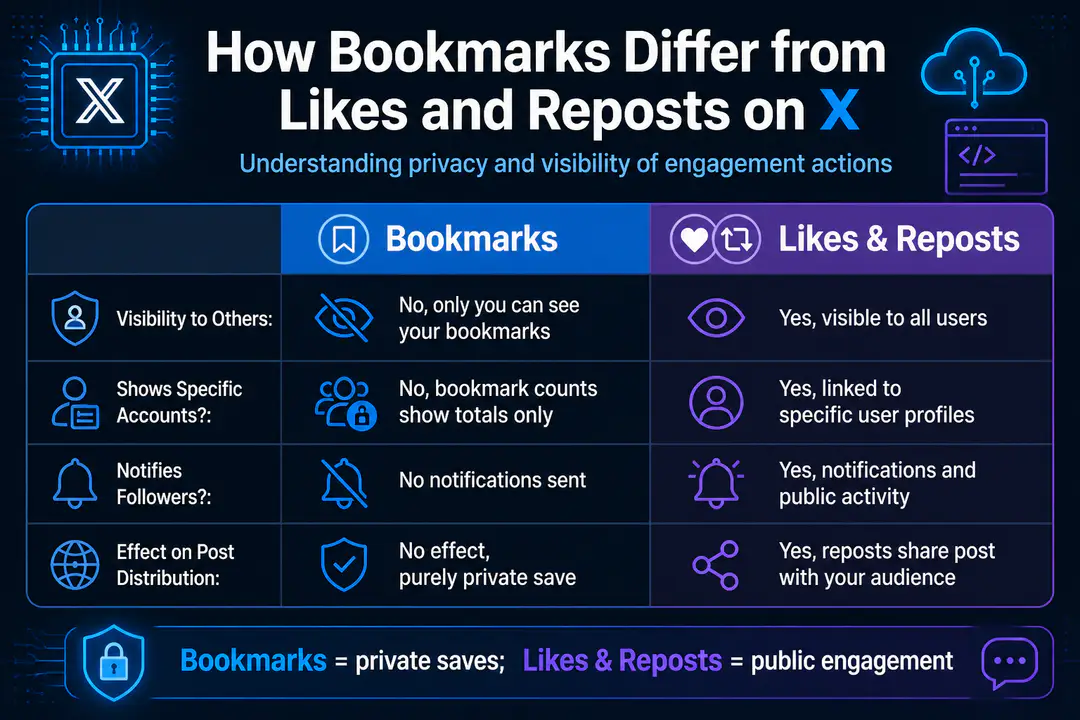
- Bookmark visibility is different from likes and reposts, which are public engagement actions tied to specific accounts.
Bookmark Privacy on X
If you want the direct answer, bookmark privacy on X is straightforward: your saved posts are private to you. Other users cannot open your profile and see a list of what you bookmarked. The main point of confusion is that X can display a bookmark count on a post, which shows how many people saved it, not which accounts did it.
Are Bookmarks Private?
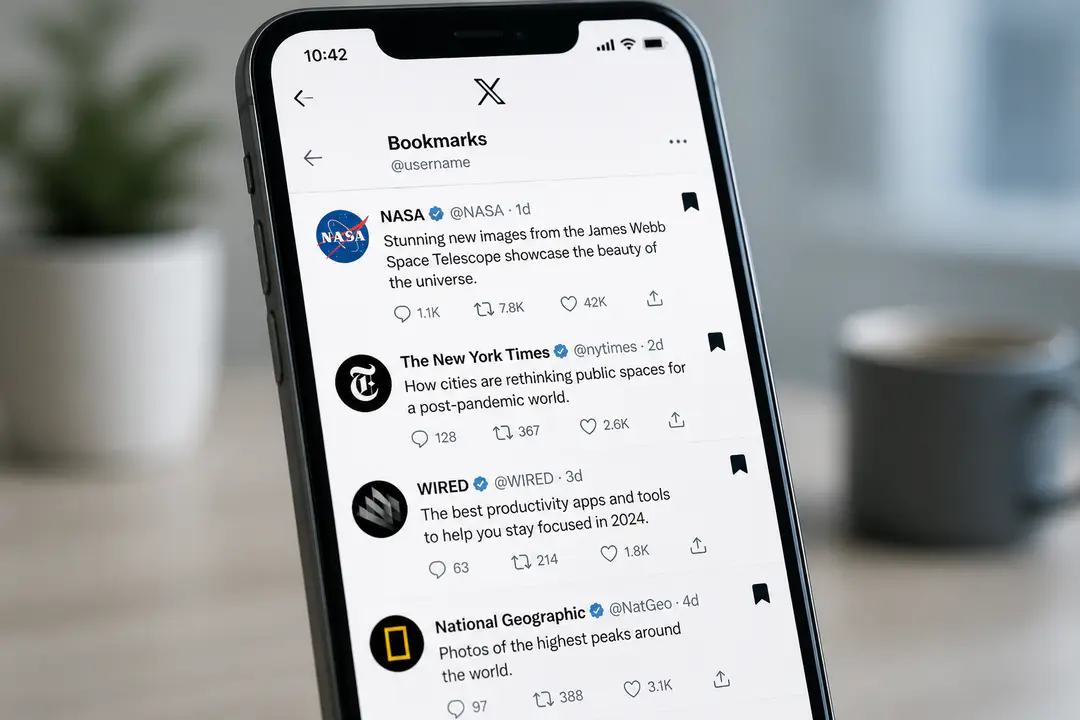
Yes. Bookmarks on X, formerly Twitter, are private and only viewable to you when you are logged into your own account. They function like a personal save folder, not a public interaction tab. If another person visits your profile, they cannot see which posts you bookmarked, and the author of the post cannot see your identity through the bookmark feature.
This is the key difference behind questions like who can see bookmarks or whether Twitter bookmarks private rules changed after the rebrand to X. The privacy rule stayed the same in practical use: bookmarks are for personal reference. If you save a post for later, that action is not listed publicly beside your username.
Public Bookmark Counts Explained
X can show a bookmark count on some posts. That number is public in the same way that reply, like, and repost counts are public: it reflects total activity around the post. What it does not do is expose the names, handles, or profiles of the people who created that count.
This is why two statements are true at once. First, bookmarks are private to the user who makes them. Second, the platform can still report public counts as an aggregate total. If you are comparing this with other online privacy questions, broad platform signals often work like pc security notices: the system shows activity at a high level without exposing every personal action behind it.
| Feature | Visible to Others? | Shows Specific Accounts? |
|---|---|---|
| Bookmarks | No, your bookmark list is private | No |
| Bookmark count on a post | Yes, the total can be visible | No |
| Likes | Yes | Yes |
| Reposts | Yes | Yes |
Bookmark Visibility vs Likes and Retweets
- Bookmarks work as private storage for your account.
- Likes are public engagement.
- Reposts are public engagement.
- This is the easiest way to remember the difference.
When you like a post, other users can usually see that interaction through the post itself or related account activity. Reposts are even more public because they actively distribute the post. Bookmarks do none of that. They do not notify followers, they do not promote a post to your audience, and they do not create a public list tied to your account.
- Bookmarks: saved privately for your own account
- Likes: public engagement linked to your profile
- Reposts: public sharing linked to your profile
Some users think bookmarks are visible because the bookmark icon appears alongside other engagement icons. But the icon placement does not mean the visibility rules are the same. X groups actions together in the interface while still treating them differently behind the scenes.
Bookmarks on Mobile and iOS
On mobile, including iPhone and iPad, bookmarks behave the same way they do on desktop: they are visible only to the account owner. If you are wondering about how to see bookmarks on X mobile, the saved posts appear inside your own app menu after you log in. No one else using their own account can view that list.
On iOS, the feature is usually reached from the side menu or account navigation area, depending on the current app layout. Android works in a similar way. The privacy setting is not something you toggle on or off for bookmarks, because the feature is private by design.
Interface changes can add to the confusion. X has adjusted labels and menu placement over time, much like apps change after software updates, but those layout changes do not change the core rule that bookmarks stay private to you.
Troubleshooting Missing Bookmarks
- Refresh the app or reload X in your browser to force your bookmark list to sync.
- Check that you are logged into the correct account, especially if you switch between personal, work, or creator profiles.
- Update the X app on iOS or Android if bookmarks are not showing correctly.
- Log out and log back in if the bookmark tab loads slowly or appears empty.
- Confirm the original post still exists. If a post was deleted, made unavailable, or the account was suspended, the bookmark can disappear from practical use.
- Test on another device, such as desktop instead of mobile, to see whether the problem is account-related or app-related.
- If the issue persists, check X support resources inside the app for account or sync problems.
Common Bookmark Questions
Can the post author see that I bookmarked?
No. The author can see public engagement metrics if X displays them, including a total bookmark count, but they cannot see that your specific account saved the post.
Why do people think bookmarks are public?
The confusion usually comes from the visible bookmark count and from the fact that likes and reposts are public. Since all of these actions sit near each other under a post, users assume the privacy rules are identical when they are not.
Do bookmarks notify anyone?
No. Bookmarking a post does not create a public notification to followers or to the account that posted it.
That privacy distinction is similar to other account-level questions on social platforms, where a visible system outcome does not always expose the user behind it. You can see that same pattern in issues like phone number is banned cases, where users notice an account result but not the full internal signals that led to it.
Do private and public accounts change bookmark privacy?
No. Your account being public or protected does not make your bookmark list public. Bookmark privacy applies to the user who saves the post, not to the visibility setting of their profile.
How to Access Bookmarks
- Open X and sign in to your account.
- On mobile, open the navigation menu and tap Bookmarks.
- On desktop, look in the left-side menu and select Bookmarks.
- Tap or click any saved post to open it again.
- If you do not see your saved items, refresh first and then confirm you are in the right account.
- On iOS, the Bookmarks option is inside your account navigation area.
- On Android, it appears in a similar menu location.
- On desktop, it stays in the main sidebar for easier access.
FAQs
Can followers see my bookmarks on X?
No. Followers cannot view your bookmarks, and there is no public bookmark tab on your profile.
Can I make bookmarks public?
No. Bookmarks are a private feature, not a public collection feature. If you want to share a post openly, you would use a repost or quote post instead.
Why are some bookmarked posts gone?
Usually because the original post was deleted, restricted, or the app failed to sync properly. Logging in again or checking on desktop often helps confirm which issue you are dealing with.
Is X different from Twitter for bookmarks?
No. X is the current name for Twitter, and the bookmark privacy rule remains the same in normal use.
Conclusion
Bookmarks on X are private to you, even if the platform shows a public total of how many times a post has been bookmarked. Other people can see counts in some cases, but they cannot see your identity through that action. If your saved posts seem missing, the fix is usually a sync, account, or deleted-post issue, not a change in privacy. You can use bookmarks confidently knowing your saved posts stay private and protected from public view.