
Reddit Saved Posts Guide for App and Browser Access
Finding your reddit saved posts is simple: the Reddit Saved option takes you directly to every post and comment you bookmarked. Nothing you save is lost—it piles up in the folder tagged “Saved.”
You can access this folder easily by simply logging into your Reddit account and going to your profile dashboard. There you will see an option saying “Saved”, click on it and locate the post you need to see from among the list of all the posts that you have previously saved. For further details, I suggest you read the following complete article.
- Open Reddit on your phone or computer.
- Go to Profile.
- Scroll down and look for the ‘Saved’ option.
- Saved Reddit posts & comments will be displayed there.
Reddit Saved Posts & Comments
It is super easy to find your saved Reddit posts on your phone as well as on the browser. All you have to do is follow certain steps in the order that I am about to mention in the following article.
Using the Reddit Phone App
Step # 01: Launch The Reddit App
First and foremost, you just have to launch your Reddit App on your mobile device whether Android or IOS. You will also have to log in your account credentials if you are not already logged into the app.
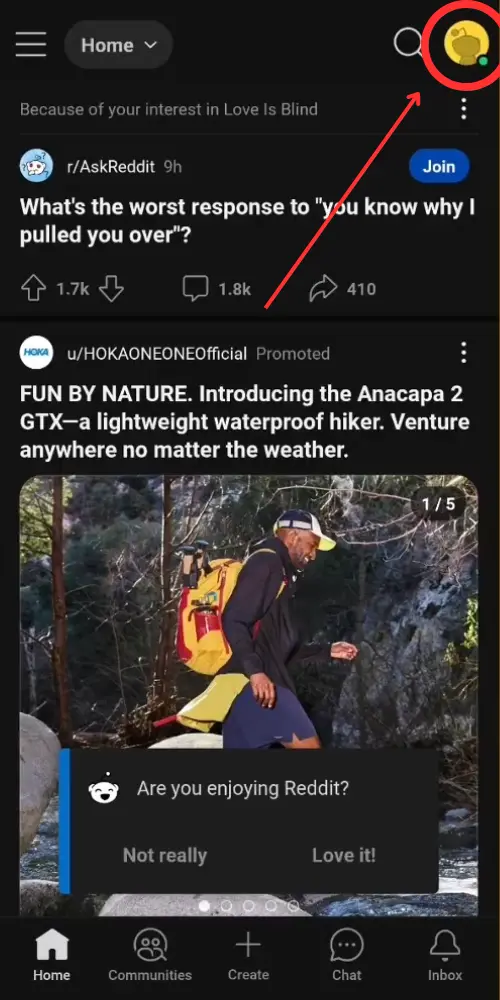
Step # 02: Open Your Reddit Profile
Next, you need to access your profile dashboard. This is simple, you just have to click on the avatar icon appearing on the top right corner of the screen.
Step # 03: Open Saved Posts
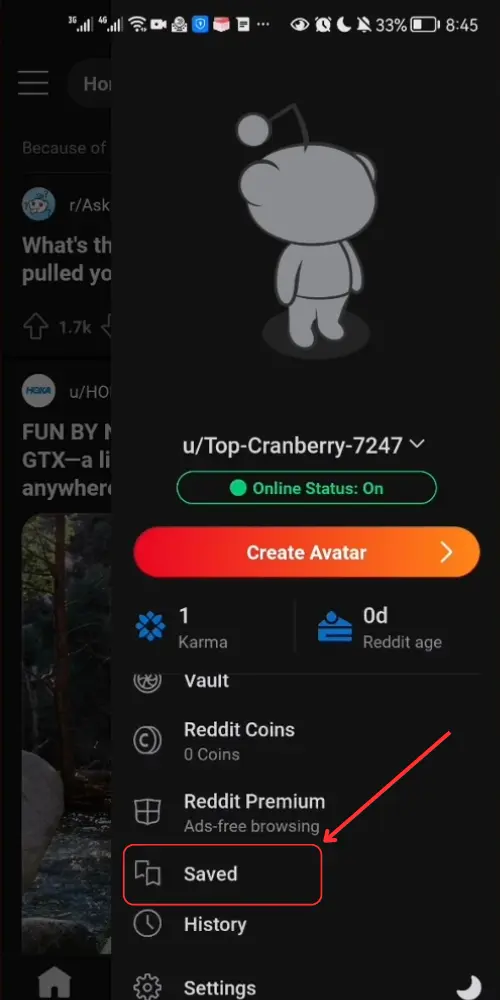
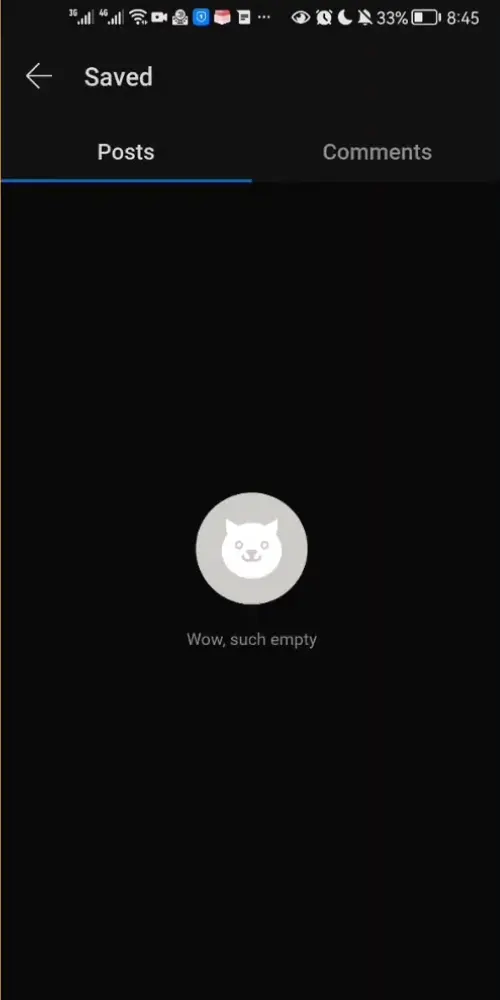
In the profile dashboard, you will see a list of options appearing on the screen. Scroll down and locate the “Saved” option. You will be instantly directed to another page where you will have direct access to all the posts that you have ever saved in your feed.
Using Reddit On Browser
Step # 01: Open Reddit On the Browser
Shoot up the Reddit website on your browser. You will be required to provide your login details in the respective fields.
Step # 02: Open Your Profile
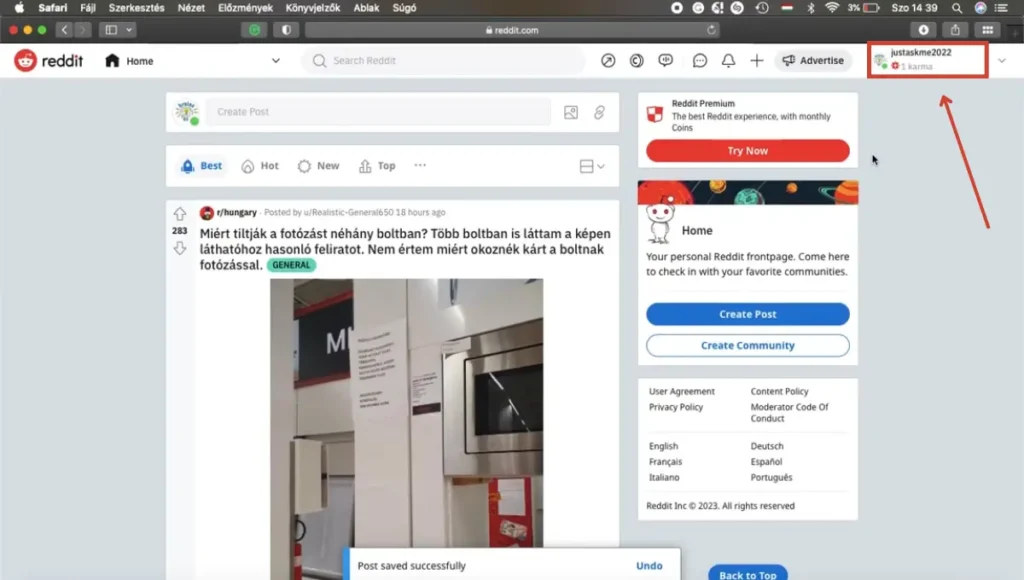
Next, you will have to open up your profile to access your saved posts. For this, simply click on your profile avatar appearing on the screen.
Step # 03: Open Saved Posts
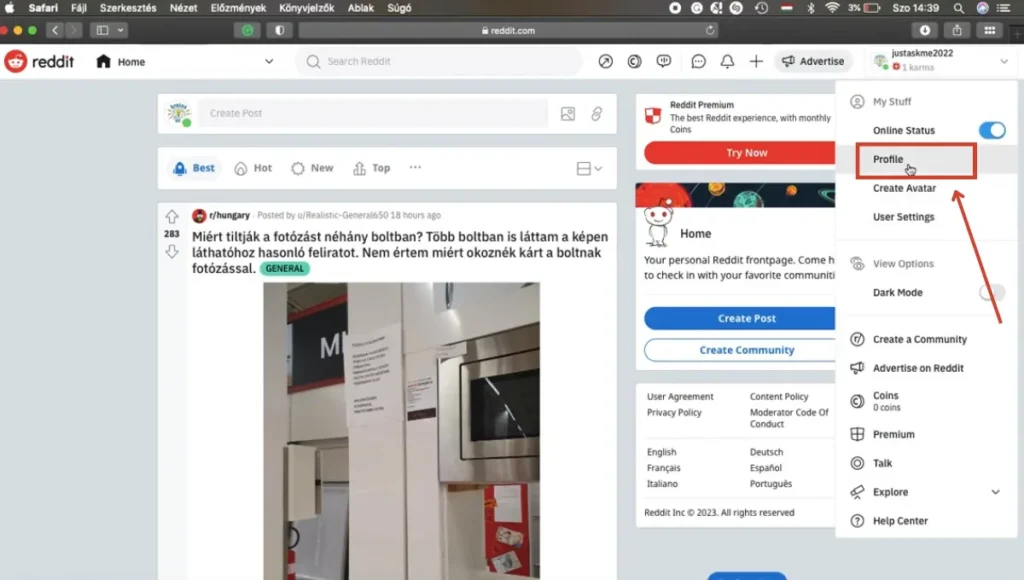
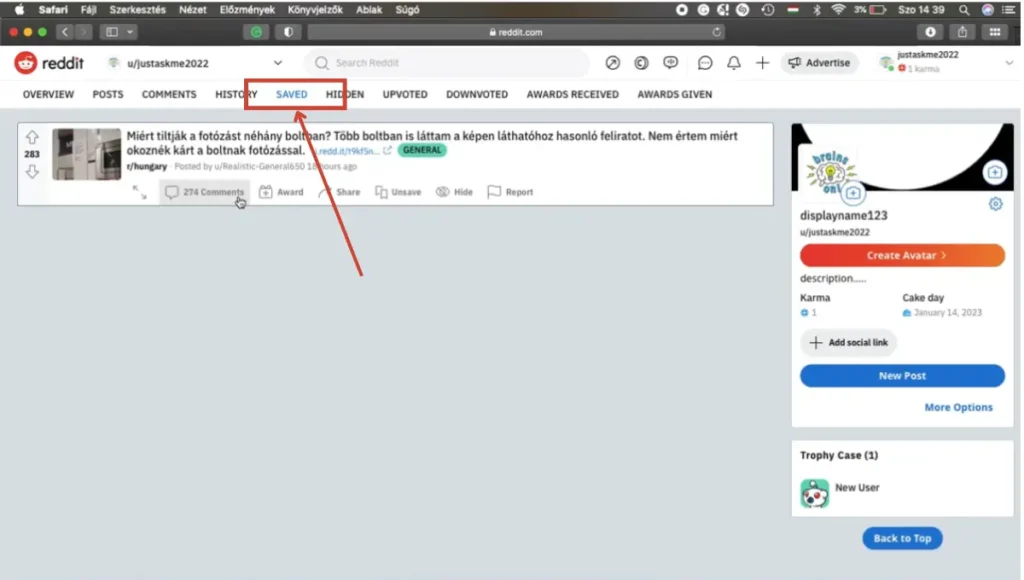
Now, navigate through the menu and click on the option saying “Saved”. This will open up a new window with all the posts that you have ever saved.
Tips for Managing Reddit Saved Posts
Once you open your reddit saved posts list, a few habits keep it useful instead of endless. Unsave items you no longer need, and open Collections (where available) to group research, recipes, or shopping links. On both app and browser, you can filter between posts and comments so you are not scrolling past replies when you only want threads. If something important disappears from your feed, check Saved first—bookmarks stay until you remove them.
Remember that Saved is account-based: log into the same Reddit account on phone and desktop to see the same list. Private browsing or a different login will look empty even if your main profile is full of bookmarks.
The Bottom Line
So, it is safe to say that the Reddit saved option is relatively easy to find on both cell phones as well as laptops. You just have to follow three steps on both these devices to get to your Reddit saved posts. These steps include opening the Reddit app/website, opening your profile, and clicking on the “Saved” option to open up a window that contains all the saved posts.
Further Reading