Basket Random GitHub Guide: Play & Run Locally
The official Basket Random GitHub repo to start from is basketrandomgame/basket-random.github.io, and the simplest way to Play Online is via a hosted build on GitHub Pages or GitLab Pages—plus a few common Unblocked mirrors when school/work networks block game portals.
If you’ve ever searched “basket random github” because a site got blocked, a link stopped working, or you wanted to go Fullscreen without ads and popups, you’re in the right place. This guide shows you where the real files live, which mirrors are legit-ish versus sketchy, and how to clone the repo and run it locally like any other static HTML5 game.
I’ve helped players and hobby devs troubleshoot these GitHub-hosted browser games for years: the same issues pop up (cached builds, broken relative paths, service-worker weirdness, blocked domains, and “which repo is the real one?” confusion). Below you’ll get a clean map of where to play, how to host, and what you can (and can’t) edit—especially if your version mentions Construct 3.
What Is “Basket Random GitHub”? (Overview)
“Basket Random GitHub” usually refers to two things: (1) the GitHub repository that stores a web build of Basket Random, and (2) the GitHub Pages sites that serve that build as a browser game you can play instantly.
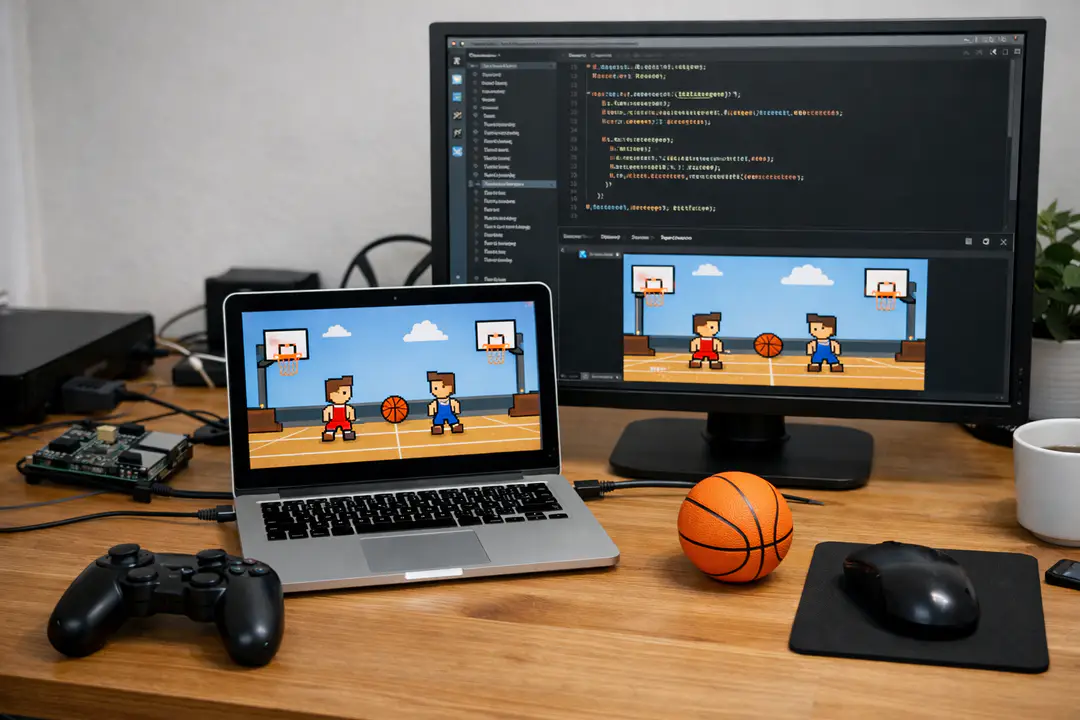
Basket Random itself is a physics-heavy, chaotic basketball mini-game that runs as an HTML5 game. You play in browser, often with a prominent Fullscreen button and a simple two-player setup (local co-op on one keyboard is common). The “random” part is the constant rule/physics variation—different courts, bounces, and player behavior that make each round unpredictable.
The reason GitHub matters is distribution. A lot of these games are deployed as static files (HTML/CSS/JS + assets). That makes them perfect for free hosting on GitHub Pages or GitLab Pages, and easy to mirror. It also means there are many “Unblocked” rehosts—some fine, some stuffed with aggressive ads, and some that simply break because they don’t preserve paths or caching behavior.
In this guide you’ll learn how to identify the official repo, pick a safe place to Play Online, run it locally, understand what “made with Construct 3” implies, and avoid common mirror pitfalls—including basic awareness of DMCA takedowns and embedding rules.
Where to Play Basket Random (Official Repo & Mirrors)
This section is a quick directory: if your goal is to Play Online fast, start here. I’ll keep it practical and link-focused, with notes on what each host typically provides.
- Official repo (source of the hosted build): basketrandomgame/basket-random.github.io (GitHub)
- GitHub Pages build (commonly shared “unblocked” style URL): basket-random-unblock.github.io
- GitLab Pages build: basket-random.gitlab.io
- Alternate build that notes Construct 3: spew45.github.io (often includes “Made with Construct 3” messaging)
What you’ll usually see on these pages:
- A big Play Online area with a clear Fullscreen control.
- Sidebars/footers listing popular/new titles and game categories like Sports, Action, Skill, and sometimes Racing.
- Footer links to DMCA, Policy, or Terms (especially on portal-style mirrors).
Practical tip: if one domain is blocked, try the same build on GitHub Pages vs GitLab Pages. Schools often block one and not the other. If both are blocked, local hosting (later in this guide) is the most reliable option.
Common mistake: assuming any “unblocked” site is safer because it’s popular. Popular mirrors are often the ones with the most aggressive scripts. If you only need the game, prefer a clean static host and avoid downloads/extensions.
Understanding the Official GitHub Repo (What’s Inside)
This section helps you confirm you’re looking at the right project and understand what the repo is actually providing. With these games, the “repo” is often just the deployed web build—not a tidy dev project with comments and modular code.
Start here: the repo name that shows up in searches is basketrandomgame/basket-random.github.io on GitHub. In most GitHub Pages setups, a repository like username/username.github.io (or similar) is meant to publish a site directly.
Typical file layout you’ll see
- index.html as the entry point (loads the canvas/web runtime).
- JavaScript bundles (sometimes minified) that include the game logic and runtime.
- Assets folders for sprites, audio, fonts, and level data.
- Manifest / service worker files in some builds, which can affect caching.
How to sanity-check a Basket Random mirror against the repo
- Open the mirror and view page source (or DevTools Network tab).
- Look for requests that match typical static hosting patterns:
/index.html,/assets/..., and one or more.jsbundles. - Check if the site injects a lot of extra scripts unrelated to the game (multiple ad networks, popunders).
Mini case study: portal-style mirrors often add navigation for other games (you’ll see categories like Sports and Action, maybe a “New” carousel). The core game still runs in an embedded frame or directly in the page, and the most obvious “game UI” feature is the Fullscreen button. That’s your clue you’re on a standard web build, not a downloadable app.
Common mistake: mixing “repo = source code” with “repo = build output.” If the build was exported from Construct 3, the repo likely contains exported files, not the editable Construct project. Editing can be possible, but it’s not as simple as changing a few lines.
How to Run Basket Random Locally From GitHub
This section is for the most reliable setup: run the game from your own machine. If a network blocks GitHub Pages and GitLab Pages, local play is usually the cleanest workaround (and often loads faster).
Step-by-step: clone repo and serve locally
- Install Git (if you don’t already have it).
- Clone the repo:
git clone https://github.com/basketrandomgame/basket-random.github.io.git
cd basket-random.github.io- Serve it with a local static server (recommended; opening
index.htmldirectly can break file loading):
# Option A: Python 3
python -m http.server 8000

# Option B: Node (http-server)
npx http-server -p 8000- Open your browser to:
http://localhost:8000Practical tip: if controls feel “stuck” when playing locally, click once inside the canvas area to focus the game, then toggle Fullscreen. Browser focus issues are common with canvas games.
Troubleshooting common local issues
- Blank screen: open DevTools Console; missing file errors usually mean you served from the wrong folder level (serve the folder that contains
index.html). - 404 on assets: confirm folder names match case exactly. On some systems,
Assetsvsassetscan behave differently when hosted. - Cache problems: hard refresh (Ctrl+F5) or disable cache in DevTools while testing. If there’s a service worker, try clearing site data for
localhost.
Common mistake: double-clicking index.html and expecting it to work. Many HTML5 game exports load JSON/audio via fetch/XHR, which browsers restrict on file:// URLs.
Common Mirrors and “Unblocked” Versions (What to Trust)
This section helps you choose a mirror when you just want to Play Online and your preferred host is blocked. The key is understanding what “Unblocked” usually means: a rehosted static build on a different domain that isn’t on your network’s denylist.
Known hosting patterns you’ll see
- GitHub Pages: fast, simple, frequently used for game mirrors. Example: basket-random-unblock.github.io.
- GitLab Pages: similar idea, different domain reputation lists. Example: basket-random.gitlab.io.
- Personal GitHub Pages mirrors: like Spew45 (often
spew45.github.io), which may show an engine credit such as Construct 3.
Quick checklist before you trust a mirror
- No downloads required: you should always be able to play in browser.
- Reasonable scripts: a couple of scripts for the game is normal; dozens of trackers is a red flag.
- Clear footer policies: many portals include DMCA/Terms links. That doesn’t guarantee safety, but it’s a sign it’s a typical portal setup.
- Fullscreen behavior: legit builds usually toggle Fullscreen smoothly without redirecting.
Why mirrors sometimes break (and how to spot it)
- Wrong base path: mirrors that host files in a subfolder may break relative asset paths.
- Mixed content: loading
httpassets on anhttpspage can fail silently. - Over-aggressive caching: service workers can cause an “old” build to stick even after updates.
Example scenario: if the GitHub Pages mirror loads, but characters are invisible, open DevTools → Network and look for failing image/audio requests. Nine times out of ten, the mirror didn’t copy an assets folder correctly.
Related note: portal pages that list other games (often including titles like N Gon) are common. Treat them like a directory: use them to access the build, but be picky about what you allow in the browser (popups, notifications, and extensions are all “no”). If you’re exploring other web titles, it helps to understand how browser-based sports games fit into broader web sports gaming hubs and why some domains stay accessible longer than others.
How the Game Was Built (Construct 3) and What You Can Edit
This section is for players who searched “basket random github” because they want to mod, reskin, or at least understand what’s editable. Many Basket Random builds circulating online appear to be exported projects, and at least one common host (the Spew45 build) explicitly notes it was made with Construct 3.
What “Made with Construct 3” implies
- Exported runtime: Construct 3 exports to HTML5/JS, often bundling logic in runtime scripts.
- Project file may be missing: the editable
.c3p(or source project) is usually not included in a public mirror. - Assets are easiest to change: images/audio can sometimes be swapped if filenames and dimensions match.
Practical edits that are realistic (and low-risk)
- Cosmetic swaps: replace sprites or background images in the assets folder (keep the same filename).
- Simple HTML tweaks: update the page title, add your own navigation, or change the canvas container styling.
- Hosting changes: fork on GitHub, deploy on GitHub Pages, or mirror to GitLab for GitLab Pages.
Edits that often go wrong
- Editing minified JS blindly: easy to break the runtime, hard to debug.
- Changing folder names: breaks hard-coded asset paths.
- Removing “extra” files: manifest/service worker files can look optional but may be referenced.
Case study (common reskin attempt): someone replaces player sprites with larger PNGs, then wonders why collisions feel off. In physics-based games, sprite size and collision boxes matter. If the export uses separate collision polygons, your new art may not match the hitboxes, creating weird “phantom” bounces. If you’re only reskinning, try to keep the same dimensions and transparent padding.
Tip: if you truly want to modify gameplay rules, you’ll have a better time obtaining the original Construct 3 project rather than reverse-editing the exported build. For most people, the GitHub-hosted build is for playing and hosting, not deep development.
Hosting, Embedding, and Policy Basics (DMCA, Terms, and Safety)
This section is about responsible sharing. Basket Random gets mirrored a lot, and many pages include DMCA/Policy/Terms links in the footer for a reason: hosting games you don’t own can trigger takedowns. Even if you’re just embedding for a school “free games” page, you should understand the basics.
Hosting options (and what they’re good for)
- GitHub Pages: easiest for a fork; great for static builds. Works well for a lightweight HTML5 game.
- GitLab Pages: similar benefit; sometimes accessible when GitHub is blocked.
- Local hosting: best for personal use in restricted networks; no public distribution.
Embedding the game on your own site
If a host allows embedding (not all do), it’s typically done via an iframe. Keep it simple, and ensure the embedded host supports Fullscreen in iframes (some browsers require specific permissions).
<iframe
  src="https://basket-random-unblock.github.io/"
  width="960"
  height="540"
  allow="fullscreen"
  loading="lazy"
></iframe>
Common mistake: embedding a mirror that changes its URL structure or injects redirects. Your embed breaks, or worse, starts sending users to random pages. If you need stability, host your own fork (with permission) or stick to a reputable static host.
DMCA and takedowns: what typically happens
- A rights holder sends a DMCA notice to the host (GitHub/GitLab or a third-party portal).
- The host may remove the content or disable the page/repo.
- Mirrors may remain, but links churn quickly.
Safety tip: if you’re browsing portals, don’t grant notification permissions, don’t install “helper” extensions, and don’t download executables. For a lot of players, the cleanest routine is: pick one stable GitHub/GitLab build, use Fullscreen, and ignore the rest of the portal furniture.
If you’re interested in how broader platform policies affect web distribution, it’s worth keeping an eye on how sites discuss compliance and content rules—it’s the same kind of pressure that makes game mirrors appear and disappear.
Practical Tips / Best Practices
This is the quick “do this, not that” section. Whether you’re here to Play Online, find an Unblocked link, or run Basket Random from GitHub locally, these habits will save you time.
- Prefer official or clean static hosts: start from basketrandomgame/basket-random.github.io, then use a Pages build (GitHub Pages or GitLab Pages) that mirrors it.
- Use local serving for reliability: clone repo, then run
python -m http.serverso the HTML5 game can load assets correctly. - Fullscreen wisely: click the canvas first, then toggle Fullscreen. If it fails, check your browser’s permission prompts.
- Keep a “known good” mirror list: if a school filter blocks one domain mid-week, you won’t have to re-search from scratch.
- Don’t trust portals with forced redirects: if pressing Play kicks you to another tab, bail. Find a cleaner host or go local.
- When reskinning, keep filenames and sizes: most quick mods fail because they break asset references or collision expectations.
Things to avoid:
- “Unblocked” sites that require a download or ask you to install a browser extension.
- Opening the game with
file://instead of serving it locally (common cause of blank screens). - Re-uploading publicly without understanding permissions—mirrors can trigger DMCA actions.
If you want a smoother general browser setup for web games, consider performance basics (hardware acceleration on, fewer extensions, updated browser). That same “keep the browser clean” logic shows up in other gaming-tech writeups, including discussions around common gaming web tech stacks used by lightweight portals.
FAQ
Where is the official Basket Random GitHub repository?
The repo most commonly referenced as the official host is basketrandomgame/basket-random.github.io on GitHub. It typically contains the static web build used for Pages hosting. If you’re unsure, compare file structure and whether the site behaves like a standard GitHub Pages deployment (static assets, no installer, instant play).
What’s the fastest way to Play Online in a browser?
Use a Pages-hosted build: a GitHub Pages mirror such as basket-random-unblock.github.io or a GitLab Pages mirror such as basket-random.gitlab.io. These usually load quickly, offer a Fullscreen button, and work as a typical browser game without downloads.
Why do “Unblocked” links keep changing?
Schools and workplaces update blocklists, and some portals get taken down or moved due to policy changes or DMCA complaints. That churn is normal for mirrored games. If you want stability, clone the repo and serve locally, or keep both GitHub and GitLab links bookmarked.
Can I edit Basket Random if it was made with Construct 3?
You can often edit surface-level stuff (page HTML, some assets), but deep gameplay edits are hard without the original Construct 3 project file. Many public repos contain an exported build, not the authoring project. If you do asset swaps, keep filenames and dimensions consistent to avoid breaking loads and collisions.
Is it okay to embed the game on my own site?
Embedding via iframe can work technically, but permission and licensing is the bigger issue. Some hosts may not allow embedding or may change URLs. If you’re distributing publicly, understand that content can be removed via DMCA. For personal use, local hosting is the safest approach.
Conclusion
Searching “basket random github” is usually about one of three needs: a clean place to Play Online, an Unblocked mirror that still loads on restricted networks, or a way to run the HTML5 game locally without relying on portals. The most dependable starting point is the repo basketrandomgame/basket-random.github.io, then a Pages deployment on GitHub Pages or GitLab Pages. If everything is blocked, cloning and running a local static server solves the problem in minutes.
From there, you can choose how deep you want to go: basic play with Fullscreen, hosting your own fork, or experimenting with light edits—keeping in mind that builds credited to Construct 3 are often exports, not full source projects. Bookmark one or two reliable hosts, keep your browser tidy, and when in doubt, go local. If you want more guides like this, your next step is learning how other web sports games are hosted and mirrored so you can troubleshoot them just as quickly.