
Joincrs Com: What IT Is and How to Use IT
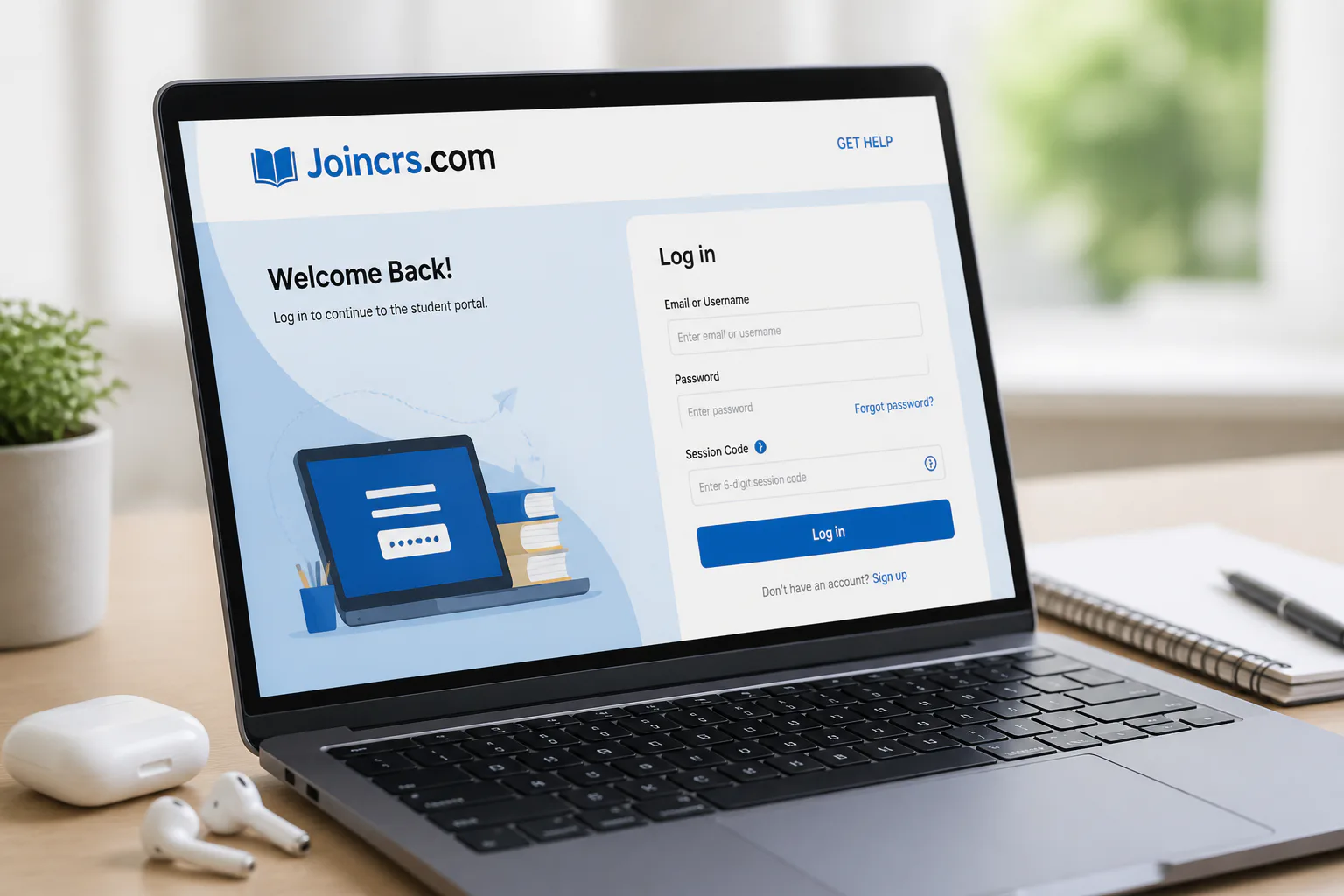
joincrs com is a simple web portal that lets students enter a live classroom session with a code provided by their teacher. Its main purpose is to remove extra login steps so learners can get into class quickly from a browser on a laptop, tablet, or smartphone. In practice, it works as a student join page connected to Classroomscreen, where teachers start the session and share a temporary code.
That simple setup is why the site is useful for schools, younger students, and anyone who needs a low-friction way to join online learning activities. Instead of creating a separate account or moving through several pages, students go to joincrs.com, enter the code, and join the session. The overall focus is speed, clarity, and fewer technical problems during class time.
What is joincrs.com?
Joincrs.com is a web-based entry point for students joining virtual classrooms and live interactive learning sessions. It is built around one core task: Live Session Access. Teachers start a session in Classroomscreen, a unique temporary session code is created, and students use that code on joincrs.com to enter the class.
The site is designed for ease of use rather than complexity. Students do not need to install extra software, and they do not have to work through a long sign-in process just to participate. That makes it a practical option for classrooms where quick access matters and where users may have different levels of comfort with digital tools.
It also appears to function as a Classroomscreen student-join page rather than as a fully separate standalone service. The branding and use case point to a focused access portal: a place where students land, enter the teacher’s code, and move directly into the live session.
Who it is for
The audience is mainly students who need a fast way to join a teacher-led session. Because the process is simple, it also suits younger learners and families helping children connect to class from home. Teachers benefit too, since fewer access issues mean more time spent on learning instead of troubleshooting.
- Students joining live classroom activities
- Teachers using Classroomscreen to run sessions
- Schools that want fewer access barriers
- Learners using different devices and browsers
Access Joincrs Portal
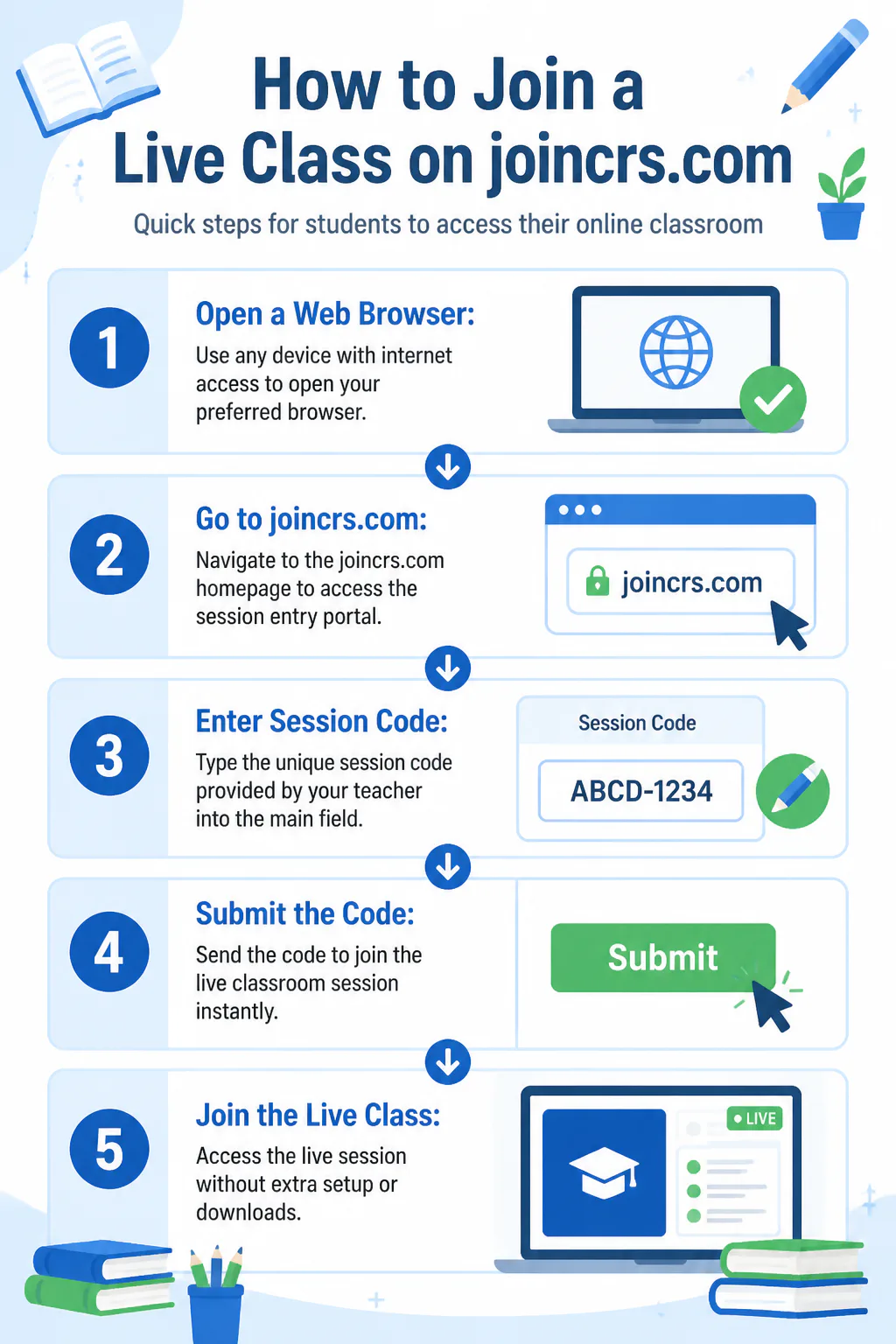
Start by opening a web browser and going to joincrs.com. This is the homepage students use for session entry. The page is built around quick access, so the goal here is simply to reach the portal and get ready to enter the code from the teacher.
Enter Session Code
On the homepage, use the main entry field to type the unique session code provided by the teacher. That code is generated from the teacher’s active Classroomscreen session. Because the code is temporary, students need the current code for the live class they are joining.
Join Live Class
After entering the session code, submit it to join the live classroom session. Once the code is accepted, the student enters the class without extra setup. That streamlined path is the main reason the portal is used in live teaching situations where every minute counts.
Why the process works well
The strength of joincrs.com is that it keeps the student side of the process very short. There is no complicated setup flow and no multi-page navigation for the basic task of joining. If you have looked at other browser-based .com platforms, this one stands out for doing one job clearly instead of offering layers of extra tools.
User feedback at a glance
User sentiment is straightforward because the site itself is straightforward. People generally value it for quick access, simple code entry, and compatibility across devices. The biggest positive is not advanced features, but the fact that students can get into a session without confusion.
| Area | What joincrs.com does |
|---|---|
| Purpose | Lets students join live classroom sessions with a session code |
| How access works | Teachers create a Classroomscreen session and share a temporary code |
| Device support | Works from a browser on laptops, tablets, and smartphones |
| Setup | No app download required |
| Main benefit | Reduces technical barriers and saves class time |
Features
Core functions
- Simple session code entry on the main portal page
- No app download required for students
- Access from different devices through a web browser
- Temporary session codes for secure, private class access
- User-friendly design suitable for a wide age range
What makes it useful
The main service is not a large suite of classroom tools; it is clean access to a live session. That matters in real classrooms, where delays caused by logins or setup can disrupt participation. The portal keeps the entry task narrow and practical.
That same simplicity is a common reason lightweight classroom tools get attention, much like interest in software updates often comes down to usability improvements rather than flashy extras. Here, the benefit is immediate: students can focus on joining class instead of fixing access problems.
How to Register and Use joincrs.com
Do you need to register?
For students joining a live class, the process centers on entering a session code rather than creating a separate account. The portal is designed to avoid unnecessary barriers, so the student experience is built around direct access to the session.
Step-by-step use
- Open a web browser on your device.
- Go to joincrs.com.
- Find the main field for code entry on the homepage.
- Type the session code given by your teacher.
- Submit the code to join the live class.
What students need from teachers
Students need the current session code created by the teacher’s Classroomscreen session. Because the code is temporary, it is tied to that live class rather than meant for permanent reuse. If the teacher starts a different session, students should use the updated code shared for that class.
- A device with a web browser
- An internet connection
- The teacher’s current session code
That kind of focused browser access is also why many people search for help with unfamiliar tools by checking what the software helps with before worrying about deeper setup. With joincrs.com, the answer is simple: it helps students enter a live classroom session fast.
User Feedback
Common positives
The strongest feedback theme is ease of use. Joincrs.com is built for quick entry, and that direct design lowers stress for students who are young, less tech confident, or joining from shared family devices. Being able to use a browser on almost any common device also makes participation easier.
What users seem to value most
Users tend to value three things: fewer technical barriers, no need for extra software, and a short path from receiving the code to joining class. In classroom settings, that simplicity helps lessons start on time and keeps attention on participation rather than setup issues.
Because the portal has a narrow purpose, feedback is less about advanced capabilities and more about whether it works smoothly at the moment it is needed. On that front, the design goal is clear: make class access feel obvious.
Is joincrs.com Legitimate and Safe?
Legitimacy
Joincrs.com appears legitimate as a student join page connected to Classroomscreen. It is presented as the place students visit to enter a code and join a live session, including classroom activities such as casting votes in a teacher-run session. The visible branding also points to it functioning as part of the same classroom ecosystem rather than an unrelated third-party portal.
Safety and privacy
The safety model is simple: access is based on a temporary session code created by the teacher. That helps keep class entry limited to people who have the active code. The service is also described in a way that does not require students to go through a full personal account setup just to enter a session.
Privacy details are tied to the broader Classroomscreen environment, including data shared through its website, application, or email. For a student using joincrs.com as intended, the experience is centered on entering the class code and joining the live session with as little friction as possible.
FAQs
Is joincrs.com for students or teachers?
It is mainly for students joining a live session. Teachers start the session in Classroomscreen and provide the code students use on joincrs.com.
Do students need to download anything?
No. Students join through a web browser, which is one of the platform’s main advantages.
Can joincrs.com work on phones and tablets?
Yes. The portal is designed for device-agnostic access, including laptops, tablets, and smartphones.
What do you need to join a class?
You need a browser, an internet connection, and the current session code from your teacher.
Conclusion
Joincrs.com gives students a fast, browser-based way to enter live classroom sessions, making it useful when simple access and fewer setup problems matter most.