Who Unfollowed Me on Instagram: Safest Tracker Apps Compared
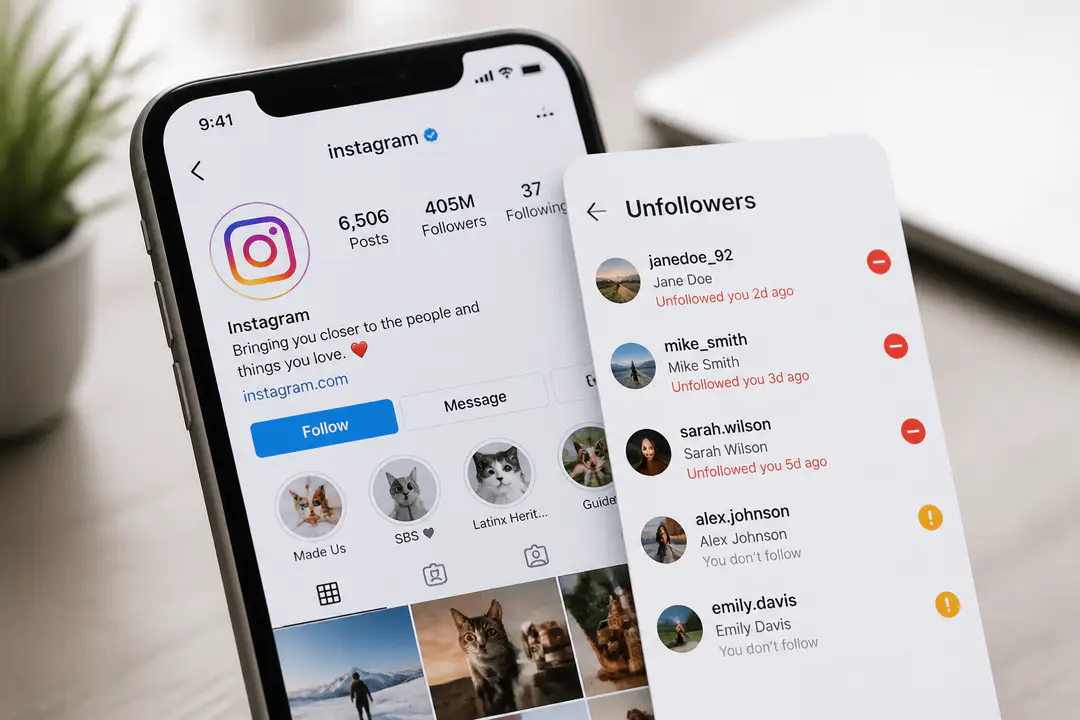
Seeing your Instagram follower count drop without any built-in way to check who left is frustrating for creators, shop owners, and personal brands alike. Plenty of apps promise fast answers, but the tradeoff between convenience, privacy, and account access is not always obvious. Choosing well means looking past marketing claims and focusing on which tools feel usable without adding unnecessary risk. This comparison breaks down the options for people who want clearer tracking with fewer account-safety concerns.
Key Takeaways
- Instagram does not offer an official built-in unfollower history, so you cannot open the app and see a complete list of who left.
- Third-party trackers fill that gap with recent unfollowed lists, non-followers, and follower behavior insights, but their safety standards vary widely.
- Choose tools that ask for no password when possible and clearly state strong data protection such as bank-level encryption.
Top Instagram Unfollower Trackers Compared
1. Followers & Unfollowers
This is the most straightforward pick for people who mainly want unfollower visibility without paying for a broader social suite. It focuses on follower analysis rather than content scheduling, so the interface stays simple: recent unfollowers, non-followers, mutual followers, ghost followers, top followers, and even the app’s “secret admirers” view.
It also supports multiple account login, which matters if you switch between a personal account and a business profile. For users searching who unfollowed me on instagram, this app does the core job clearly and adds enough account analytics to feel useful beyond a one-time check.
Core Capabilities
- Recent unfollowed tracking
- Non-followers and mutual followers
- Ghost followers and top followers
- Multiple account switching
- Profile insights and follower behavior summaries
Pros
- Very clear unfollower-focused layout
- Useful extra signals beyond simple unfollow lists
- Good fit for casual creators and small business accounts
- Works well if you want instant access to detailed account analytics
Cons
- Privacy details are not as prominently positioned as with newer no-password tools
- Broader reporting is lighter than enterprise analytics platforms
- Feature claims such as secret admirers should be treated as engagement signals, not literal hidden profile viewers
Privacy and Security
This is where you need to be careful. If an unfollower app depends on Instagram login credentials, that creates more account risk than a tool that works from a public Instagram handle or limited authorized connection. Before using any app in this category, confirm what data it stores and whether it explains retention clearly.
Best for
Best for: users who want a focused Instagram unfollower tracker with extra follower insights and simple account switching.
2. Reports+
Reports+ is one of the best-known names in this category because it combines follower change tracking with a more polished analytics feel. It is built for users who want more than a raw unfollower list. You also get profile insights, follower trends, and account activity views that make it easier to spot patterns instead of reacting to every single drop.
This is a better reviewer pick for frequent check-ins than one-off curiosity. If you care about recent unfollowed activity, non-followers, and engagement signals in one place, Reports+ usually feels more complete than basic tracker apps.
Core Capabilities
- Unfollowers and non-followers tracking
- Follower trend monitoring
- Profile insights and audience movement
- Usability focused on frequent reporting
Pros
- More polished analytics presentation
- Good balance of tracking and usability
- Better for people checking follower changes regularly
Cons
- May require more account access than privacy-first users prefer
- Claims can vary by platform version and app store region
- Not the strongest option if your first filter is no-password access
Privacy and Security
Reports+ is strongest as a convenience tool, not as the most conservative privacy choice. If your priority is a cleaner security posture, treat it as a feature-rich option rather than the safest default. Security-conscious users often compare app permissions the same way they review software updates: what changed, what is requested, and whether the access is justified.
Best for
Best for: users who want a more polished follower analytics app and can tolerate a less strict privacy-first approach.
3. IG Followers Reports
IG Followers Reports is the better fit for users who want fast dashboards and social proof cues. One version of its landing experience highlights that it is trusted by thousands, shows examples like 392 people don’t follow back, and even uses live counters such as LIVE: 222 people analyzing their profiles now. Those are marketing cues, but they tell you exactly who the product is built for: users who want instant answers fast.
That makes it appealing for personal accounts and side-business pages that want a quick read on follower loss, non-followers, and account relationship metrics. It is less about deep analysis and more about immediate visibility.
Core Capabilities
- Unfollowers and non-followers detection
- Quick snapshot of account relationship metrics
- Fast dashboards with recent follower behavior
- Designed for simple, high-speed checking
Pros
- Easy to understand at a glance
- Strong for quick checks rather than heavy analysis
- Clear examples help users understand what the app surfaces
Cons
- Live counters and trust claims are marketing signals, not proof of accuracy
- Less suited to users who want advanced reporting depth
- Privacy details need close review before connecting an account
Privacy and Security
The main buying question here is not feature count. It is how the app handles account access. If a tracker puts speed first but is vague about data storage, that is a red flag. The safer your setup, the less likely you are to trigger account restrictions or create the kind of permission confusion people see on other platforms, including issues like a phone number is banned lockout.
Best for
Best for: users who want very fast unfollower snapshots and simple non-follower visibility.
4. Dolphin Radar
Dolphin Radar stands out because it claims a no-password approach and emphasizes bank-level encryption. That single difference moves it up the list for anyone who sees privacy as the first filter, not a footnote. Instead of asking for your Instagram password, it works from a public Instagram username, which lowers the risk profile substantially.
- It leans into real-time tracking language.
- It emphasizes privacy-protected analytics.
- If your main concern is whether an app feels legitimate and restrained with account access, Dolphin Radar is the cleanest fit in this roundup.
- It is not the broadest analytics suite, but it is the easiest one to recommend on safety grounds.
Core Capabilities
- No password required
- Public Instagram handle based access
- Real-time unfollower tracking
- Privacy protected reporting
- Bank-level encryption claim
Pros
- Strongest privacy positioning here
- No-password access is a major advantage
- Simple onboarding for users who want lower risk
- Good fit for cautious creators and businesses
Cons
- Narrower than full social media management platforms
- Some users will want deeper content analytics than it offers
- As with any third-party tool, you still need to review terms and data handling
Privacy and Security
This is the strongest privacy profile in the group because the app does not rely on your Instagram password and explicitly markets secure handling. That does not make it official, since Instagram still does not provide this feature itself, but it does make it easier to recommend for safety-first users. If you compare apps the same way you compare a software review, this is the one with the clearest security-led positioning.
Best for
Best for: users who want the safest-looking unfollower tracker with no password required.
Comparison Table
| Tool | Unfollower Tracking | No Password | Privacy Positioning | User Signals | Best Use |
|---|---|---|---|---|---|
| Followers & Unfollowers | Yes | Not clearly positioned | Standard app-level privacy | Popular follower analyzer format | Focused unfollower and follower insights |
| Reports+ | Yes | No clear no-password focus | Moderate, feature-first | Well-known app category presence | Regular analytics check-ins |
| IG Followers Reports | Yes | Not clearly positioned | Needs close review | Trusted by thousands, sample count of 392 non-followers, LIVE: 222 analyzing now | Quick snapshots and simple checks |
| Dolphin Radar | Yes | Yes | Bank-level encryption claim | Privacy-first positioning | Safety-conscious users |
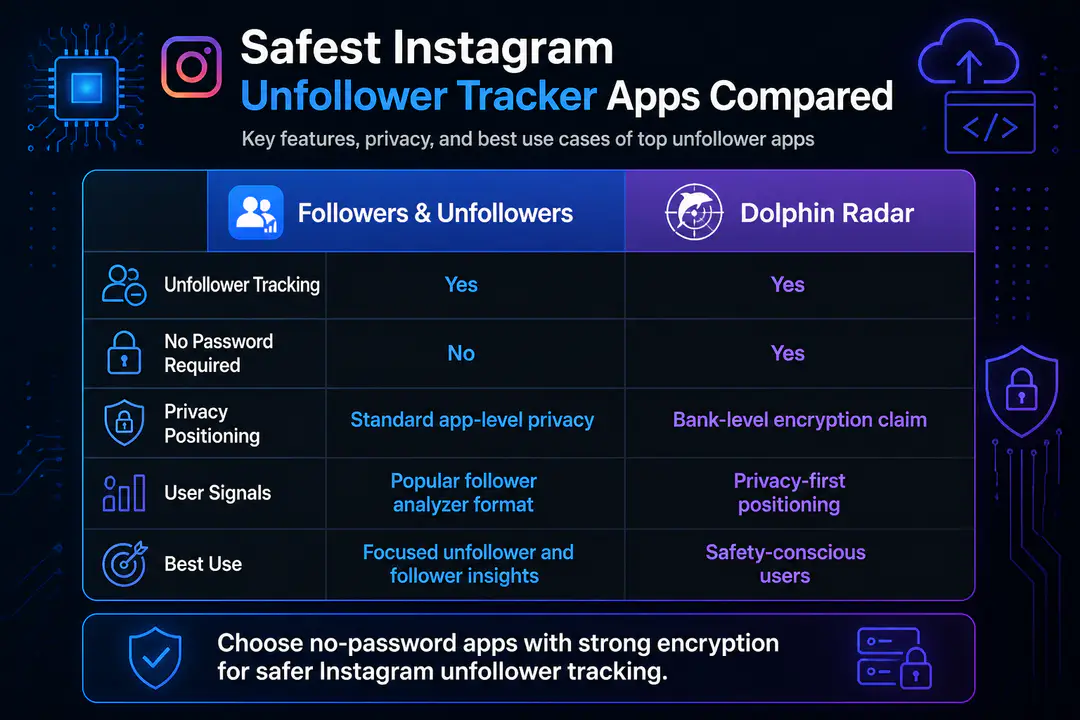
How Instagram Handles Unfollowers
What Instagram Actually Shows
Instagram shows your current follower count and your current followers list, but it does not give you a built-in historical log of recent unfollowed accounts. There is no official screen that says who unfollowed you yesterday, last week, or over the past month. That gap is exactly why this category of apps exists.
Why Third-Party Tools Exist
Unfollower trackers compare changes in your follower list over time and turn those changes into readable reports. Some do this with a direct account connection, while safer options use a public username and lighter data collection. If you want more than a manual headcount, you need a third-party tool, but you should treat privacy and account security as part of the product spec, not a side note.
Manual vs Automated Tracking
Manual Checking
- Pros: no extra app, no data sharing, no added permissions.
- Cons: slow, inaccurate over time, and almost impossible once your audience grows.
- Best for: very small personal accounts that only want occasional checks.
Automated Apps
- Pros: real-time updates, recent unfollowed lists, non-followers, and profile insights in one place.
- Cons: privacy quality varies, some apps ask for too much access, and weak tools can create security concerns.
- Best for: creators, brands, and active users who need speed and consistent tracking.
What To Prioritize
- No password required
- Clear privacy policy
- Strong encryption claims
- Simple unfollower reporting without hype about secret profile viewers
- Useful account analytics beyond a single follower count change
FAQs
Can Instagram show me who unfollowed me?
No. Instagram does not provide an official built-in history showing exactly who unfollowed you over time.
Are unfollower tracker apps accurate?
The better ones are accurate at tracking follower-list changes, but they are only as good as their access model and update frequency. Treat flashy claims carefully and focus on tools that explain how they collect data.
What is the safest way to track unfollowers?
No-password tools that work from a public handle where possible and clearly explain strong encryption and privacy protection are the safest options to prioritize.
Can unfollower apps cause account problems?
Yes, if they ask for risky permissions or handle account access poorly. That is why privacy-first tools are easier to recommend than apps that demand full credentials.
Conclusion
If your goal is simply to find who unfollowed you on Instagram, a trusted third-party app is the practical route because no official Instagram feature gives you that history. The safest choice is the one with the lightest account access, especially a no-password setup with strong encryption claims. Prioritize privacy and usability first, then choose the app whose reporting depth matches how often you actually check your follower changes.