cmsp hacks speak review: worth using or not?
Brazilian students keep running into the same problem: CMSP, Sala do Futuro, and Khan Academy can pile up repetitive activities fast, and that is exactly where cmsp hacks speak-style tools get attention. CmspHacks pushes a simple promise, “Feito por estudantes para estudantes,” with browser-based scripts, bots, atalhos, and a versão Premium aimed at helping users economize tempo on plataformas educacionais. The short verdict is straightforward: useful for students who already understand browser scripts and want fast access to organized automação tools, but not a clean fit for anyone expecting an official, risk-free study app. Its biggest strengths are the broad script catalog, clear focus on Sala do Futuro and CMSP, and Discord-based support. Its biggest weaknesses are the gray-area nature of the tools, vague pricing details for Premium, and the extra caution needed with downloads, pop-ups, and external redirects.
Quick Specs
| Item | Details |
|---|---|
| Brand | CmspHacks |
| Main focus | scripts, bots, and automação for CMSP, Sala do Futuro, and related plataformas educacionais |
| Positioning | Feito por estudantes para estudantes |
| Highlighted offer | Melhores Scripts, Sala do Futuro, Agora com versão Premium |
| Free access | scripts grátis available |
| Premium access | Unlocked in Discord |
| Named script | DoritosScript v3.0 Online & Atualizado |
| Extra file mentioned | SYSTEM_MONITOR.exe v2.4.1 |
| Other entities tied to the ecosystem | KhanBot, Script da Khan Academy, ngx1305, GitCode |
| Price | Premium pricing not publicly confirmed |
| Rating | 7/10 |
- Built around browser favorites, quick-access buttons, and script pages rather than a polished app dashboard.
- Best known for CMSP and Sala do Futuro automation, with Khan Academy support also mentioned.
- Premium support flows through Discord instead of a traditional checkout and account area.
- Useful organization and updated labels help, but trust and safety questions remain part of the experience.
What Is CmspHacks?
CmspHacks sits in a niche corner of educational automation where students look for ways to automatizar tarefas on school platforms instead of clicking through the same actions manually. The site centers on CMSP, Sala do Futuro, and related classroom systems, with a mix of scripts grátis, premium options, and browser-based shortcuts that act more like Ferramentas Inteligentes than a standard homework helper. Its practical message is that students can save time on repetitive questionários, activities, and login steps.
That focus makes it appealing to a very specific audience. Students dealing with daily platform routines, especially on Sala do Futuro and CMSP, are the obvious target. The naming around “cmsp hacks speak” also reflects how users often search for these tools informally, looking for scripts, bots, or browser favorites that can speed up tasks without installing a full desktop program.
It also operates with a community-first feel. Discord access, support channels, references to creators like ngx1305, and code-sharing mentions such as GitCode give it a lightweight underground-tool vibe rather than a mainstream edtech product. That helps with discovery and updates, but it also means users need to pay closer attention to where files, redirects, and permissions are coming from.
Key Features
CmspHacks is less about one flagship tool and more about how its scripts are organized across platforms. The strongest part of the service is that it groups common student pain points into a few recognizable buckets: CMSP, Sala do Futuro, Khan Academy, login shortcuts, and premium support access.
CMSP and Sala do Futuro scripts
The main draw is simple: fast-access scripts for CMSP and Sala do Futuro, two platforms where repetitive activities can feel more annoying than difficult. Instead of presenting abstract automation language, CmspHacks leans into direct utility. Users are there to speed up activities, move through questionários, and cut down on repetitive clicks. That purpose comes through clearly in the way the site is named and organized.
What works well here is focus. Many student tool hubs get messy by trying to cover every school site at once, but CmspHacks keeps attention on the platforms users actually search for. Terms like atualizado and online matter because students want to know whether a script still matches the current platform layout. The mention of the Versão antiga also helps set expectations, since older scripts often break when CMSP or Sala do Futuro changes a page flow.
The catch is that usefulness depends on platform changes. A script can be well organized and still stop working if the site adds pop-ups, changes button labels, or alters activity steps. That means the value here comes as much from maintenance and community updates as from the original script itself.
DoritosScript and updated access
DoritosScript is the clearest named tool in the CmspHacks ecosystem, and the label matters because it gives users something concrete to look for. The current presentation highlights DoritosScript v3.0 Online & Atualizado, which signals two things at once: it is intended to be current, and it is meant to be accessible without the feel of an old abandoned script page. For users comparing random copies shared in chats, that version label is a real advantage.
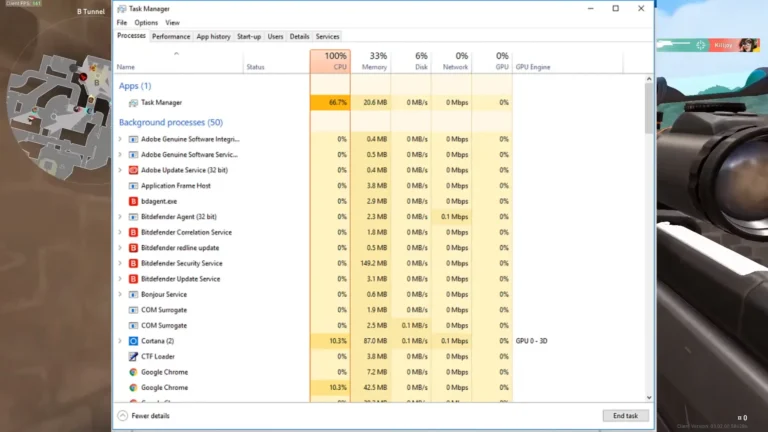
There is also a stronger technical tone around this script than around the general CMSP pages. SYSTEM_MONITOR.exe v2.4.1 is tied to DoritosScript, and that instantly raises the level of caution needed. Browser scripts and browser favorites are one thing; executable files are another. Students who only want simple automation in a browser will likely prefer sticking to the online script path rather than downloading anything extra unless they fully trust the source and understand what they are running.
As an organized offer, DoritosScript looks stronger than generic paste-and-run snippets. It has a version trail, a current label, and a clearer identity. The limitation is trust. Once an executable enters the picture, the barrier for cautious users goes up fast, especially on school or family devices.
Khan Academy support and KhanBot
CmspHacks does not stop at CMSP. It also points users toward Khan Academy automation through references to a Script da Khan Academy and KhanBot. That widens the service beyond one school platform and makes the project feel more like a cross-platform shortcut hub for students who use multiple educational sites in the same week. If your routine includes both Sala do Futuro and Khan Academy, that wider support is one of the strongest reasons to care about the brand at all.
The practical value is consistency. Students do not want one tool for CMSP, another random bookmarklet for Khan Academy, and a third setup for login shortcuts. Even without a polished dashboard, CmspHacks does a good job of organizing those scripts by recognizable use case. That saves time before the automation even begins, because users are not hunting through scattered message threads to find the right file or browser favorite.
There is still a limit here: the public details stay high-level. KhanBot and the Script da Khan Academy are named, but exact capabilities are not laid out in a full feature matrix. Users who need guaranteed support for specific activities or questionários will want clearer documentation than the current promotional style provides. If you already know the ecosystem, the naming helps. If you are new, some trial and error remains part of setup.
Browser setup and Favorito de login
One of the more approachable parts of CmspHacks is that it uses browser-centered access instead of forcing everything through software installation. References to browser favorites, arraste o botão, and Favorito de login point to a setup method that many students already understand: drag a shortcut to bookmarks, open the target page, and trigger the script from there. For quick login actions and light automation, that is less intimidating than dealing with local programs.
This setup style also explains why the platform is attractive to beginners. A bookmark-based script feels closer to a shortcut than a full bot, even if the end result is still automação. It reduces friction. The same student who would never install a separate tool may still use a browser favorite if the steps are short and the script is clearly labeled for CMSP or Sala do Futuro.
Still, this is not foolproof. Browser behavior, blocked pop-ups, or school-managed restrictions can break the process. Users also need to watch for pages that feel overly cluttered with external buttons or sponsored-looking redirects. If a setup path seems to bounce through multiple pages before the real script appears, that is a sign to slow down and check what you are clicking.
- Bookmarklet-style access lowers setup friction for students who only want quick atalhos.
- Favorito de login is useful for repetitive sign-in steps across school sessions.
- Blocked pop-ups and browser security settings can interrupt the flow.
- School-managed devices are less friendly to custom browser scripts and bots.
Premium access, Discord, and support
CmspHacks puts a lot of weight on community access rather than a normal storefront. The headline offer includes a versão Premium, and Premium access is unlocked in Discord. That setup has one clear upside: direct contact. Students who need updated files, help with a broken script, or guidance on setup can get support direto in the same place where the community already gathers.
Discord also fits the fast-update style of these tools. When CMSP or Sala do Futuro changes a step, users want fixes quickly, not a support ticket response days later. The social side matters too. It gives the project a more active feel than a static page with outdated files and dead download links. That matters for any automation tool whose value depends on being atualizado.
The weak point is transparency. Premium exists, but the exact price point is not publicly confirmed, and that makes the buying decision less clean than it should be. Some users will be fine joining Discord first. Others will see that as extra friction. If you prefer clear public pricing, direct checkout, and formal support documentation, this part of the service will feel less polished than mainstream tools. Security-conscious readers may also want to review general PC security changes before running any extra files on a personal machine.
How It Works
The user flow is straightforward even if the surrounding ecosystem is a little rougher than a standard app. You find the relevant script page, open the tool for the platform you need, and use either a browser-based shortcut or the listed script access steps. For students moving between CMSP and Sala do Futuro, that simple flow is part of the appeal.
- Choose the target platform, such as CMSP, Sala do Futuro, or Khan Academy.
- Open the script or browser-favorite option tied to that platform.
- Use the arraste o botão method if a browser favorite is provided.
- Allow the script to run on the active educational page.
- Check Discord if you need the versão Premium or support direto.
The weak point is reliability across updates. Since these are external scripts rather than official platform tools, a small layout change can affect how buttons, activities, or questionários are handled. That is why the atualizado label matters so much on this kind of site. Readers interested in broader browser-side automation may also find useful context in these technology hacks, especially if they are new to bookmark-based shortcuts.
Pros and Cons
Pros
- Focused platform coverage keeps attention on CMSP, Sala do Futuro, and Khan Academy instead of scattering effort across unrelated tools.
- scripts grátis lower the barrier for students who want to test the service before considering Premium.
- Discord-based support gives faster community feedback when a script stops working after a platform update.
- DoritosScript has a clearer identity than random copied snippets, especially with its v3.0 Online & Atualizado label.
- Browser favorites and Favorito de login offer a lighter setup path than full software installs.
Cons
- Premium pricing is not publicly confirmed, which makes value harder to judge before joining Discord.
- Executable mentions like SYSTEM_MONITOR.exe raise the risk level for cautious users.
- These tools depend on external scripts, so updates on CMSP or Sala do Futuro can break functions without warning.
- Pages that rely on redirects, pop-ups, or mixed external links can feel less trustworthy than an official study platform.
Pricing
The free side of CmspHacks is easy to understand: scripts grátis are available, which is enough for many students who just want quick atalhos or a simple Favorito de login. The paid side is less clear. A versão Premium exists, and access is unlocked through Discord, but the exact public price is not confirmed. That lack of upfront pricing hurts the buying decision because readers cannot easily compare cost against the time saved.
Value depends on how often you use these plataformas educacionais. If CMSP and Sala do Futuro are daily friction points, even a basic automation setup can feel worthwhile. If you only need occasional shortcuts, the free options will likely make more sense than chasing Premium access. Readers comparing script ecosystems may also want a broader look at software updates and maintenance habits, since regular updates matter more here than polished branding.
CmspHacks Alternatives
If CmspHacks feels too informal or too dependent on Discord, a few named alternatives stand out within the same student-script ecosystem. Each one appeals to a slightly different kind of user.
DoritosScript
DoritosScript is already part of the same orbit, but some users search for it directly instead of going through CmspHacks as a broader hub. The main reason to prefer it is version clarity, especially the v3.0 Online & Atualizado label. The downside is the same caution issue tied to SYSTEM_MONITOR.exe and any extra files beyond simple browser access.
KhanBot
KhanBot makes more sense for students whose main pain point is Khan Academy rather than CMSP or Sala do Futuro. It is narrower in scope but easier to understand if your workflow lives in a single product. Users looking for one place to manage multiple educational scripts will likely still prefer CmspHacks.
GitCode shared scripts
GitCode-style shared script repositories appeal to advanced users who want raw access to code, version traces, and community edits. That route offers more control, but it is less friendly for students who just want one click-and-run setup. CmspHacks wins on convenience, while GitCode wins on transparency for users comfortable reading script files.
| Option | Best for | Main trade-off |
|---|---|---|
| CmspHacks | Students who want one hub for CMSP, Sala do Futuro, and Khan Academy tools | Less pricing clarity and more trust questions |
| DoritosScript | Users focused on a named, updated script | Higher caution level if extra files are involved |
| KhanBot | Khan Academy-focused users | Narrower than a multi-platform hub |
| GitCode shared scripts | Advanced users who want direct script access | Less beginner-friendly setup |
Who Should Use CmspHacks
CmspHacks fits students who already know what they want: browser-based scripts, bots, and simple automação for CMSP, Sala do Futuro, or Khan Academy. If repetitive activities, logins, and questionários are your main frustration, the platform’s organization is a real plus. It also suits users who are comfortable joining Discord for updates and support, and who understand the difference between a bookmarklet, a browser shortcut, and an executable download.
- Use it if you want quick atalhos for Sala do Futuro and CMSP.
- Use it if scripts grátis are enough and you do not need polished onboarding.
- Skip it if you only trust official school tools and verified app stores.
- Skip it if executable files, pop-ups, or being redirecionado to outside pages make you uncomfortable.
- Skip it if you need transparent public pricing before joining a community server.
It is a weak fit for beginners who expect a normal educational app with account controls, clear pricing, and zero ambiguity. It is also not ideal for shared family devices or school-managed machines where extra scripts can create support or security headaches.
Final Verdict
CmspHacks gets attention for a reason. It organizes useful scripts for Sala do Futuro, CMSP, and Khan Academy in a way that clearly speaks to students trying to economize tempo on repetitive platform tasks. The best parts are the targeted focus, scripts grátis, DoritosScript visibility, and Discord-centered support that helps keep tools atualizado.
The biggest reason to hesitate is trust. Public pricing for the versão Premium is unclear, and names like SYSTEM_MONITOR.exe make this more than a casual bookmark-only service. For experienced users who already understand browser scripts and want practical automação, CmspHacks is worth considering. For cautious users who want official, transparent, low-risk software, it is better skipped.
FAQs
What does cmsp hacks speak refer to?
It usually refers to the CmspHacks ecosystem and similar student searches for CMSP scripts, bots, and browser-based automação tools. The phrase is informal, but the intent is clear: shortcuts for Sala do Futuro, CMSP, and related platforms.
Does CmspHacks have free scripts?
Yes. scripts grátis are part of the offer, which makes it possible to try some tools without Premium access.
How do you unlock the versão Premium?
Premium access is unlocked in Discord. That means the support and access flow is community-based rather than a normal public checkout page.
What is DoritosScript?
DoritosScript is one of the named tools tied to this ecosystem. The highlighted version is v3.0 Online & Atualizado, and it also references SYSTEM_MONITOR.exe v2.4.1.
Does CmspHacks support Khan Academy?
Yes. Khan Academy is part of the supported ecosystem through references to KhanBot and a Script da Khan Academy.
Is there a Versão antiga?
Yes. The mention of a Versão antiga suggests older script versions are still part of the ecosystem, which matters when users compare compatibility with updated platform layouts.
What should users be careful about?
Watch for external redirects, pop-ups, executable downloads, and any page that feels overloaded with conteúdo patrocinado or unclear buttons. Browser favorites are simpler to assess than downloaded files, so cautious users should start there.