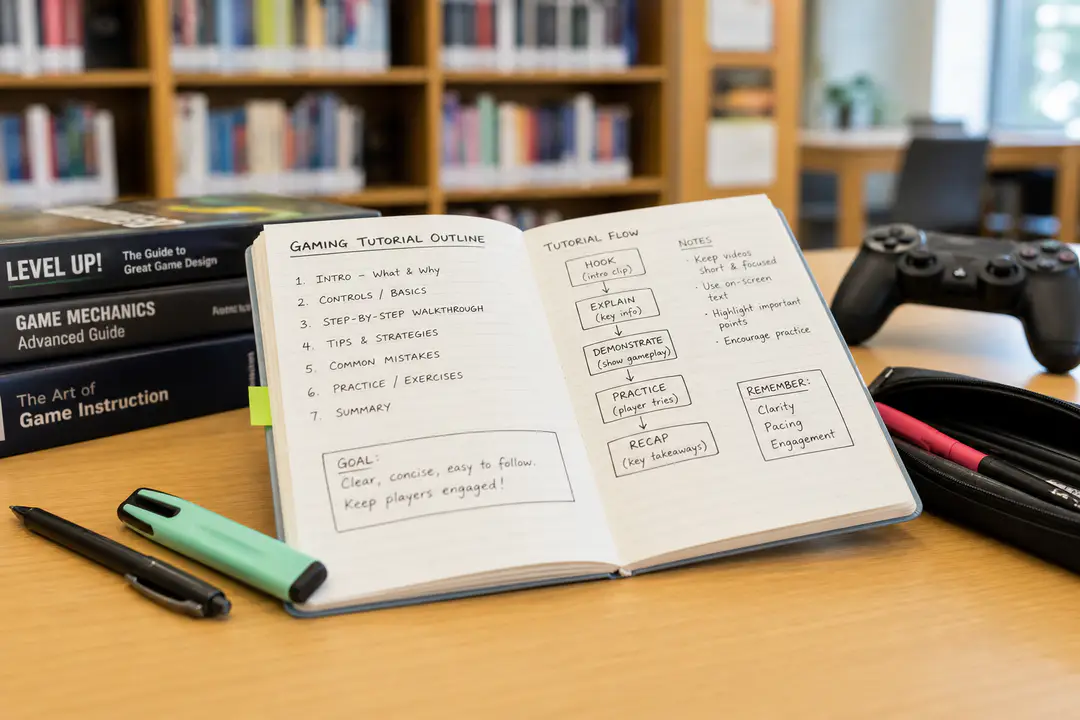
How to Design Game Tutorials That Reduce Churn and Improve Player Onboarding
Most game tutorials fail for one of two reasons: they overwhelm players with information overload, or they delay the fun until motivation is already gone. That is where churn starts. A good onboarding flow, whether your studio calls it a tutorial, NUX, new user experience, or FTUE, gets players interacting fast, teaches only what matters, and builds player confidence without breaking game flow. The framework below gives you a practical way to design a first-time user experience that feels clear instead of restrictive. You will use four core goals: get to fun in five seconds, scaffold information, introduce short-term goals and long-term goals early, and improve through playtesting and iteration.
Quick Overview
- Start with an action players can perform immediately.
- Teach only the mechanics needed for the next minute of play.
- Show one short-term goal and one long-term goal early.
- Observe real players, note friction, and revise the onboarding flow.
Step 1: Define What Players Must Learn First
Before you script a single pop-up, decide what your players actually need in the first session. Across studios, this phase is labeled onboarding, tutorial, new user experience, NUX, or first-time user experience, but the design question stays the same: what knowledge is required to keep a new player moving confidently? If you teach too much too early, retention drops because the player feels tested before they feel rewarded.
Start by separating mechanics into three buckets:
- Core actions needed in the first minute
- Systems needed in the first ten minutes
- Advanced features that can wait
Most tutorials break when designers frontload controls, story, progression systems, currencies, menus, and edge cases all at once. That creates friction before player engagement has even started. Instead, build a short list of essentials and ignore the rest for now.
A practical way to do this is with simple storyboards. Map the first five minutes screen by screen. Mark where the player moves, acts, gets feedback, and receives reward. If a mechanic does not affect that path, remove it from the opening. Teams building UI-heavy games can also borrow from broader UI UX design practice here: clarity beats density in the first interaction.
Write your opening learning goals as verbs, not systems. “Move,” “jump,” “aim,” or “place item” are teachable, while “Understand the economy” is not.
Step 2: Get Players to Fun Fast
The first goal of a strong tutorial is simple: five seconds to fun. That does not mean the player fully understands the game in five seconds. It means they can do something meaningful, satisfying, or playful almost immediately. A poor opening menu stack, long exposition scene, or multi-screen setup sequence can cause disengagement before the player ever touches the core loop.
One effective pattern is to let players make a small expressive choice, then act. In Chief Emoji Officer, players are pulled in within the first minute by choosing an avatar, entering a name, and making a playful narrative choice right away. That sequence matters because it creates agency, identity, and momentum before the game starts asking for comprehension.
- Open with one interaction tied to your main loop.
- Give instant feedback through animation, sound, score change, or world response.
- Follow with one more interaction that confirms the rule.
Using the tutorial as a holding pen before the “real game” is a common mistake. If the opening feels separate from the game, players treat it like homework. A stronger alternative is embedded teaching, where the first level or scenario is the tutorial.
For designers studying fast hooks in live games, looking at gameplay improvement tips can also help clarify what players value early: responsiveness, readable goals, and immediate control.
If a player cannot perform a fun action inside the first minute, cut setup steps until they can.
Step 3: Scaffold Information in Small Chunks
Once the player is moving, teach in layers. To scaffold information means giving players only the next useful concept, then letting them practice it before introducing another. This is the single best defense against information overload. It keeps mechanics tied to context, which improves player confidence and makes the game feel learnable.
A simple rule is to teach one idea, ask for one action, deliver one response, and then move on. If your game has multiple systems, sequence them by urgency rather than by design pride. Players need the mechanic that keeps them alive or progressing now, not the one your team spent the most time building.
| Teach Early | Teach Later |
|---|---|
| Movement and camera | Advanced combos |
| Main action or interaction | Deep crafting systems |
| Immediate fail state | Optional optimization systems |
| Basic reward loop | Rare edge-case rules |
Stacking multiple tutorial prompts on screen while the player is already under pressure is a common mistake. If combat, navigation, dialogue, and UI hints all appear together, the player stops reading and starts guessing. That is where confusion turns into churn.
Alexia Mandeville has framed this well in practical tutorial design advice: use observation, surveys, and playtesting to find the exact moments where players hesitate or misunderstand. That is often where your scaffolding order is wrong.
If a mechanic needs a long text box to make sense, redesign the introduction so the environment demonstrates the rule first.
Step 4: Introduce Goals Early
Players do not stay because they understand the buttons. They stay because they understand why those buttons matter. Your onboarding should introduce both short-term goals and long-term goals early in the session. Short-term goals create immediate motivation. Long-term goals create anticipation and player progression.
A short-term goal might be reaching the next checkpoint, planting your first garden tile, surviving the next wave, or crafting one tool. A long-term goal might be unlocking a region, building a stronger squad, customizing a home base, or completing a collection. Games such as Viva Piñata are a useful reference point here because the long-term appeal comes from building, attracting, and managing over time, while the player still gets quick tasks and visible reward in the opening flow.
- Show the next objective clearly.
- Hint at a larger reward structure early.
- Connect both goals to the core fantasy of the game.
Giving players a huge end-state promise without a meaningful first win is a common mistake. The reverse also fails. If players only see tiny chores and no larger ambition, motivation fades. The balance matters.
Let the player see a locked feature, future area, or aspirational reward within the first session. That creates direction without forcing a lecture.
Step 5: Build the Tutorial Into Real Play
The strongest onboarding rarely feels like a separate training room. It feels like the game itself. Instead of pausing game flow for repeated instruction, design your first encounters so they naturally require the action you want to teach. If the player must jump to continue, interact to open a path, or aim to hit an obvious target, the learning is embedded in play rather than bolted on top.
This matters because detached tutorials often create a false skill check. Players pass the lesson, then freeze when those mechanics appear in the real game under pressure. Embedded teaching closes that gap and improves the first-time user experience.
- Create an opening scenario with one safe challenge.
- Place a clear prompt only if the environment alone is not enough.
- Repeat the mechanic once in a slightly different context.
- Remove assistance as soon as the player shows understanding.
Over-explaining obvious actions is a common mistake. If the level design already directs the player well, extra prompts become noise. Another mistake is leaving tutorial hints active for too long, which makes experienced players feel managed instead of trusted.
Optional help works better than forced repetition. Current thinking around assisted onboarding also points in the same direction: players respond best when support preserves agency and lets them choose how much guidance they want.
Step 6: Test, Observe, and Iterate
No matter how clean your first draft looks, your tutorial is not done until real players touch it. Testing matters because designers already know the rules, controls, and intent. New players do not. The gap between those two viewpoints is where friction hides. Good iteration closes it.
Run focused playtesting on the first 15 to 30 minutes. Watch silently. Note where players stop moving, ignore prompts, open the wrong menu, or fail to connect actions to outcomes. Those are onboarding failures, even if the build has no bugs.
- Track confusion points.
- Track time to first meaningful action.
- Track whether players understand the next goal.
- Track where excitement drops.
Asking players whether they liked the tutorial before checking whether they understood it is a common mistake. Observation beats opinion at this stage. Players often say they are fine while their behavior shows hesitation or disengagement. Community feedback spaces such as Reddit can also surface recurring pain points after launch, but direct observation during playtesting is more useful for early fixes.
Iteration should stay small and specific. Change one teaching moment, one prompt, or one objective marker at a time. If your studio uses GameMaker or another fast prototyping tool, take advantage of that speed and retest quickly. Teams planning broader release prep can apply the same discipline they use when planning your first online event: rehearse the opening experience, watch where people stall, and tighten the flow before scale exposes the flaws.
Best rule: if players keep failing at the same moment, redesign the tutorial before you blame the player.
Troubleshooting Common Issues
Players skip the tutorial and get lost
Make the first lessons inseparable from progress. If skipping means missing a required action in a safe environment, players still learn without feeling trapped in a lecture. You can also keep optional reminders in the HUD for a short period after the opening.
Players understand controls but still quit early
The issue is often motivation, not clarity. Recheck whether your onboarding introduces both short-term goals and long-term goals. A clean control lesson without an early reward or visible progression path will not hold retention.
Players complain the tutorial feels slow
Audit every interruption. Long dialogue, repeated confirmation steps, and too many UI callouts are frequent causes. Cut any prompt that explains something the level already teaches through action.
What to Do Now
You now have a practical framework for making gaming tutorials that improve onboarding, reduce churn, and strengthen player engagement from the first session. The core sequence is straightforward: get players to fun fast, scaffold information, teach short-term goals and long-term goals, then refine the flow through playtesting and iteration. From here, the best next step is to review your opening five minutes screen by screen and remove every lesson that does not help the player act, succeed, or stay motivated. Strong FTUE and NUX design is less about saying more and more about teaching the right thing at the right moment.
FAQs
What is the difference between onboarding, NUX, and FTUE?
Studios use different names for the same early-player phase. You will see onboarding, tutorial, new user experience, NUX, and first-time user experience or FTUE used to describe the opening learning flow.
How fast should a game tutorial get to gameplay?
A strong opening aims for five seconds to fun. The player should be able to perform a meaningful action almost immediately, even if deeper systems are still being introduced later.
What makes a poor game tutorial?
Poor tutorials create confusion, frustration, and churn. The usual causes are information overload, delayed engagement, weak goal-setting, and too little testing with real players.
Should every mechanic be taught in the tutorial?
No. Teach only the mechanics needed for the next part of play, then scaffold information over time. Advanced systems should appear later when the player has context for them.
Why are short-term and long-term goals both important?
Short-term goals keep the player moving right now. Long-term goals give the player a reason to care about progression, reward, and what comes next.
How do you improve a tutorial after launch?
Use playtesting, observation, surveys, and live feedback to find friction points. Then revise specific moments through small iteration cycles instead of rebuilding the whole flow at once.