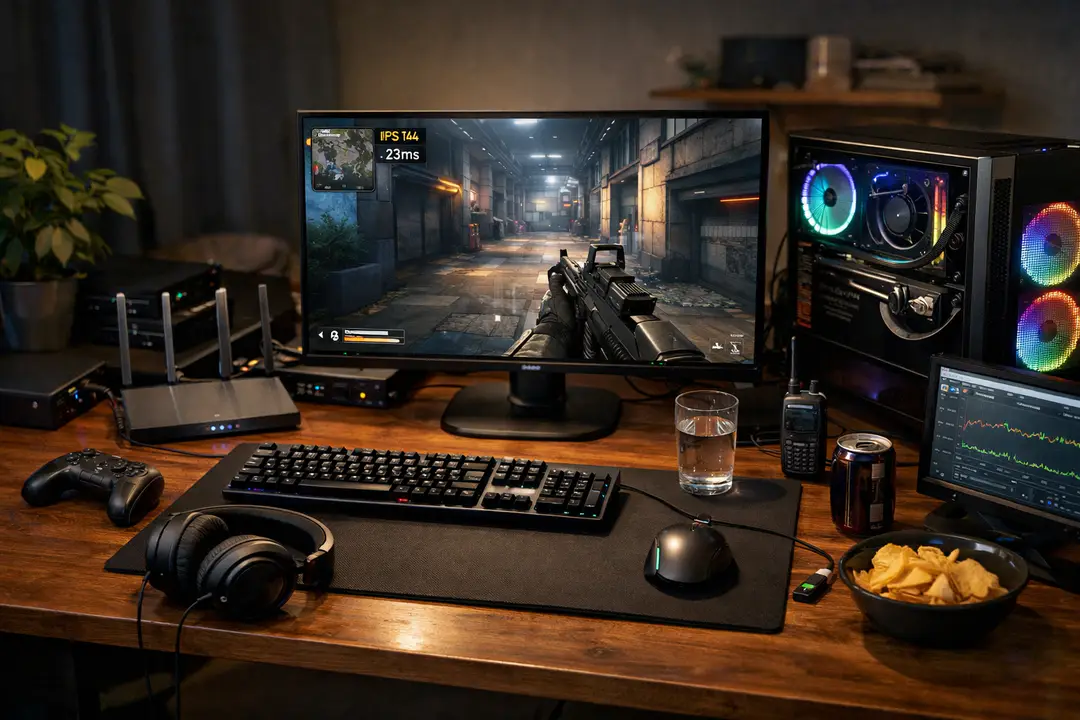
12 Gaming Tips to Improve FPS, Ping & Teamplay
Feeling like you’re doing “everything right” but still getting deleted in multiplayer, missing shots you swear were on target, or watching your ping spike at the worst time? Most beginners don’t need secret techniques—they need a few high-impact fixes across settings, network, practice, and communication.
This list gives you 12 gaming tips you can scan fast: quick wins you can do today, plus deeper optimizations that actually move the needle (without turning your hobby into homework). I picked these based on common advice patterns across top guides (including a Top 10 Gaming Tips and Tricks roundup from SwoopFiber), plus the same beginner pain points that show up in places like Steam threads—one example dates back to January 10, 2018.
- Reduce lag: lower latency, stabilize connection, fix ping spikes
- Boost performance: improve frame rate (FPS) and input responsiveness
- Improve faster: build muscle memory, use replays, and do match analysis
- Win more: better communication, shot-calling, and teamwork
1. Optimize Your Network – Lower Latency and Ping Spikes
Benefit: A stable connection beats raw speed for online gaming.
This is the fastest way to make multiplayer feel “fair.” You’re aiming to reduce latency, keep ping consistent, and avoid packet loss—not just chase bigger download numbers. If you can choose your connection type, fiber internet is worth prioritizing because it typically offers lower latency than cable, reduced lag, faster updates, and improved connectivity.
- Use Ethernet (or powerline) instead of Wi‑Fi when possible.
- Restart modem/router weekly; update router firmware monthly.
- Enable QoS (prioritize gaming device) if your router supports it.
- Schedule downloads/updates outside play hours to protect bandwidth.
- Run a ping test to your game server region; pick the closest region.
Best for: Anyone playing competitive multiplayer (TF2, shooters, MOBAs) on a shared home network.
Quick tip: If ping is “fine” but you still stutter, look for jitter (ping variance) and packet loss—not just average ping.
2. Fix Your Settings for Higher FPS – Make Your PC Feel Snappy
Benefit: Higher, steadier frame rate (FPS) improves aim timing and reduces input delay.
You don’t need max graphics to play well—especially in online gaming where clarity matters more than eye candy. Many beginners start on modest rigs (think: Intel Core i5 2.5 GHz, 4GB 1600 MHz DDR3, and Intel HD Graphics 4000 1536 MB). On specs like that, smart settings matter.
- Turn off motion blur, depth of field, heavy shadows, and ambient occlusion.
- Lower resolution scale before dropping resolution (if your game offers it).
- Use exclusive fullscreen when available for more consistent FPS.
- Cap FPS to a stable number (e.g., 60/120) if you get spikes.
- Close overlays and background apps that hook the game (recorders, browsers).
Best for: PCs without a dedicated graphics card (GPU) or anyone getting stutters.
Pro: “Low” settings can improve target visibility in games like Team Fortress 2.
3. Upgrade the Right Hardware First – GPU/SSD Beats Random Parts
Benefit: Spend money where it changes real gameplay: FPS, load times, and responsiveness.
If you’re planning gear updates, prioritize the parts that remove bottlenecks. A dedicated graphics card (GPU) is usually the biggest jump for FPS; an SSD improves loading and patching (less “late into match” frustration). RAM helps if you’re constantly maxing out memory, but it’s rarely the first fix for low FPS unless you’re on 4GB.
- Check GPU usage vs CPU usage while playing (Task Manager or MSI Afterburner).
- If you’re on integrated graphics (e.g., Intel HD 4000), a used entry GPU can be huge.
- Move games to SSD to reduce stutter from streaming assets (in some titles).
- Don’t overbuy wattage—buy a reliable PSU with headroom for the GPU.
Best for: Players stuck below 60 FPS or dealing with constant hitching/loading.
Quick comparison note: GPU improves what you see; network optimization improves what you feel online. Do both if you can.
4. Dial In Your Battlestation – Comfort and Consistency Win Long Sessions
Benefit: A comfortable battlestation reduces fatigue and keeps your mechanics consistent.
Better performance isn’t only a settings menu thing. Your posture, chair height, monitor position, and desk spacing directly affect how repeatable your mouse/aim motions are—especially when you’re trying to build muscle memory.
- Set monitor so the top third is near eye level; sit at a consistent distance.
- Keep elbows roughly 90–110°; wrists neutral (not bent upward).
- Use a mouse pad large enough for your sensitivity (no edge-panic swipes).
- Reduce glare; consistent lighting helps tracking targets.
- Disable “Enhance pointer precision” (Windows) for raw-feeling aim.
Best for: FPS players, anyone getting wrist/shoulder fatigue, or inconsistent aim day-to-day.
Common mistake: Changing chair height/sensitivity daily—consistency matters more than perfection.
5. Tune Your Peripherals – Mouse, Keyboard, and Sensitivity Basics
Benefit: The right peripherals make your inputs predictable, which speeds up improvement.
You don’t need expensive gear, but you do need consistent settings. A stable mouse sensor, comfortable grip, and a sensitivity you can repeat under stress will do more than chasing whatever a pro uses.
- Pick one sensitivity and commit for 2–3 weeks (no constant tweaking).
- Use 400–1600 DPI; adjust in-game sens rather than extreme DPI values.
- Turn off mouse acceleration in-game unless you know you want it.
- Bind key actions to reduce finger gymnastics (melee, push-to-talk, grenades).
- Test with a simple drill: track a moving bot for 60 seconds; note shakiness.
Best for: Shooter players or anyone who feels “floaty” or inconsistent.
Quick pro: Comfort beats specs. A mouse that fits your hand encourages repeatable movement patterns.
6. Use a Headset Properly – Hear Positioning and Communicate Clearly
Benefit: A good headset improves awareness and team coordination without extra effort.
Sound is information: footsteps, reload cues, ability audio, and directional hints. Even in chaotic games like Team Fortress 2, consistent audio levels help you react faster. Don’t just buy a headset—set it up so it’s usable in real matches.
- Enable HRTF/spatial audio if your game supports it (test if it helps you).
- Lower bass-heavy EQ; boost mids slightly so steps/voice cues pop.
- Set mic gain so you’re clear without clipping; test in a private lobby.
- Use push-to-talk in noisy rooms to avoid distracting teammates.
Best for: Multiplayer, ranked modes, and any game where positioning matters.
Tip: If you struggle with directionality, try switching the in-game audio mix from “cinematic” to “headphones.”
7. Learn Maps on Purpose – Better Routes, Better Fights
Benefit: Strong map knowledge puts you in the right place before the fight starts.
Beginners often lose not because of aim, but because they take bad fights: wrong angle, no cover, no exit. Map knowledge is a multiplier for every other skill.
- Pick 1–2 maps and “main” them for a week instead of random queues.
- Identify: power positions, common flank routes, and safe retreat paths.
- Learn timing: when enemies can reach mid, objectives, or choke points.
- Use custom games to walk routes and practice jumps/peek angles.
- Create 3 simple rules: “Never cross open mid,” “Always clear left,” etc.
Best for: Tactical shooters, MOBAs, battle royales, and objective-based multiplayer.
Example: In TF2, knowing health pack locations and flank entrances changes how long you can hold a position.
8. Practice for Muscle Memory – Short Drills Beat Endless Matches
Benefit: Focused reps build muscle memory faster than mindless grinding.
“Just play more” isn’t helpful unless you’re repeating the right actions. The goal is to isolate one skill and train it with feedback.
- Warm up 10 minutes: tracking + flicking (aim trainer or in-game range).
- Pick one mechanic per session (crosshair placement, recoil control, strafing).
- Use a timer: 3 sets of 3 minutes, rest 1 minute between sets.
- End with 1–2 real matches to apply the skill under pressure.
Best for: FPS players, but also useful for action RPG combat patterns.
Pro tip: Stop the drill when form breaks. Sloppy reps train sloppy habits.
9. Watch Your Replays – Turn Losses Into a Checklist
Benefit: Replays turn “I got unlucky” into clear fixes you can act on.
Match analysis is where improvement stops being a mystery. You only need 10 minutes: pick one fight you lost and review it with a specific question, not vague self-criticism.
- Review 1 win + 1 loss: compare what changed (positioning, patience, comms).
- Track 3 repeat mistakes (overpeeking, reloading at bad times, tunnel vision).
- Pause right before death: what info did you ignore (sound, minimap, teammate call)?
- Write one “next match rule” (e.g., “hold cover until cooldown returns”).
Best for: Competitive players, team games, and anyone plateauing.
Quick tip: If a game doesn’t have built-in replays, record with Steam’s built-in tools or GPU software and review key moments.
10. Communicate Better – Simple Callouts and Shot-Calling
Benefit: Clear comms win fights even when mechanics are average.
You don’t need to talk nonstop. Good teamwork comes from short, timely info and basic shot-calling (who/where/when). This is especially true in solo queue where everyone has partial information.
- Use a 3-part callout: “who + where + HP/intent” (e.g., “Scout left flank, half HP, pushing”).
- Ping first, then talk (pings reduce confusion and language barriers).
- Call your downtime: “reloading,” “no ult,” “healing,” “rotating.”
- Make one plan, not five suggestions: “Hold choke, don’t chase.”
Best for: Squad-based multiplayer and objective modes.
Common mistake: Only speaking when tilted. Talk early, calmly, and about the next play.
11. Choose Beginner-Friendly Games and Builds – Learn Without Friction
Benefit: The right game (or mode) makes learning fun instead of exhausting.
If you’re new, pick experiences that teach fundamentals without punishing every mistake. Team Fortress 2 is great for learning classes/roles and team flow, while Baldur’s Gate: Enhanced Edition is a fantastic slower-paced option where you can think through decisions and enjoy the RPG side without latency pressure.
- Start with unranked/casual modes to learn maps and match pacing.
- Use simple loadouts/builds first; add complexity after you’re consistent.
- In Steam, use guides and community hubs to find “starter” setups.
- If performance is an issue, older classics often run well on entry PCs.
Best for: Beginners building confidence, or players returning after a long break.
Quick pro: Less time fighting the UI/build = more time learning positioning and decision-making.
12. Join Gaming Communities – Get Answers Fast and Keep Improving
Benefit: A good community reduces frustration and speeds up problem-solving.
Beginners ask the same questions for a reason: settings, sensitivity, “why does my ping spike,” “what should I upgrade first.” That’s been true for years—Steam forum posts like the one from January 10, 2018 show the same pattern. Joining the right gaming communities helps you learn faster and enjoy the process more.
- Use Steam discussions/Discord servers for your specific game and region.
- Share your specs + issue clearly (FPS range, ping, settings, map, mode).
- Look for VOD review channels or coaching nights (often free).
- Follow patch notes; updates can change meta, performance, or netcode behavior.
Best for: Anyone stuck troubleshooting or trying to break a plateau.
Tip: When you ask for help, include your GPU/CPU, RAM, and whether you’re on Wi‑Fi or Ethernet—people can diagnose faster.
Quick Comparison Table (Top Picks)
| Tip/Focus | Biggest Impact On | Cost | Time to Set Up | Best For |
|---|---|---|---|---|
| Network optimization + fiber option | Latency, ping stability | Low–Med | 15–60 min | Competitive online gaming |
| FPS settings + performance tuning | Frame rate (FPS), responsiveness | Free | 10–30 min | Low-end PCs, stutters |
| Replay review + match analysis | Decision-making, consistency | Free | 10 min/session | Plateaus, ranked climbs |
| Peripherals + sensitivity consistency | Aim, mechanics | Free–Med | 20–45 min | FPS players |
| Headset setup + comms | Awareness, teamwork | Low–Med | 10–20 min | Squads, objective play |
Wrap-up: Your Best Next 30 Minutes
If you want the quickest, most noticeable boost, start with network optimization: Ethernet, smarter bandwidth use, and—if it’s available and affordable—fiber internet for lower latency and better connection stability. If your problem is stutter or sluggishness, go straight to FPS settings and trim the graphics features that hurt performance most, especially if you’re on integrated graphics like Intel HD 4000.
For improvement that sticks, combine short muscle memory drills with replays: one focused skill per session, one fix per review. Finally, don’t underestimate basics like a comfortable battlestation, reliable peripherals, and a properly set up headset—they make good habits easier to repeat. Pick two tips from this list, apply them tonight, and you’ll feel the difference within a week.
Related reads (internal)
-
If you’re comparing what matters most for smoother play, this breakdown of practical performance tweaks pairs well with the FPS and input tips above.
-
For a broader stream of updates and esports context that can help with meta awareness, skim recent multiplayer news coverage and patch-related highlights.
-
If you’re deciding whether your next spend should be on network or hardware, this perspective on performance-focused gaming services can help you weigh alternatives to immediate PC upgrades.