R6 Marketplace Guide: Access, Buying & Selling
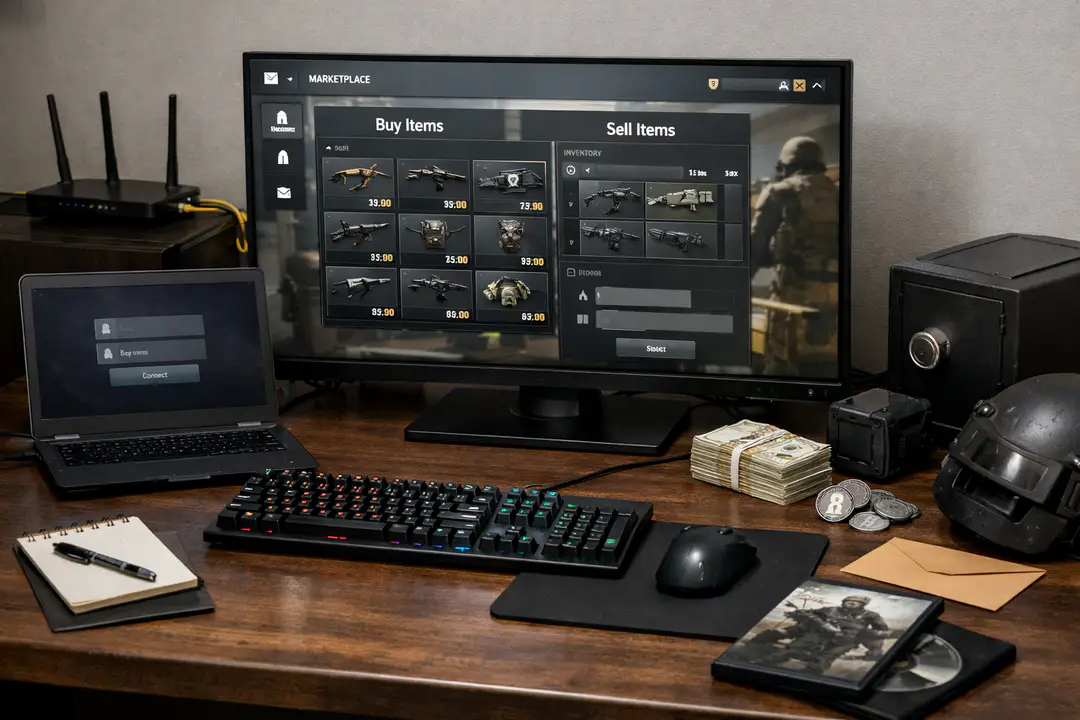
The R6 Marketplace (Rainbow Six Siege Marketplace) is Ubisoft’s official platform where Rainbow Six Siege (R6S) players can buy and sell eligible cosmetic items using market-style orders.
Two takeaways matter most before you start:
- Who can access it: you must meet Ubisoft’s eligibility requirements, including clearance level 25 and Two-Factor Authentication enabled.
- How buying works: you set the highest price you’ll pay, create an order, and the system completes it only when there’s a matching sale—often at a lower price than your maximum.
This guide answers the practical questions players actually have: how to get access, how buying and selling works step-by-step, what “tradable items” means (and why current season cosmetics typically can’t be traded yet), how pricing and market orders behave, and what to do when the Marketplace won’t load or a listing won’t appear. I’ve also included common mistakes I see players make—especially around pricing and tradability—so you can avoid wasting time (or credits) and use the Marketplace with confidence.
What Is the Rainbow Six Siege Marketplace?
The Rainbow Six Siege Marketplace is Ubisoft’s controlled trading environment for R6S cosmetics. Instead of direct player-to-player swapping, it uses a market model where buyers and sellers place orders and the system matches them. Think of it like a simplified exchange: you post what you’re willing to pay (a buy order) or what you’re willing to accept (a sell order), and when prices align, the transaction completes.
It’s important to understand what the Marketplace is not. It isn’t a freeform bartering system, and it isn’t a third-party skin site. Ubisoft sets the rules, the available inventory is limited to tradable items, and access is gated behind account requirements designed to reduce fraud and account takeovers.
For players, the value is straightforward:
- Liquidity for older cosmetics: if you missed an item years ago, you may be able to buy it from someone who owns it.
- Account clean-up: if your inventory is full of cosmetics you don’t use, you can list eligible items and convert them into Marketplace currency (often R6 Credits, depending on Ubisoft’s current implementation/region rules).
- Transparent pricing: you can compare current listings and order activity rather than guessing value in private messages.
Because the Marketplace relies on eligibility, item tradability rules, and order matching, most “it doesn’t work” complaints come from misunderstandings: the account isn’t eligible, 2FA isn’t enabled, the item isn’t tradable yet (especially during the current season), or the order price is unrealistic. The rest of this guide breaks those pieces down in a way you can apply immediately.
Eligibility: Who Can Access the R6 Marketplace?
Access is intentionally limited. Before you troubleshoot anything else, confirm you meet Ubisoft’s baseline requirements.
- Clearance requirement: Your R6S account must be at least clearance level 25.
- Security requirement: Two-Factor Authentication must be enabled on your Ubisoft account.
- Correct account: You must use the same Ubisoft account that owns your R6S inventory on that platform.
- Region/platform availability: Ubisoft may limit availability by region, platform, or rollout phase.
Why clearance level 25 exists
Marketplace trading is attractive to botters, freshly created accounts, and stolen accounts. A minimum clearance level 25 forces time investment in the game before an account can monetize or move cosmetics. Practically, it also reduces “burner” accounts created solely to manipulate prices or launder goods.
Common mistake: Players see the Marketplace mentioned on social media and assume it’s an open feature for all accounts. If you’re level 10 and the Marketplace homepage refuses access, that’s not a bug—it’s gating.
Why Two-Factor Authentication is mandatory
Two-Factor Authentication adds a second verification step (typically an authenticator app or email/SMS depending on account setup). Market features are a high-value target. Ubisoft’s requirement is a practical layer of protection: if someone phishes your password, they still can’t easily list your rare items or drain your balance.
Practical takeaway: Before you attempt any R6 Marketplace login, enable 2FA first and confirm it’s active by logging out and back into your Ubisoft account settings. If you’re switching phones, update your authenticator method before you list items.
Getting Started: Marketplace Homepage and Login Flow
Most players start in the wrong place: they search a random link, land on a cached page, and think the system is down. Start from the official Marketplace homepage and confirm you’re signed into the right Ubisoft identity.
- Open the Marketplace homepage from Ubisoft’s official ecosystem (Ubisoft Connect or official R6S channels).
- Complete R6 Marketplace login with the Ubisoft account that owns your R6S content.
- Confirm eligibility signals (clearance level, 2FA enabled, no account restrictions).
- Navigate to the Buy tab to check availability and see if listings populate.
What you should see when it’s working
When access is correct, the Marketplace will show a browsable catalog of tradable items, typically with filters (rarity, operator, weapon, cosmetic type) and a listing view that indicates current prices or recent sale activity. The Buy tab should let you select an item and place a buy order.
If you’re eligible but still can’t access features, treat it like any other live service: sign out, clear cookies, try a private window, and verify your Ubisoft session isn’t split across multiple accounts.
Using external stat tools without confusing yourself
Players often cross-check account level or ownership using tools like an R6 tracker. That’s fine for stats, but it doesn’t authenticate you for trading and it doesn’t change your inventory state. Use trackers to verify your clearance level and identity consistency, then return to the Marketplace to manage orders.
Practical takeaway: If a tracker shows you’re level 25+ but the Marketplace denies access, the issue is usually 2FA, the wrong Ubisoft account, or a platform mismatch (e.g., viewing the Marketplace while signed into an account that doesn’t own your primary inventory).
How Buying Works (Step-by-Step)
Buying in the R6S Marketplace is order-driven. You’re not “buying from a specific player”; you’re placing a bid that gets filled when the market can match it.
- Find the item in the catalog and open its listing page from the Buy tab.
- Choose your maximum price—the highest you’re willing to pay in R6 Credits (or the Marketplace currency shown in your region).
- Create an order (this is your buy order).
- Wait for a matching sale. If a seller lists at or below your max price, the system matches you.
- Finalize automatically when matched. In many markets, the system aims to fill at the lowest available matching price, not necessarily your maximum.
Key rule: your price is a maximum, not a promise
This is the single most misunderstood mechanic. When you place a buy order, you’re saying “up to X.” If the lowest sell order is lower than X, you should expect the match to occur at that lower price (subject to Ubisoft’s matching logic and any fees/rules displayed in the UI). In other words, setting a high maximum can speed up matching, but it doesn’t automatically mean you’ll overpay.
Example: You set a buy order at 1,200 credits for a popular weapon skin. A seller lists at 950. Your order can match at 950 because it’s within your maximum. If no one lists below 1,200, you’ll wait until someone does—or until you adjust your order.
Common buying mistakes
- Assuming “Buy” means instant purchase: many items won’t fill immediately unless there’s already a compatible sell order.
- Ignoring tradability: if an item isn’t in the catalog, it’s not tradable right now—even if you own it or saw it last season.
- Setting unrealistic bids: extremely low buy orders may sit for days or never fill if the market never drops that far.
Practical takeaway: Place a buy order slightly above the recent low range if you want a quick fill, or closer to the low end if you’re willing to wait. You can often get better outcomes by monitoring price history/lowest listings for a few minutes before committing.
Selling Items: Listing, Timing, and Avoiding Regret
Selling is where players either make efficient decisions—or accidentally dump something valuable because they didn’t check demand and timing.
- You can only sell cosmetics that the system currently recognizes as tradable items.
- You’ll typically place a sell order at a chosen price and wait for it to match a buyer’s order.
- Fast sales usually require competitive pricing, not just “highest number you’d like.”
Step-by-step: creating a sell order
- Open your inventory view inside the Marketplace interface (where available) or locate the item via your owned listings.
- Select the item and choose the sell option.
- Set your ask price and confirm to place the sell order.
- Wait for matching with the highest active buy order that meets your price.
Pricing your listing without guessing
Use the Marketplace’s current lowest sells and recent completed prices (when shown) as your baseline. If you list far above the visible market, your order may never fill. If you list far below, it may fill instantly—but you may have left credits on the table.
Mini case study: A seasonal headgear from an older collection has a small but consistent buyer base. Listing it just under the current low can move it quickly. Listing it significantly under the low might still sell instantly, but you effectively donated value to the next reseller.
Common selling mistakes
- Not checking whether the item is tied to the current season: you may be trying to sell something that won’t be tradable until later.
- Confusing rarity with liquidity: an item can be rare but have very few active buyers.
- Panic selling during spikes: abrupt price movement can be temporary (a streamer feature, a challenge, or a content update).
Practical takeaway: If you care about maximizing returns, check the spread (difference between lowest sell and highest buy). A tight spread suggests healthy demand; a wide spread suggests you’ll need patience or a more aggressive price.
Which Items Are Tradable and When (Season Rules)
Item tradability is not universal, and it’s not permanent. Ubisoft controls what shows up as tradable items, and the biggest timing rule is seasonal.
- Only currently tradable items appear in the Marketplace catalog and can be listed.
- Current season items usually aren’t tradable until the next season begins.
- Even if you own an item, that doesn’t guarantee you can list it today.
What “current season” means in practice
When Ubisoft releases a new season, the newest cosmetics are typically protected from immediate resale. This reduces rapid flipping, limits abuse, and helps keep the progression/collection economy stable while the season is active. Once the current season ends and the next season begins, those items may become eligible—assuming Ubisoft includes them in the tradable pool.
Example: You unlock a weapon skin during the current season battle pass. You can equip it right away, but you likely won’t see it available for listing until the next season, when it becomes eligible as a tradable item.
Practical checks for item tradability
- Search the item name in the Marketplace. If it doesn’t appear at all, it may not be tradable.
- Confirm season timing: if it’s brand new, assume it’s locked until next season.
- Look for UI indicators (where provided) that label an item as eligible or ineligible.
Common misconceptions
“I saw someone else list it, so I can too.” Not necessarily. Some items have platform-specific ownership, edition-specific grants, or account-bound restrictions. Also, you might have seen an older version, a similar cosmetic, or a listing from a different point in time.
Practical takeaway: Don’t plan your credits around selling brand-new cosmetics during the current season. Treat that inventory as locked value until the next season window opens.
Pricing Mechanics: Orders, Limits, and Matching Logic
The Marketplace behaves like a simplified market, and your results depend on understanding market orders and the way matches occur.
- A buy order sets the maximum you’ll pay.
- A sell order sets the minimum you’ll accept.
- A trade completes only when there’s a matching sale between compatible orders.
Why your order might not fill (even if it “looks right”)
Even when you place a competitive order, it may take time. Reasons include low volume (few active sellers), price clustering (many buyers at one price point), or a sudden demand shift after a patch, event, or bundle release.
Another common issue is order placement relative to the queue. If many buyers set the same max price, earlier orders can be filled first depending on Ubisoft’s priority rules (price-time priority is common in markets, but always follow what the Marketplace UI and terms indicate).
Understanding maximum price and the “lowest match” behavior
Ubisoft’s Marketplace is designed so that when you place a buy order, the system attempts to find the lowest available sell that satisfies your maximum. That’s why setting a higher max can increase your chance of matching without necessarily increasing what you pay.
Example (simple):
| Order Type | Price | Status |
|---|---|---|
| Lowest sell order | 700 | Available |
| Your buy order (max) | 900 | Will match |
| Potential match price | 700 | Filled at lowest compatible |
Mistakes that distort pricing decisions
- Only looking at the highest listing: high listings may be unrealistic and never sell.
- Chasing spikes: if you buy into a temporary surge, you may be stuck holding an item that normalizes later.
- Over-updating orders: constantly raising bids can make you pay more than necessary, especially if sellers were about to list lower anyway.
Practical takeaway: If an item is actively traded, watch the lowest sell and the highest buy for a few minutes. If the gap is narrow, you can often fill quickly with a small adjustment. If the gap is wide, decide whether you prefer speed (raise bid) or value (wait).
Security: Two-Factor Authentication and Account Safety
Because the Marketplace involves inventory and currency, security isn’t optional. Ubisoft’s requirements—especially Two-Factor Authentication—are there for a reason, and you should treat your account like it holds real value.
- Enable Two-Factor Authentication and store backup codes securely.
- Use a unique password for your Ubisoft account.
- Avoid third-party “market helpers” that ask you to sign in with Ubisoft credentials.
- Verify URLs before R6 Marketplace login to avoid phishing pages.
What attackers actually do (and how to block it)
Most account losses don’t come from “hacking.” They come from reused passwords, fake login pages, or malicious browser extensions. Once someone is in, they can attempt to list valuable cosmetics and convert value fast. 2FA disrupts that pipeline, because the attacker needs your second factor.
Tip: If you receive a sudden 2FA prompt you didn’t initiate, treat it as a warning sign. Change your password immediately and review logged-in sessions where Ubisoft provides that visibility.
Trading safely when you change devices
New phone? Reinstalled authenticator? Don’t wait until you’re locked out. Update your 2FA method first, confirm you can log in, then resume buying/selling. The most frustrating scenario is having an active order you want to manage but being unable to authenticate.
Practical takeaway: Security steps feel slow until you need them. Keep 2FA stable, keep recovery options current, and never share account access just to “have a friend sell for you.”
Troubleshooting: Common Problems and Fixes
When the Marketplace doesn’t behave as expected, it’s usually one of a handful of causes. Work through these checks in order.
“I can’t access the Marketplace at all”
- Confirm you are at least clearance level 25.
- Confirm Two-Factor Authentication is enabled and working.
- Make sure you’re using the correct Ubisoft account (the one tied to your R6S inventory).
- Try a different browser or a private window; clear cookies for Ubisoft domains.
“My item doesn’t show up to sell”
- The item may not be in the pool of tradable items right now.
- If it’s from the current season, it likely won’t be tradable until the next season.
- Some items are restricted by how they were obtained (promotional grants, platform bundles, or account-bound rewards).
“My buy order isn’t filling”
- Your maximum may be below the lowest current sell orders, so there’s no matching sale possible.
- There may be low supply; sellers simply aren’t listing.
- If many buyers are at the same price, you may be waiting in line behind earlier orders.
“The price I set seems ignored”
If you expected to pay exactly your maximum, that’s the misunderstanding. The buy price is a cap. The system seeks the lowest compatible offer and completes the purchase when it finds a matching sale at or below your max. This is usually favorable to the buyer.
When to stop troubleshooting and check service status
If everything is correct (level 25+, 2FA, correct account) and you still can’t load listings or place orders, the issue may be on Ubisoft’s side. Live services have maintenance windows and regional outages. At that point, wait and try again later rather than repeatedly re-linking accounts.
If you want a broader sense of how live-service platforms handle reliability and feature rollouts, it helps to stay aware of adjacent tech trends like cloud adoption patterns, which often influence how these ecosystems scale during peak demand.
Practical Tips and Best Practices
Once you can access the R6 Marketplace, results come down to planning: what you buy, when you list, and how disciplined you are with pricing.
- Start with one low-risk trade: place a modest buy order on a common cosmetic to confirm your flow from order creation to completion.
- Use the spread as your compass: if the lowest sell and highest buy are close, you can trade efficiently. If they’re far apart, expect to wait or compromise.
- Respect the current season lockout: don’t build a plan that relies on immediately reselling new drops. Assume you’ll wait until the next season for tradability.
- Avoid emotional pricing: “I love this skin, so it must be worth 5,000” is not a market signal. Use visible orders and completed sales where shown.
- Don’t confuse stats with market value: an R6 tracker can tell you performance, not item liquidity. Price is driven by supply, demand, and availability.
Two things to avoid:
- Chasing social hype: if an item suddenly spikes because a creator mentions it, you may be buying at the top.
- Security shortcuts: never disable Two-Factor Authentication “just for a minute,” and never sign into unofficial tools that promise faster trading.
As with other digital marketplaces, clear decision-making beats constant tinkering. If you enjoy optimizing systems and keeping up with how online economies evolve, you may also find it useful to follow ongoing platform and security developments that shape how publishers build these features.
FAQ
Do I need clearance level 25 for the R6 Marketplace?
Yes. Ubisoft requires at least clearance level 25 to access the Marketplace. If you’re below 25, you may be able to view limited pages, but you typically won’t be able to fully participate in buying/selling until you reach the threshold.
Is Two-Factor Authentication mandatory to buy or sell?
Yes. Two-Factor Authentication is required to access trading features. Enable it in your Ubisoft account security settings, then confirm it works before attempting any R6 Marketplace login or order placement.
Why can’t I trade items from the current season?
Because of Ubisoft’s season-based tradability rules. As a general rule, items from the current season won’t be tradable until the next season. This helps limit immediate flipping and keeps the seasonal economy more stable.
When I buy, do I always pay the exact price I entered?
No. The price you enter is the maximum you’re willing to pay. You create an order, and when there’s a matching sale, the Marketplace typically matches you at the lowest compatible price available, not necessarily your maximum.
Are all cosmetics tradable items?
No. Only cosmetics that Ubisoft has marked as tradable items appear in the Marketplace and can be listed. Some cosmetics may be restricted due to how they were acquired, platform constraints, or because they’re too new (season timing).
Conclusion
The R6 Marketplace is Ubisoft’s official, order-based system for trading R6S cosmetics—powerful when you understand its rules and frustrating when you don’t. Access starts with the essentials: reach clearance level 25, enable Two-Factor Authentication, and log into the correct Ubisoft account. From there, the Marketplace behaves like a market: you place a maximum-price bid, create an order, and wait for a matching sale—often at the lowest eligible price rather than your cap.
Tradability is the other major limiter. If you can’t find an item to buy or sell, it’s usually not in the current pool of tradable items, and current season cosmetics typically won’t be eligible until the next season. Next steps: confirm your eligibility, do one small test trade, then build a simple routine—check the spread, set disciplined prices, and avoid security shortcuts.
If you want to get more consistent outcomes, keep notes on what actually fills quickly, and treat the Marketplace like any other live economy: timing and patience matter as much as the item itself. For a broader look at how digital ecosystems shape user behavior, the way publishers design secure marketplaces has parallels with other online systems discussed in decentralized web infrastructure—different tech, similar incentives.