Complete Guide to moneycontrol.com for Smart Investors
We all know how crucial a reliable finance portal is for tracking markets and making timely decisions. Yet, many users overlook the power of personalizing their dashboards. Custom alerts and filtered watchlists can make data feel alive and tailored. This simple step can save time and keep you focused on the trends that matter most. But have you ever wondered how to set up these custom views without getting lost in endless settings?
Thankfully, setting up personalized views on moneycontrol.com is straightforward and rewarding. By learning to adjust your watchlists and notifications, you can cut through noise and wake up to meaningful alerts only. This approach helps you avoid information overload, keep an eye on top stocks, and act on breaking news faster. In the long run, you’ll feel more confident and in control of your investments. Let’s dive into the tools that make it all possible.
Getting Started Guide
Starting with moneycontrol.com feels simple at first glance, but a few extra steps can boost your efficiency. The signup process is quick and free, but linking your account to a verified email or mobile number unlocks secure access to alerts. Once you’re in, you’ll see a homepage that displays major indices, currencies, and commodity prices.
Rather than just scrolling through random figures, focus on setting up your own space. A clean dashboard centers your workflow and avoids distractions. A good starting point is to decide which sectors or stocks you want to monitor daily.
Follow these steps to build a basic dashboard:
- Log in and click the dashboard icon at the top.
- Select “Create New” and name it—use something like “My Stocks” or “Top Picks.”
- Use the search bar to add your favorite tickers or indices.
- Arrange tiles by drag and drop to suit your flow.
- Save the layout and choose alert triggers for price or volume changes.
After creating the dashboard, spend a few minutes each day refining it. Remove stocks that no longer fit your strategy. Add new sectors if your focus shifts. A well-tuned start will set the stage for deeper insights as you explore more tools.
Explore Market Data
Moneycontrol.com offers a treasure trove of data that goes beyond simple stock quotes. You can drill down into intraday charts, monthly performance tables, and comparative indexes. This depth lets you spot trends before they appear in mainstream headlines.
Curious about commodities or global currency moves? The platform shows futures data for oil, gold, and more, helping you gauge macro shifts. If you’re tracking digital assets, you’ll appreciate the crypto market analysis section that lists real-time prices and trading volumes.
For stock research, use the interactive charts to apply technical indicators like moving averages or RSI. This tight integration means you don’t need a separate charting tool. Simply click on an indicator from the dropdown menu, and the chart overlays the pattern instantly.
Seasoned traders can export data as CSV for detailed offline work. Casual investors might prefer setting up heatmaps to see which sectors are hot or cold in a glance. Both options help you digest raw numbers into actionable insights. Play around with time frames and comparison tools until you find a view that clicks.
Portfolio Management Tips
Monitoring multiple accounts can feel chaotic, especially if you hold stocks, mutual funds, and bonds. Moneycontrol.com’s portfolio manager unifies everything under one roof. You can manually add holdings or import data from supported brokerages for a hands-free update.
Once your assets are in place, the real magic happens. Diversification checks will flag if you’re overweight in one sector. Allocation pie charts show your exposure at a glance, so you never lose track of risk balance. You’ll also see a performance summary that compares returns to major benchmarks.
Tax season can be a headache without clear records. Thankfully, you can download transaction histories and link to external resources for guidance on transferable tax credits or other financial efficiencies. Keeping tidy records in your portfolio dashboard saves headaches when filing returns later.
For those who like regular feedback, enable monthly email reports. These snapshots remind you of any rebalancing needs. By building a habit of reviewing this report, you’ll stick to your plan and avoid impulsive trades.
News and Insights
Up-to-the-minute news can make or break a trade. Moneycontrol.com curates articles from industry experts, press releases, and breaking news wires. Headlines update within seconds of major announcements from government or corporate sources.
Beyond headlines, the site offers expert opinions and editorials that explain the context behind moves. Reading a quick analysis of a central bank decision can highlight why a particular sector rallied or fell. Bookmark authors you trust and check their latest takes before you act.
Don’t ignore the video section, either. Short clips bring analysts’ voices to life and often include visuals that clarify complex topics. Watching a five-minute clip on a merger deal can give you a clearer picture than a long text write-up.
If you prefer summaries, try the daily newsletter feature. It compiles top stories, expert picks, and key data points into one email. This digest keeps you informed, even when you’re away from the site.
Advanced Tools Overview
Once you’re comfortable with the basics, it’s time to explore advanced functions. Start with the screener, which filters stocks by earnings growth, dividend yield, or market cap in seconds. You can combine criteria to find niche opportunities that match your strategy.
The technical analysis module builds on the charting interface. Here you’ll access Fibonacci retracements, Bollinger Bands, and custom time frames. Applying multiple indicators helps confirm signals and reduces false alarms.
For research support, check out an external investing guide to deepen your understanding of valuation models and ratio analysis. Merging external knowledge with built-in charting creates a powerful research workflow.
Finally, experiment with the strategy backtester. It lets you simulate a trading rule over historical data. While past performance isn’t a guarantee, it’s an invaluable way to stress-test ideas before committing real capital.
Mobile and Alerts
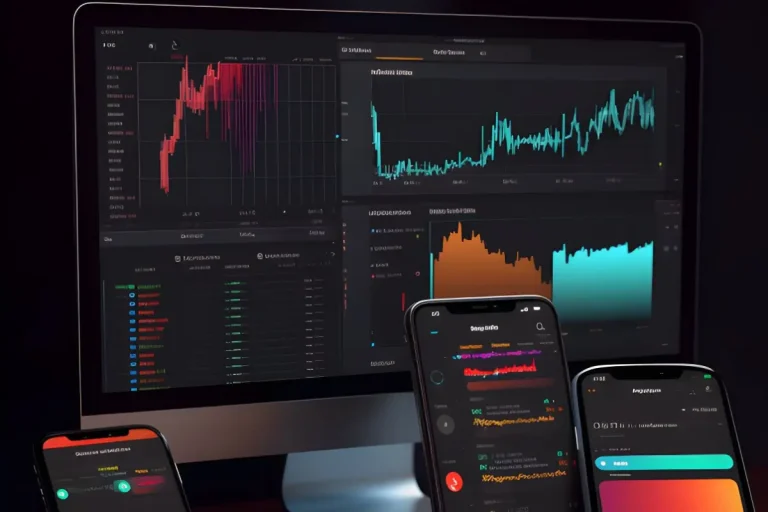
On the go? The moneycontrol.com mobile app brings your personalized dashboard to your pocket. It mirrors most desktop features, including charting tools and news feeds. The responsive design means you won’t feel cramped even on smaller screens.
Alerts are the lifeblood of mobile trading. Push notifications warn you when a stock hits your target price or a breaking news item affects your portfolio. You can adjust alert frequency and delivery methods, choosing between SMS or in-app messages.
One handy tip is to set quiet hours if you don’t want early-morning pings. The app respects do-not-disturb periods on your phone, so you stay informed only when you’re ready. Together, these features keep you linked to the market, even when life pulls you away from the desk.
Conclusion
Personalizing your moneycontrol.com experience transforms it from a data dump into a decision engine. From creating a focused dashboard to leveraging advanced tools, each step brings a layer of insight. The platform adapts to any investor style, whether you’re a long-term planner or a short-term trader.
Regularly refining your watchlists, exploring interactive charts, and reading expert takes builds a habit. That habit leads to better choices, faster actions, and fewer regrets. With mobile alerts in place, you stay connected even when you’re off the grid, and clear portfolio records make tax time less stressful.
Ultimately, your success comes from using the right features in a disciplined way. Dive in, try new functions, and adjust settings as your strategy evolves. By the end of this guide, you’ll not only know where to find key data—you’ll know how to shape it to your advantage. Happy tracking!