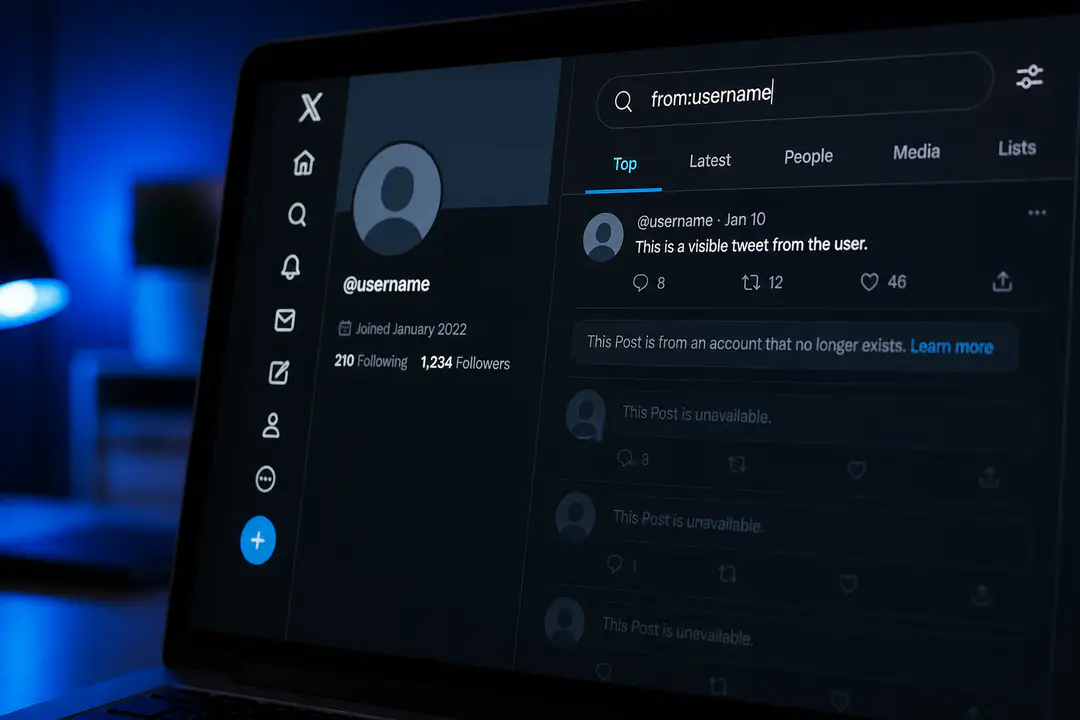
How to Check if Shadowbanned on X Twitter 2026: Visibility Checks That Work
Posting on X and getting almost no reach can feel confusing fast, especially when your account looks normal from your own screen. Hidden visibility limits are difficult to spot because what you see is not always what other users see. For creators, brands, and regular users alike, that can make it hard to tell whether a post simply underperformed or whether something else is affecting reach. A structured check helps remove that guesswork.
Key Takeaways
- Shadowbans restrict visibility on X without sending you a clear notification, so your content can look normal to you while being hidden from others.
- Check shadowban status by testing search visibility, profile access, and whether your replies appear publicly under other posts.
- Use both manual checks and trusted online tools that rely on the official X API to inspect account status, content restrictions, and discoverability.
- Common signs include a sudden engagement drop, missing hashtag feed placement, and replies that only appear when you are logged in.
- Most restrictions lift automatically within a few days when you stop spam-like behavior and return to normal posting.
How to Check If Shadowbanned on X
The most reliable way to test an X shadow ban is to combine manual checks with one tool-based check. Manual testing tells you what normal users can see, while an API-based checker can flag profile accessibility, search restrictions, and other content limits in one scan. Set aside 10 to 15 minutes, use an incognito browser, and have one recent post plus one recent reply ready to test.
| Method | What it checks | Best use | Limitations |
|---|---|---|---|
| Manual check | Search visibility, profile accessibility, reply hiding, hashtag feed presence | Seeing what real users can view | Takes more time and requires logged-out testing |
| Online shadowban tool | Account status, content restrictions, discoverability, search ban signals | Fast confirmation across multiple checks | Accuracy depends on whether the tool uses the official X API |
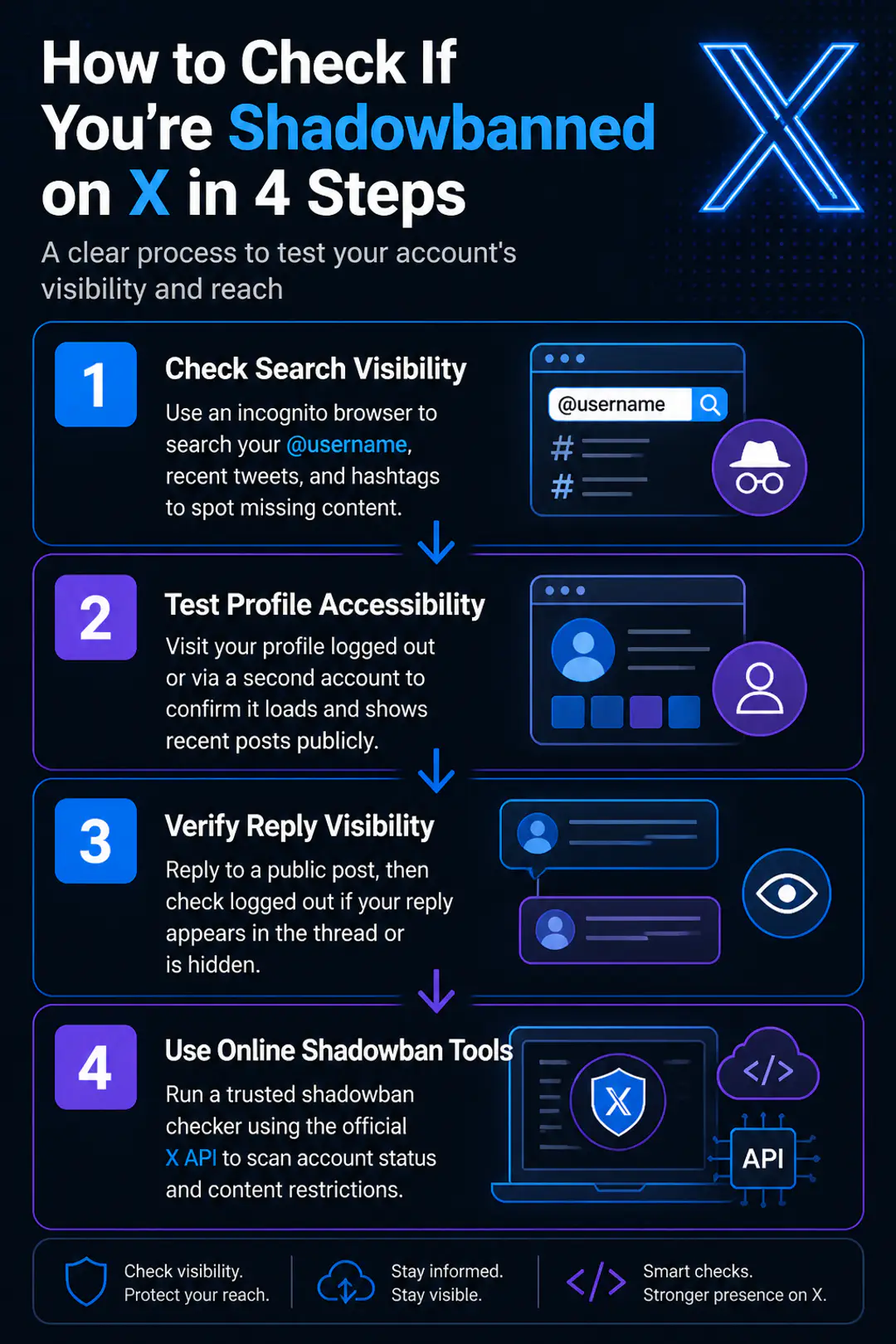
Check Search Visibility
- Open an incognito or private browser window so you are not logged into X. A logged-out search is important because your own account view can hide restrictions.
- Search for your exact @username in X search or in a search engine using your handle plus X. If your profile does not appear for its exact name, that is an account discoverability warning sign.
- Next, search for a recent tweet using a unique phrase from the post. Pick a sentence fragment that is unlikely to appear in anyone else’s post.
- Check whether the tweet appears in search results. If it does not show up even when the phrase is exact, that points to reduced search visibility.
- Repeat the test with a recent hashtag tweet. Search the hashtag feed and sort by latest if available. If your post is absent there too, your timeline visibility may be restricted.
This step matters because a search ban often affects how people discover your content outside your followers. One missing post does not prove a shadow ban by itself, but repeated absence across exact phrase search, username search, and hashtag feeds is a stronger signal. If you need a cleaner way to think through search behavior, some of the same habits used in image search techniques apply here too: use unique terms, narrow queries, and compare logged-in versus logged-out results.
Test Profile Accessibility
- Stay logged out or use a second account that does not follow you. Then open your direct profile URL, such as x.com/yourhandle.
- Confirm that the profile loads normally. If the page fails to appear consistently, shows errors, or seems hidden in search but loads only through direct link, that suggests reduced profile accessibility.
- Check whether your recent posts are visible on the public timeline. Scroll through the profile as a visitor, not as the owner.
- Ask a trusted person to search your handle from their account if needed. They should look for your profile in search, not only by direct URL.
- Compare results across devices. Sometimes a mobile app view caches your content differently from a fresh browser check.
A restricted account can still look completely normal from the owner dashboard, which is why this outside view is so useful. Pay attention to patterns, not a single glitch. If your profile appears only by direct link and not through ordinary search, you are likely dealing with a visibility filter rather than a technical error.
Verify Reply Visibility
- Choose a public post from a larger account and leave a normal reply with plain text. Avoid links, repeated hashtags, or promotional language during this test.
- Log out, or use a second account that does not follow you, and reopen the original post.
- Look for your reply in the thread. If it is missing from the public view but visible from your own account, that is a classic reply hiding signal.
- Try the same test on two different posts. One missing reply can happen due to ranking, but repeated disappearance points to a real restriction.
- Note whether your reply is visible only after clicking into hidden or low-quality reply filters. That still counts as reduced visibility.
Reply visibility checks are especially useful because shadowbans often hit conversation reach before they hit your whole profile. If you rely on replies for community growth, this is usually where the engagement drop shows up first. The same pattern appears on other platforms when moderation systems flag unusual activity, much like users describe in cases where a phone number is banned and access looks normal until another account tries to interact.
Use Online Shadowban Tools
If you want faster confirmation, use a trusted shadowban checker that states it uses the official X API. Good tools test profile accessibility, search visibility, content restrictions, and overall account status in one pass. Some are widely used by creators, with one established checker noting trust from 5,000+ X creators, which gives it more practical testing volume than random browser scripts. Still, treat tool results as confirmation, not as the only evidence. The best workflow is simple: run the tool, compare the results with your manual checks, and look for the same problem appearing in both places.
Identify Common Shadowban Signs
- Sudden engagement drop across likes, replies, reposts, and profile visits without a clear content reason
- Tweets missing from hashtag feeds even when the posts are public
- Exact-text tweet searches fail to surface your recent posts
- Your profile is hard to find in search but opens through a direct link
- Replies to larger accounts do not appear publicly
- Reach collapses right after mass posting, aggressive following, or repetitive link sharing
- Followers report that they cannot find your posts unless they visit your profile directly
How to Avoid Shadowbans
- Post original content instead of recycling the same tweet format repeatedly.
- Avoid mass following, rapid unfollowing, and burst activity that looks automated.
- Do not flood replies with the same message, links, or hashtags.
- Space out posts rather than sending many near-identical tweets in a short window.
- Use hashtags sparingly and only when they fit the post.
- Review app permissions and remove automation tools you no longer trust.
- Keep account security tight with strong passwords and current software hygiene, the same reason people stay alert about software updates when access or trust signals suddenly change.
- Engage naturally with other users instead of forcing interactions for reach.
- Follow X rules on manipulation, spam, and coordinated activity.
What to Do If Shadowbanned
First, stop any behavior that could trigger spam filters: repetitive posting, bulk replies, aggressive follow activity, or third-party automation. Delete nothing unless a post clearly breaks rules, because mass deletion can create another suspicious pattern. For the next few days, post less, write naturally, and focus on normal conversations rather than promotion. If a connected app looks risky, revoke it. Most visibility restrictions clear within a few days when the account returns to normal behavior, and repeated manual checks will show whether search visibility, profile access, and reply appearance are recovering.
FAQs
How long does an X shadowban last?
Most short-term restrictions lift within a few days once spam-like activity stops. If the behavior continues, the limitation can keep returning.
Can I see my own posts while shadowbanned?
Yes. That is why shadowbans are confusing. Your content can remain visible to you while being hidden or downgraded for other users.
Are online shadowban checkers accurate?
They are most useful when they use the official X API and when you compare their findings with manual checks. A tool alone should not be your only proof.
Does low engagement always mean a shadowban?
No. Low engagement can also come from weak timing, limited audience interest, or normal algorithm changes. A real check requires search, profile, and reply testing.
Conclusion
Checking whether you are shadowbanned on X is manageable when you use a clear process instead of guessing from one bad post. Test search visibility, profile accessibility, and reply appearance, then confirm with an API-based tool if needed. Most restrictions are temporary, and steady account behavior usually helps restore normal reach. Keep checking your visibility from time to time so your engagement stays healthy and predictable.