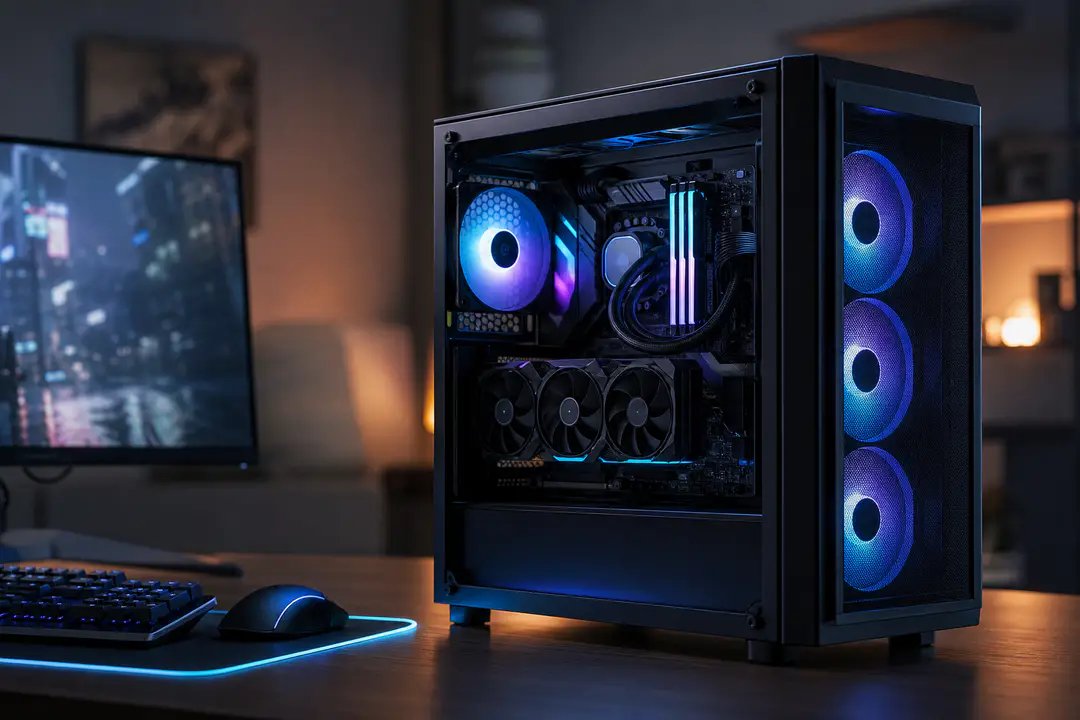
Gaming PC Requirments in 2026: What Matters
Gaming PC requirements in 2026 depend less on a single “good” parts list and more on three targets: resolution, refresh rate, and the kinds of games you actually play. A machine built for esports at 1080p needs very different specs than one pushing big single-player releases at 1440p or 4K. The mistake most buyers still make is overspending on CPU and motherboard while underspending on GPU, RAM, and storage. The right way to size a gaming PC now is simple: match the build to your display, treat 16GB as the minimum, move toward 32GB RAM if you want longer relevance, and use an NVMe SSD from day one.
What a Gaming PC Needs
The short answer is that a competent gaming system in 2026 needs a modern 6-core CPU, a current midrange or better GPU, 16GB to 32GB of system memory, and solid-state storage that does not bottleneck game loads or background asset streaming. Windows 11 is the practical baseline for a new build, especially if you want current platform support and fewer upgrade headaches later.
That broad answer gets clearer once you attach it to real use cases. If your goal is 1080p gaming with sensible settings, the floor is lower than many prebuilt sellers suggest. If your target is high refresh 1440p or clean 4K, the GPU becomes the first priority by a wide margin. That is why forums like Reddit and r/buildapc keep repeating the same advice: buy the graphics card for the monitor you own, then fill in the rest without starving it.
- For 1080p, balanced midrange parts still make sense.
- For 1440p, GPU choice starts driving the whole budget.
- For 4K, the build lives or dies by graphics horsepower and VRAM capacity.
- For any tier, a 500GB or 1TB NVMe SSD is the sensible starting point.
Minimum Specs
A minimum gaming PC in 2026 should still be judged by whether it can run current games cleanly at 1080p, not whether it technically boots them. That standard rules out a lot of outdated low-end combinations that look cheap on marketplace listings.
| Component | Minimum requirements | Recommended specs | Ideal / future-proof |
|---|---|---|---|
| CPU | 6-core processor | Stronger 6-core or 8-core processor | High-end 8-core gaming CPU |
| GPU | Entry current-gen or strong older midrange GPU | Midrange current-gen GPU | Upper-midrange or high-end current-gen GPU |
| RAM | 16GB | 32GB | 32GB with room to expand |
| Storage | 500GB NVMe SSD | 1TB NVMe SSD | 1TB or larger NVMe SSD |
| Memory type | DDR4 | Fast RAM matched to platform | Fast RAM with stable upgrade path |
| OS | Windows 11 Home | Windows 11 | Windows 11 |
| Case / cooling | Basic airflow-focused case | High-airflow case with solid fans | High-airflow case with stronger thermal headroom |
A practical example of a minimum-value CPU is the AMD Ryzen 5 5500. It stays relevant for entry-level and budget build targets where most of the money needs to go into the GPU. It is not the chip to pair with an expensive 4K card, but it still makes sense in a lower-cost gaming PC where 1080p performance matters more than prestige.
Resolution Changes Everything
Resolution is the cleanest way to stop wasting money. The jump from 1080p to 1440p changes what the GPU has to do every frame, and 4K shifts the whole build toward graphics bandwidth and VRAM pressure. CPU still matters, especially for competitive titles and very high frame rates, but the higher you go in resolution, the more the GPU decides the result.
1080p
At 1080p, a smart build is often CPU-balanced because many players are chasing high frame rates in shooters, MOBAs, and racing games. That does not mean overspending on processor and motherboard. It means buying enough CPU to avoid obvious bottlenecks while keeping the biggest line item on the graphics card.
An entry or lower-midrange current GPU paired with 16GB RAM and an NVMe SSD still makes sense here. If you are building on a tight budget, DDR4 remains useful, especially if the board gives you a clean path to 32GB later. Start with two sticks instead of one so system memory runs in dual channel from the start.
1440p
1440p is where a gaming PC starts to show whether the parts list was planned well or copied from a sales page. This resolution rewards stronger GPUs much more than flashy platform extras. A card like the NVIDIA GeForce RTX 5060 Ti 8GB fits the conversation here because 8GB models are now sold close to MSRP at reputable retailers such as Newegg and Amazon, while cards with more than 8GB are still priced much higher.
That pricing gap changes buying advice. If the build is capped by budget, an 8GB midrange card can still be the best value move for 1440p, but it also makes storage and RAM choices more important because you have less room for brute-force waste elsewhere. Pairing that class of GPU with a weak single-stick memory setup or a tiny drive is false economy.
4K
4K gaming punishes compromises faster than any other mainstream target. It needs the strongest GPU your budget can hold, and it benefits less from pushing to a premium CPU if that means stepping down a graphics tier. Buyers who want 4K often get better results by trimming motherboard and cooler spending first, then redirecting that money into the GPU.
It also pushes you toward 32GB RAM sooner. Games are heavier, background apps are heavier, and texture and asset demands keep climbing. A 4K build with 16GB still works, but it no longer looks comfortable in the way it did a few years ago.
Where to Spend First
If there is one rule that keeps a gaming PC from turning into a bad parts list, it is this: prioritize GPU over CPU. The market keeps producing expensive CPUs and premium boards that look appealing in screenshots, but gaming performance gains from those parts are often far smaller than a single graphics-tier jump.
- Put the biggest share of the budget into the GPU if the system is meant for 1440p or 4K.
- Keep the CPU modern and sensible, but do not let it eat into graphics spend.
- Treat 16GB RAM as the floor, not the target for a long-life build.
- Use NVMe storage immediately. Hard drives are fine for archives, not for the main game library.
- Buy a high-airflow case before buying cosmetic extras.
That hierarchy is visible across enthusiast communities, system integrator listings, and build recommendations from places like Xidax and HyperCyber. The better-value configurations keep the processor sensible, avoid weak storage, and spend where frame rates are actually won. On the CPU side, recent gaming results also show that a $190 to $200 processor can be strong value if the rest of the build is balanced correctly, while pricier gaming chips belong in a different class of budget entirely.
Storage is the quiet part people regret later. A 500GB NVMe SSD works for a true minimum build, but a 1TB NVMe SSD is much easier to live with if you install several large games, capture clips, or keep mods and launchers on the same drive. That upgrade improves everyday speed even when it does nothing for benchmark averages.
Build Tiers by Budget
Exact prices move too quickly to lock into a static shopping list, and RAM and storage costs have risen enough to wreck old assumptions about bargain builds. One clear market shift stands out: the old $500 entry point no longer cuts it for a competent 1080p gaming PC. An $800 floor is much more realistic now for a build that does not feel compromised from day one.
| Budget tier | What it should target | Core priorities | Common mistake |
|---|---|---|---|
| $800 class | 1080p gaming | 6-core CPU, 16GB RAM, 500GB or 1TB NVMe SSD, strongest affordable GPU | Spending too much on motherboard and aesthetics |
| $1,100 class | Strong 1080p or entry 1440p | Better midrange GPU, cleaner cooling, stronger storage setup | Buying a premium CPU instead of moving up a GPU tier |
| Upper tiers | 1440p high refresh or 4K | GPU-first build, 32GB RAM, high-airflow case, stronger PSU planning | Staying at 16GB RAM and skimping on thermal design |
For a budget build, the cleanest path is often an older-value CPU such as the Ryzen 5 5500 paired with a stronger graphics card than the rest of the budget would usually allow. For a step-up machine, the RTX 5060 Ti 8GB becomes a realistic anchor if pricing stays near MSRP. At the premium end, the details matter more: cooling quality, PSU headroom, and whether the platform gives you a useful upgrade path rather than just a bigger receipt.
Future-Proofing Without Waste
Future-proof is one of the most abused words in PC hardware, but it still has a practical meaning. It does not mean buying the most expensive component in every category. It means avoiding choices that block sensible upgrades.
The first example is RAM. Start with 16GB if the budget is tight, but choose a board that supports 32GB later and avoid filling yourself into a dead end. The second example is storage, so install your operating system and current games on an NVMe SSD now, then add more NVMe or secondary storage when the library grows.
- Choose a motherboard with a clear memory upgrade path.
- Buy two DIMMs for dual-channel performance instead of one larger stick.
- Pick a PSU with enough room for a stronger future GPU.
- Use a high-airflow case so the next upgrade does not create a heat problem.
- Install Windows 11 from the start if this is a new gaming system.
There is also a platform-life angle. Motherboard longevity affects the value of the entire build, not just the launch-day benchmark. That is one reason buyers spend so much time comparing socket and chipset choices on YouTube and Reddit before buying. A cheap part is only cheap if it does not force a full rebuild sooner than expected.
Buying New vs Prebuilt
Building your own machine still gives you the best control over component selection, case airflow, and upgrade path. It also lets you avoid the common prebuilt trap: weak RAM configuration, low-end storage, and a cheap case wrapped around one attractive headline component. If you are comparing a self-build with a prebuilt listing, look past the CPU and GPU names and inspect the full specs.
- Check whether RAM is 16GB in one stick or two.
- Check whether storage is a real NVMe SSD or just “SSD” in vague wording.
- Check whether Windows 11 Home is included.
- Check the case design. A sealed front panel hurts performance more than many buyers expect.
Prebuilts still have a place if time matters more than part-level control, but the best ones are the ones that read like a careful custom build. If the listing hides PSU details, skimps on storage, or leans hard on RGB while avoiding thermal information, move on.
FAQs
Is 16GB RAM enough for a gaming PC in 2026?
Yes, 16GB remains the minimum for gaming. It is enough for a budget build, but 32GB is the more comfortable target for a new system that you want to keep longer.
Should I buy 32GB RAM now or upgrade later?
If the budget allows it, 32GB is the better choice for a new gaming PC in 2026. If money is tight, start with 16GB and choose a motherboard and memory layout that make a later jump to 32GB easy.
How much storage does a gaming PC need?
A 500GB NVMe SSD is the minimum sensible starting point. A 1TB NVMe SSD is easier to live with for modern game sizes, launcher installs, clips, and updates.
Is DDR4 still fine for gaming?
Yes. DDR4 still works well in budget and value-focused builds, especially at 1080p, as long as the rest of the component selection is balanced and memory is configured properly.
What matters more for gaming performance, CPU or GPU?
The GPU matters more for most gaming builds, especially at 1440p and 4K. CPU still matters for high frame rates and competitive play, but graphics remains the first place to spend.
Do I need Windows 11 for a new gaming system?
For a new build, Windows 11 is the practical choice. Windows 11 Home is commonly paired with current gaming PCs and avoids compatibility friction on newer platforms.
What is a realistic budget for a new gaming PC in 2026?
A competent 1080p machine starts in the $800 class. The old $500 expectation no longer matches current GPU, RAM, and storage pricing.
The Bottom Line
The best gaming PC specs in 2026 are the ones that match your monitor, not the ones with the longest parts list. Spend for the GPU first, keep 16GB as the floor, aim for 32GB where possible, and make NVMe storage non-negotiable. The builds that age well will be the ones that leave room to upgrade, not the ones that burn the budget on launch-day bragging rights.